مەزمۇنغا ئاتلاش
WordPress.org

ئۇيغۇرچە

  • ئۆرنەكلەر
  • قىستۇرمىلار
  • خەۋەرلەر
  • قوللاش
  • ھەققىدە
  • WordPress كە ئېرىشىش
WordPress كە ئېرىشىش
WordPress.org

Plugin Directory

Advanced Google reCAPTCHA

  • قىستۇرما تاپشۇرۇڭ
  • ياقتۇرغانلىرىم
  • تىزىمغا كىرىڭ
  • قىستۇرما تاپشۇرۇڭ
  • ياقتۇرغانلىرىم
  • تىزىمغا كىرىڭ

Advanced Google reCAPTCHA

يازغۇچى WebFactory
چۈشۈر
  • تەپسىلاتلار
  • باھالاشلار
  • ئورنىتىش
  • ئىجادىيەت
قوللاش

چۈشەندۈرۈش

Advanced Google reCAPTCHA protects your WordPress site from spam comments & brute force login attacks using captcha. This captcha plugin, quickly adds Google reCAPTCHA and other captcha tests to WordPress comment form, login form, and other forms.

Using Advanced Google reCAPTCHA (most popular captcha on the market), you’ll be safe from spam comments and protect user accounts, WooCommerce, Easy Digital Downloads, BuddyPress and other forms from brute-force login attacks.

reCaptcha works for:

  • Login Form
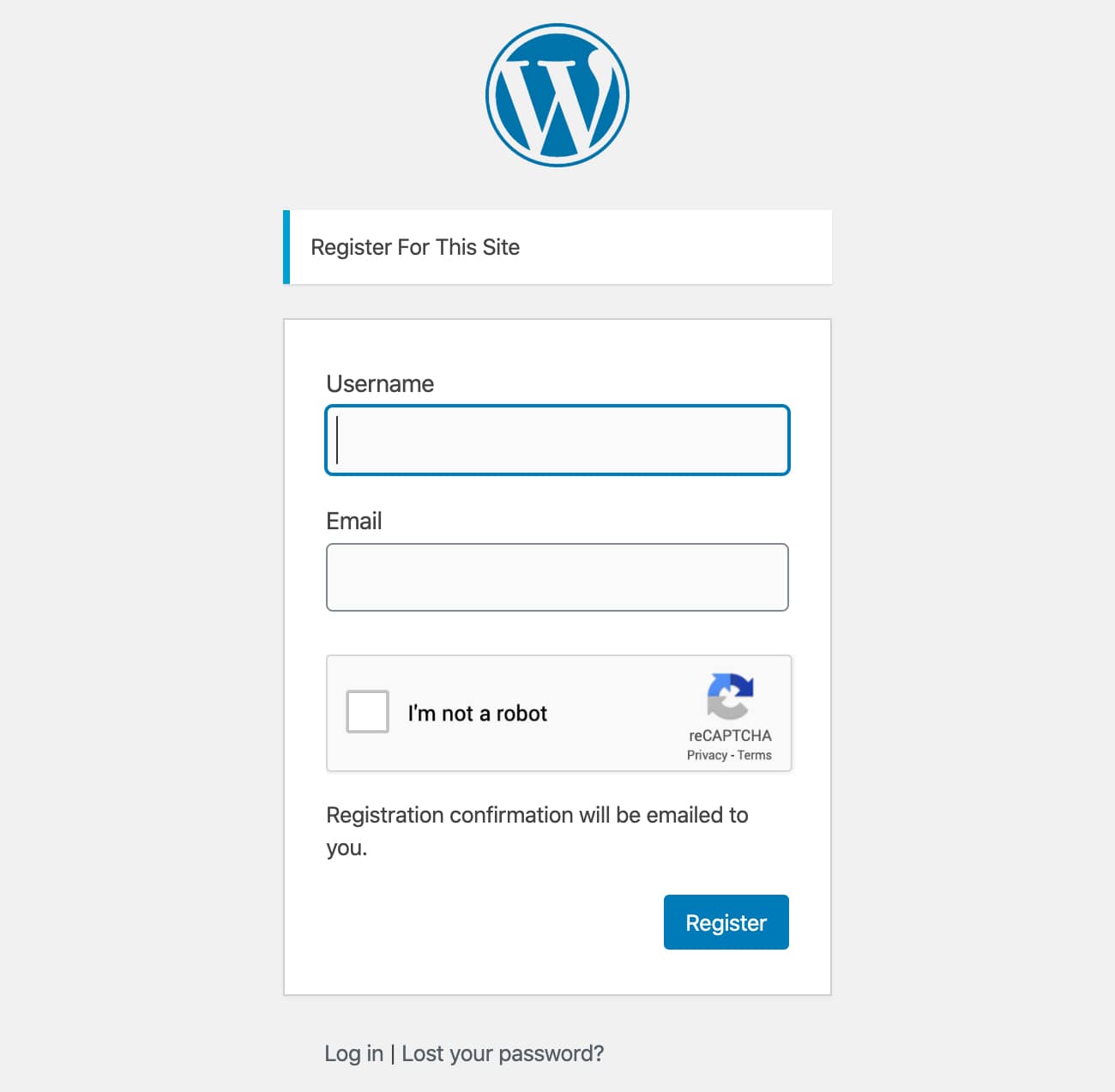
  • Registration Form
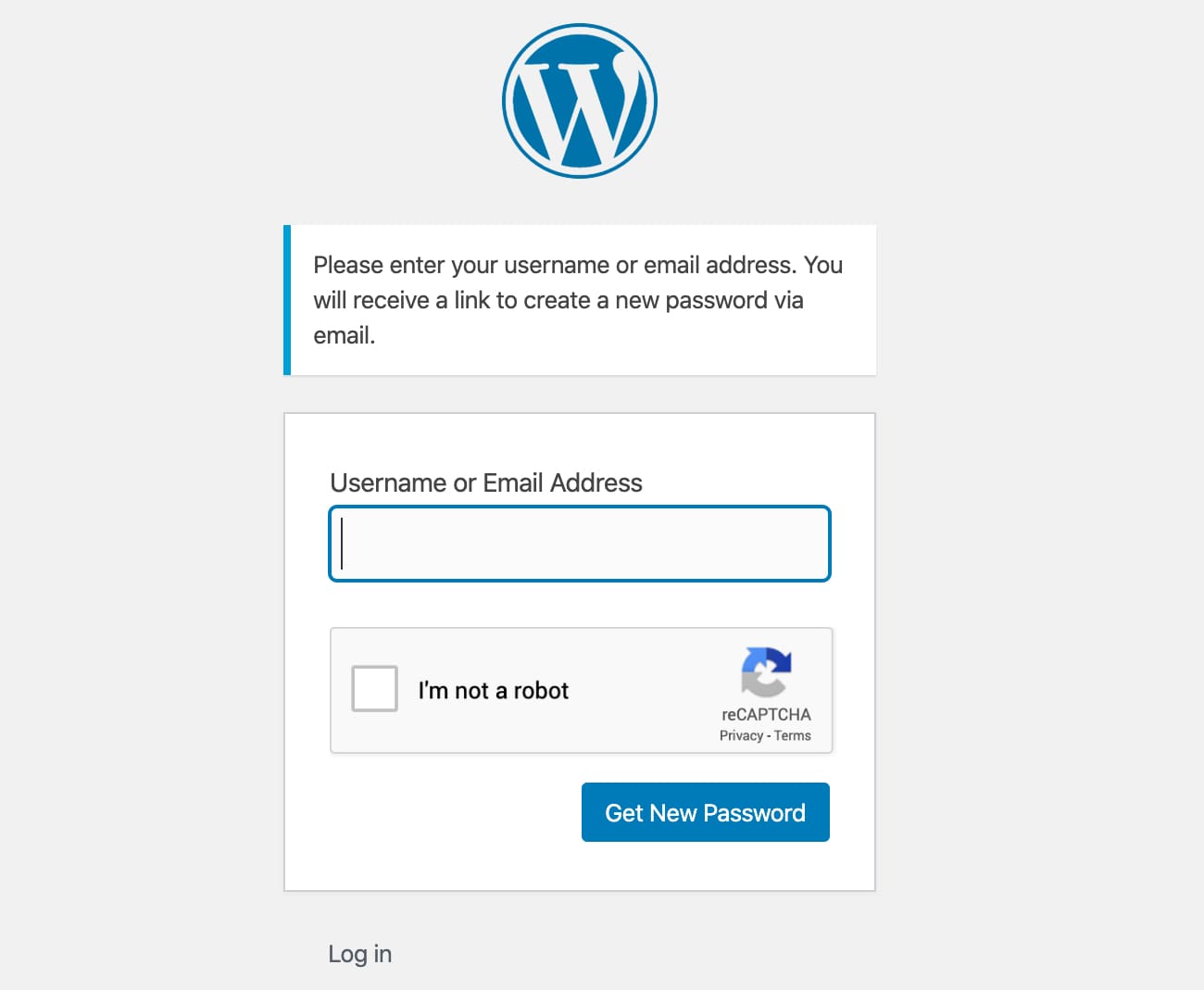
  • Reset Password Form
  • Comment Form
  • BuddyPress Form
  • WooCommerce Form
  • Easy Digital Downloads (EDD) Login Form
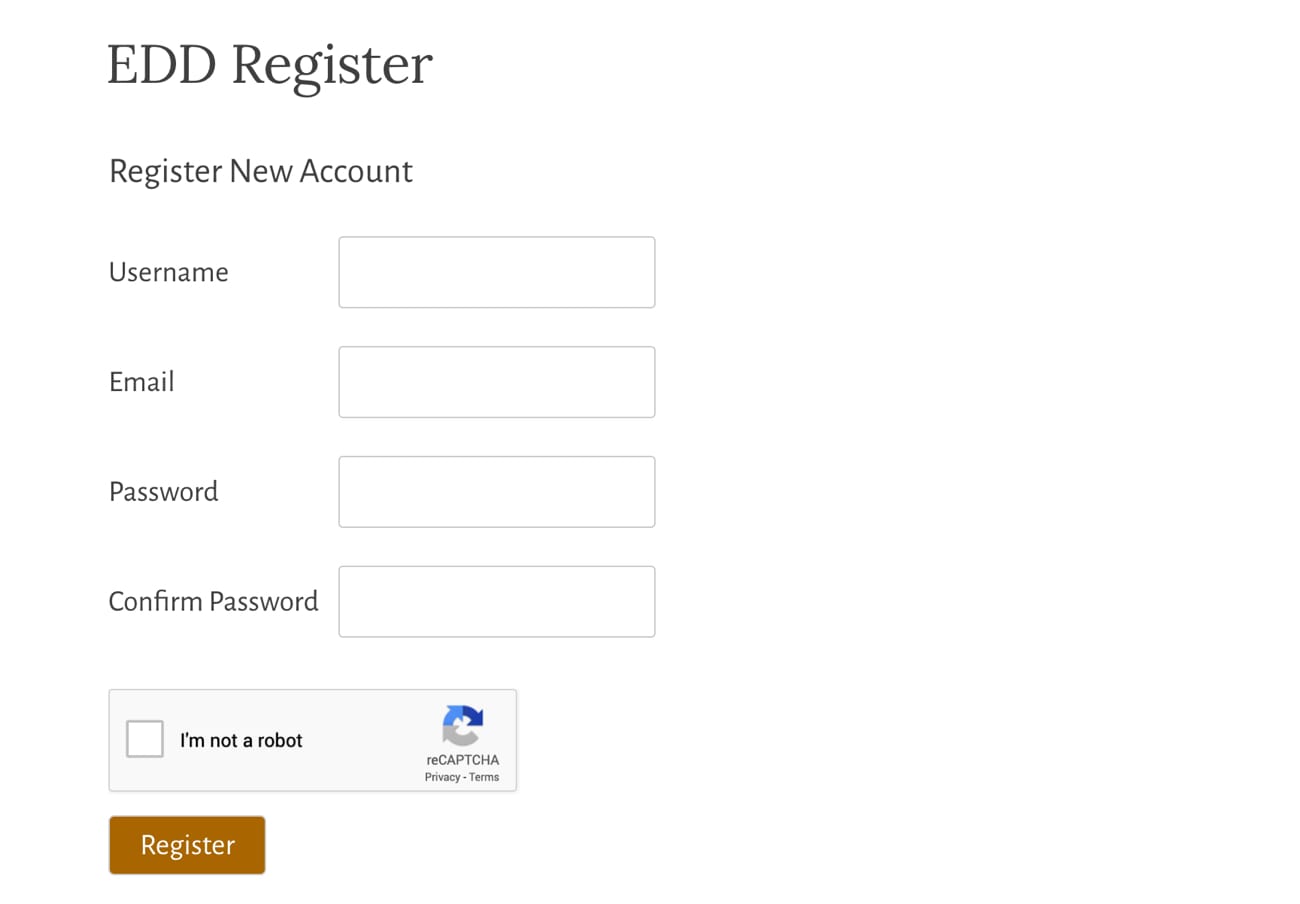
  • Easy Digital Downloads (EDD) Registration Form

Captcha uses these 3rd party libs:

  • Chart.js, 2017 Nick Downie, MIT
  • DataTables, 2008-2017 SpryMedia Ltd, MIT
  • moment.js, Tim Wood, Iskren Chernev, MIT
  • SweetAlert 2, github.com/Sweetalert2/Sweetalert2, MIT
  • tooltipster, www.heteroclito.fr/modules/tooltipster/, MIT

ئېكران كەسمىسى
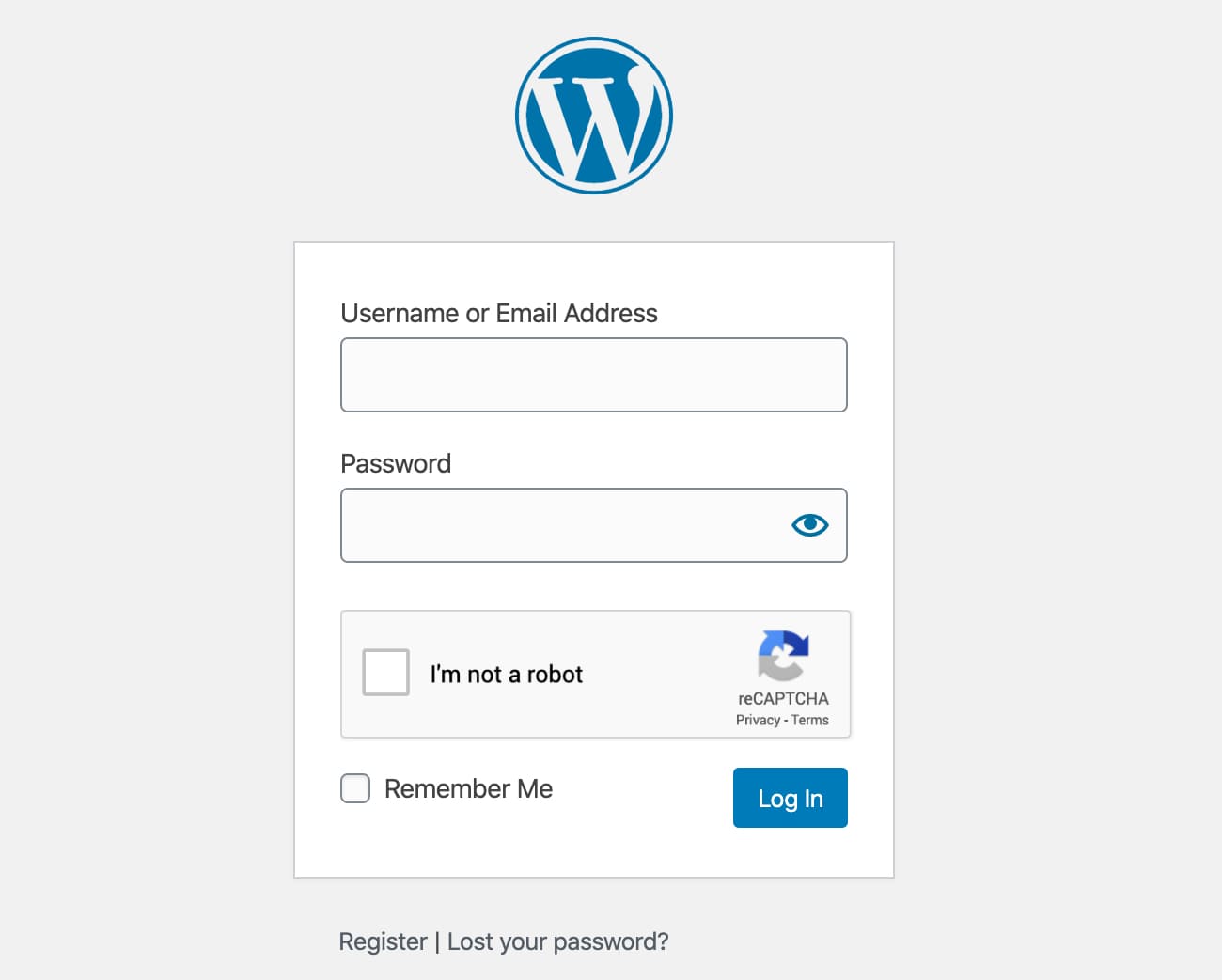
Login form
Login form
Registration form
Registration form
Reset Password form
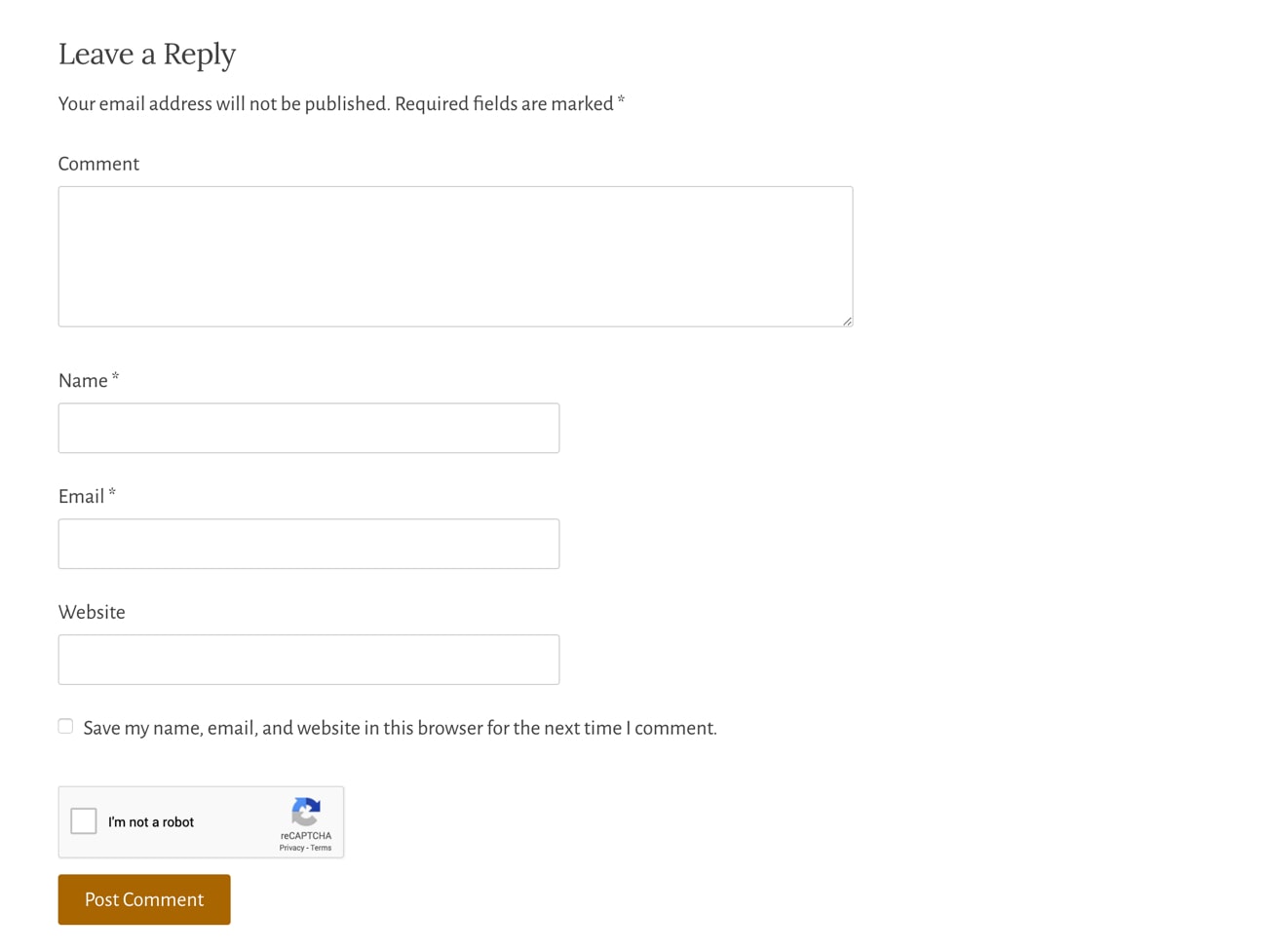
Reset Password form
Comment form
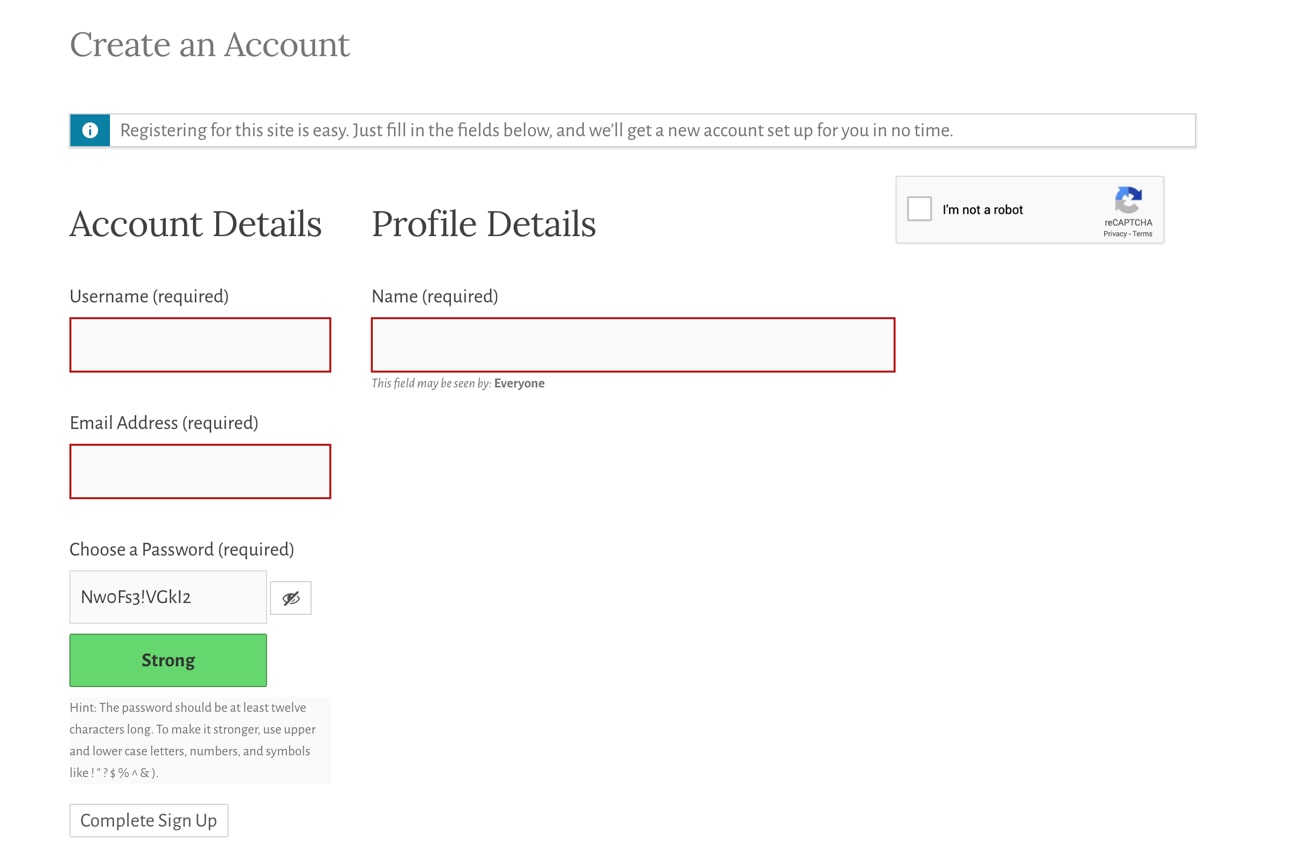
Comment form
BuddyPress form
BuddyPress form
EDD Registration form
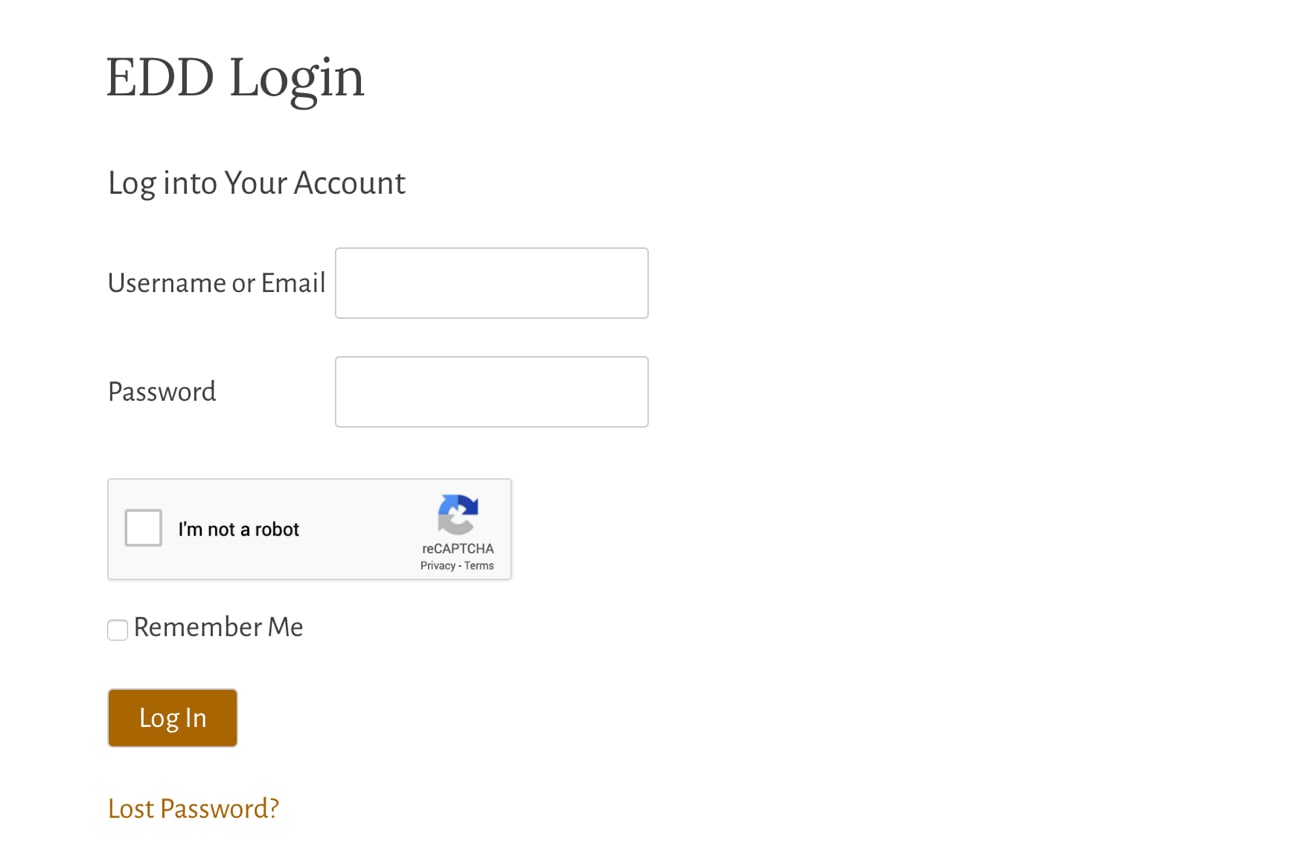
EDD Login form
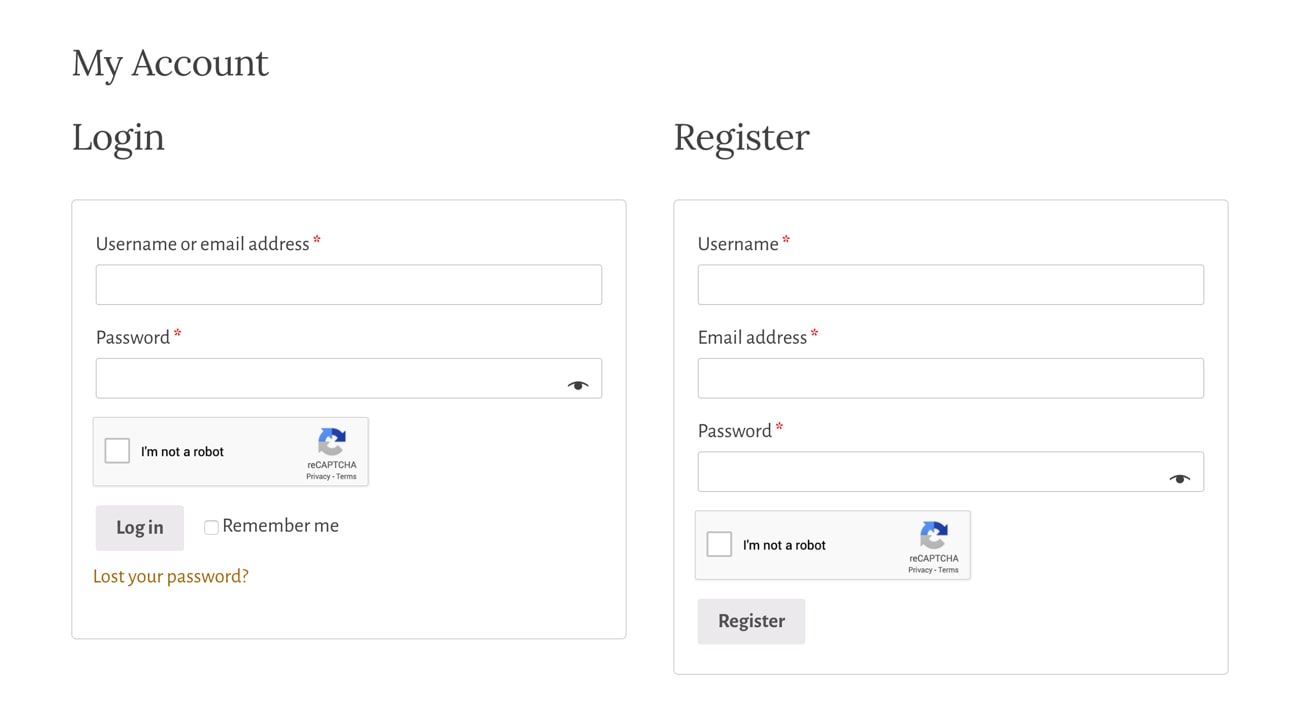
EDD Login form
WooCommerce Login and Registration form
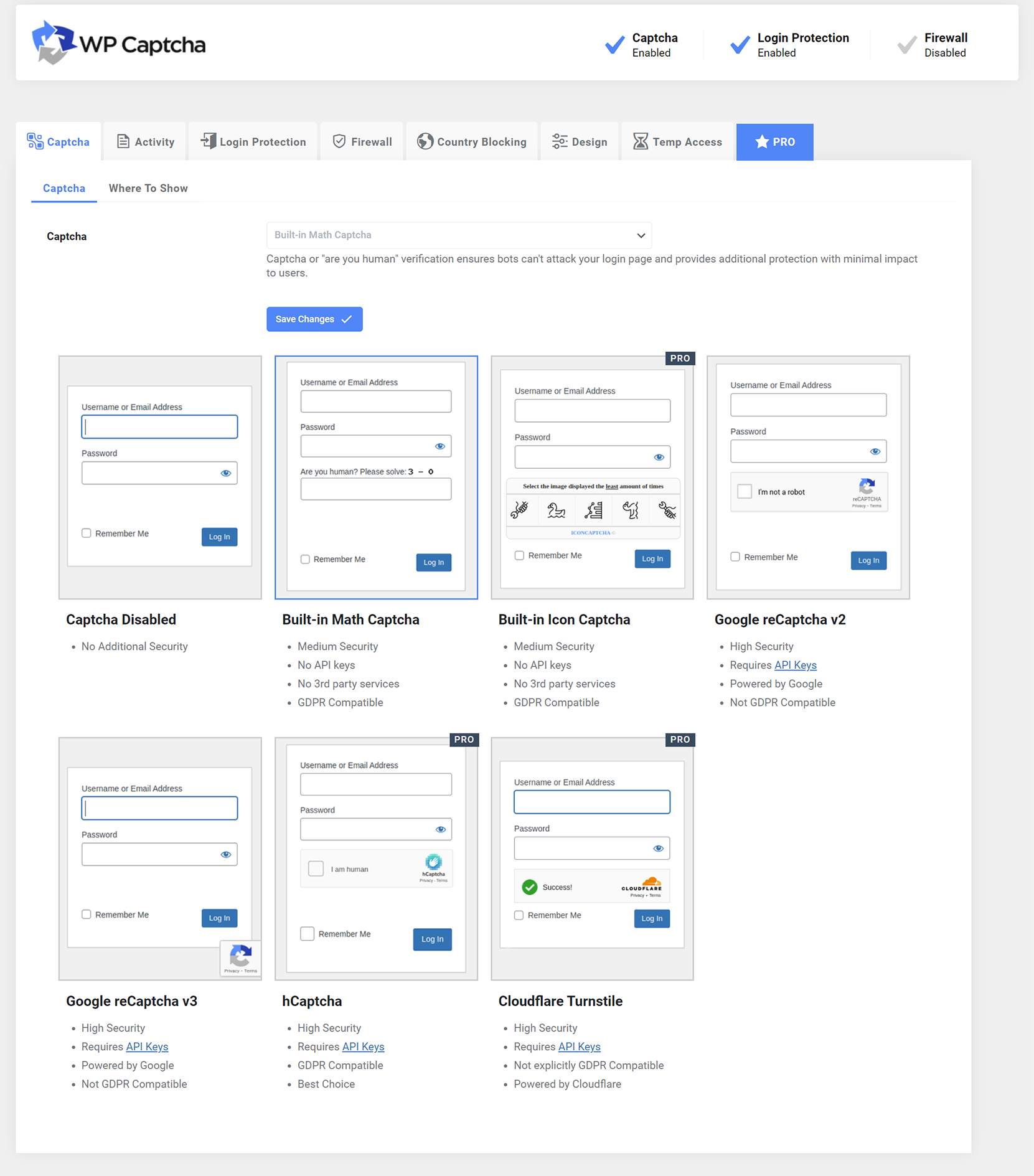
Plugin settings
Plugin settings

ئورنىتىش

  1. Upload Advanced Google reCAPTCHA files to the «/wp-content/plugins/advanced-google-recaptcha» directory, or install Advanced Google reCAPTCHA through the WordPress Plugins page directly.
  2. Activate Advanced Google reCAPTCHA through the WordPress Plugins page.
  3. Use the menu Advanced Google reCAPTCHA to configure it.

FAQ

How to disable this plugin?

Just use standard Plugin overview page in WordPress admin section and deactivate it or rename plugin folder /wp-content/plugins/advanced-google-recaptcha over FTP access.

Does Captcha work for comment form?

Yes, it works for WordPress comment form.

Will it slow my site down?

No, it won’t. It’s only loaded on the pages it protects.

How can I report security bugs?

You can report security bugs through the Patchstack Vulnerability Disclosure Program. The Patchstack team help validate, triage and handle any security vulnerabilities. Report a security vulnerability.

باھالاشلار

Great and easy

huntvinyl 2026-يىلى 12-ئاۋغۇست 1 reply
Needed a recaptcha for my site to avoid spam account and this works!

Excellent plugin

power4all 2026-يىلى 10-ماي 1 reply
Excellent plugin. However, as a PRO user, I would expect the ability to manage settings centrally — such as blocking countries, copying/importing and exporting configurations between sites, so I wouldn’t have to manually select countries for each individual site, along with other general settings and preferences.

Why moment.js in 2026?

kc22033 2026-يىلى 3-مارت 2 replies
This may be a great plugin, but the fact that it’s still using moment.js is a HUGE red flag! To me, this says that the plugin isn’t being **seriously** maintained. The below information is directly from the builders/maintainers of Moment.js: We now generally consider Moment to be a legacy project in maintenance mode. It is not dead, but it is indeed done. In practice, this means: We will not be adding new features or capabilities. We will not be changing Moment’s API to be immutable. We will not be addressing tree shaking or bundle size issues. We will not be making any major changes (no version 3). We may choose to not fix bugs or behavioral quirks, especially if they are long-standing known issues.

Works great and support is very helpful

dscreative 2026-يىلى 25-فېۋرال 1 reply
Simple to set up and works great. When I thought I had an issue, support were very quick to respond and very helpful.

Great Plugin

erismanos 2025-يىلى 30-نويابىر
Everything is fine, just the first login was in loop because the system send a key as password which can find on url that receive to change the password!! Strange! If you try to enter your password, then you will be in a constant loop that the login is invalid!Nice to have in the future: the option to add a signature or extra details in the footer of the login page.

Wouldn’t work

wplogin12 2025-يىلى 16-سېنتەبىر
Would not work at all
430 باھالاشنىڭ ھەممىنى ئوقۇش

تۆھپىكار ۋە ئىجادكار

«Advanced Google reCAPTCHA» كودى ئوچۇق يۇمشاق دېتال. تۆۋەندىكى كىشىلەر بۇ قىستۇرمىغا تۆھپە قوشقان.

تۆھپىكار
  • WebFactory

«Advanced Google reCAPTCHA» 20 تىلغا تەرجىمە قىلىنغان. تەرجىمانلارنىڭ تۆھپىسى ئۈچۈن رەھمەت.

«Advanced Google reCAPTCHA» نى تىلىڭىزغا تەرجىمە قىلىڭ

ئىجادىيەتكە قىزىقامسىز؟

كودقا كۆز يۈگۈرتۈپ، SVN خەزىنە تەكشۈرۈپ ياكى RSSئارقىلىق ئىجادىيەت خاتىرىسىگە مۇشتەرى بولغىلى بولىدۇ.

ئۆزگىرىش خاتىرىسى

5.40 – 18/07/2026

  • Minor JS bug fix

5.39 – 08/06/2026

  • Updated the free version number to keep the free and PRO releases aligned and avoid confusion around public security advisories. The reported issue (CVE-2026-5411) affected the PRO version only (not the free one) and was already patched, but because both versions share the same plugin slug, some users and automated tools could and did misinterpret the version numbers. Aligning the free version with the PRO version makes it clearer that the installed plugin is current and helps prevent unnecessary concerns

1.35 – 05/05/2026

  • Added option to customize «Are you human? Please solve:» text
  • Fixed reCaptcha v3 token expiration

1.34 – 09/04/2026

  • Minor fixes

1.33 – 26/03/2026

  • Wordfence compatibility fix

1.32 – 19/03/2026

  • added captcha to WooCommerce payment endpoint
  • improved checkout error handling

1.31 – 30/07/2025

  • minor code fixes

1.30 – 26/03/2025

  • security fixes

1.29 – 28/02/2025

  • Easy Digital Downloads (EDD) registration fix
  • math captcha bug fix

1.28 – 21/02/2025

  • improved math captcha security
  • math captcha now printed inline to avoid direct php file request getting blocked by some firewalls
  • 200k active installs

1.27 – 23/01/2025

  • fixed password reset form error message

1.26 – 16/12/2024

  • increased randomness of recovery URL

1.25 – 22/10/2024

  • reCAPTCHA v3 minimum score is now 0.5

1.24 – 17/10/2024

  • Jetpack compatibility fix
  • comment form captcha bug fix

1.23 – 02/10/2024

  • security fixes
  • added wp_login_form() support

1.22 – 30/06/2024

  • minor security fix

= 1.21 – 13/04/2024
* reCAPTCHA validation request error handling fix

= 1.20 – 13/03/2024
* double slash on images bug fix

= 1.19 – 04/02/2024
* fixed reCAPTCHA bug sometimes preventing checkout form re-submission after form errors are corrected in Woo

= 1.18 – 24/01/2024
* minor bug fix for Buddypress

1.17 – 09/12/2023

  • security/fatal error fix

1.16 – 05/12/2023

  • Woo registration fix

1.15 – 30/11/2023

  • Woo compatibility fixes

1.14 – 19/11/2023

  • Theme My Login and Woo compatibility fixes

1.13 – 16/11/2023

  • compatibility fixes

1.12 – 02/11/2023

  • small bug fixes for Woo

1.11 – 01/11/2023

  • small bug fixes

1.1 – 31/10/2023

  • new GUI
  • new features
  • introduced the PRO version

1.0.15 – 29 May 2023

  • Update packages

1.0.14 – 20 Feb 2023

  • Fix PHP 8 issue

1.0.13 – 15 Dec 2022

  • Fix admin links

1.0.12 – 2 Nov 2022

  • Add option for Woo checkout

1.0.11 – 17 Oct 2022

  • Fix Woo reset password
  • Minor bug fixes

1.0.10 – 10 Oct 2022

  • Minor bug fixes

1.0.9 – 26 Jul 2022

  • Fix WooCommerce checkout registration
  • Minor bug fixes

1.0.8 – 26 May 2022

  • Minor bug fixes

1.0.7 – 6 May 2022

  • Minor bug fixes

1.0.6 – 23 Apr 2022

  • Minor bug fixes

1.0.5 – 22 Apr 2022

  • Minor bug fixes

1.0.4 – 31 Jan 2022

  • Minor bug fixes

1.0.3 – 15 Jul 2021

  • Update links
  • Minor bug fixes

1.0.2 – 13 Jun 2021

  • Minor bug fixes

1.0.1 – 12 May 2021

  • Admin style updated
  • Documentation and other important links added

1.0.0 – 10 Mar 2021

  • Initial release

Meta

  • Version 5.40
  • ئاخىرقى يېڭىلانغان ۋاقىت 3 كۈن بۇرۇن
  • ئاكتىپ ئورنىتىش سانى 200,000+
  • WordPress نەشرى 4.9 ياكى يۇقىرى
  • 7.1 دا سىنالغان
  • PHP نەشرى 5.2 ياكى يۇقىرى
  • تىل

    Czech، Dutch، Dutch (Belgium)، English (Australia)، English (Canada)، English (UK)، English (US)، French (France)، Galician، German، Hindi، Indonesian، Japanese، Nepali، Persian، Russian، Slovak، Spanish (Chile)، Spanish (Spain)، Swedish ۋە Turkish.

    تىلىڭىزغا تەرجىمە قىلىڭ

  • بەلگە
    captchacomment reCAPTCHAgoogle recaptchalogin recaptcharecaptcha
  • ئالىي كۆرۈنۈش

دەرىجە

4.8/5 يۇلتۇز
  • 402 5-يۇلتۇز باھالاش 5 يۇلتۇز 402
  • 8 4-يۇلتۇز باھالاش 4 يۇلتۇز 8
  • 1 3-يۇلتۇز باھالاش 3 يۇلتۇز 1
  • 1 2-يۇلتۇز باھالاش 2 يۇلتۇز 1
  • 18 1-يۇلتۇز باھالاش 1 يۇلتۇز 18

Your review

بارلىق ئىنكاسنى كۆرسەت

تۆھپىكار

  • WebFactory

قوللاش

يېقىنقى ئىككى ئايدا ھەل قىلىنغان مەسىلە:

5 / 5

قوللاش مۇنبىرىنى كۆرسەت

  • ھەققىدە
  • خەۋەر
  • مۇلازىمىتىر
  • شەخسىيەت
  • كۆرگەزمە
  • ئۆرنەكلەر
  • قىستۇرمىلار
  • ئەندىزە
  • ئۈگىنىش
  • قوللاش
  • ئىجادكارلار
  • WordPress.tv ↖
  • قاتناشقان
  • پائالىيەت
  • ئىئانە ↖
  • Swag ↗
  • WordPress.com ↖
  • Matt ↖
  • bbPress ↖
  • BuddyPress ↖
WordPress.org
WordPress.org

ئۇيغۇرچە

  • Visit our X (formerly Twitter) account
  • Bluesky ھېساباتىمىزنى زىيارەت قىلىڭ
  • Visit our Mastodon account
  • Threads ھېساباتىمىزنى زىيارەت قىلىڭ
  • Facebook بېتىمىزنى زىيارەت قىلىڭ
  • Instagram ھېساباتىمىزنى زىيارەت قىلىڭ
  • LinkedIn ھېساباتىمىزنى زىيارەت قىلىڭ
  • TikTok ھېساباتىمىزنى زىيارەت قىلىڭ
  • YouTube قانىلىمىزنى زىيارەت قىلىڭ
  • Tumblr ھېساباتىمىزنى زىيارەت قىلىڭ
كود شېئىرغا ئوخشايدۇ.
The WordPress® trademark is the intellectual property of the WordPress Foundation.