Title: Media Focus Point
Author: WP Company
Published: 2025-يىلى 2-يانۋار
Last modified: 2026-يىلى 21-سېنتەبىر
---
قىستۇرما ئىزدە

# Media Focus Point
يازغۇچى [WP Company](https://profiles.wordpress.org/wpcompany/)
[چۈشۈر](https://downloads.wordpress.org/plugin/media-focus-point.2.1.3.zip)
* [تەپسىلاتلار](https://ug.wordpress.org/plugins/media-focus-point/#description)
* [باھالاشلار](https://ug.wordpress.org/plugins/media-focus-point/#reviews)
* [ئورنىتىش](https://ug.wordpress.org/plugins/media-focus-point/#installation)
* [ئىجادىيەت](https://ug.wordpress.org/plugins/media-focus-point/#developers)
[قوللاش](https://wordpress.org/support/plugin/media-focus-point/)
## چۈشەندۈرۈش
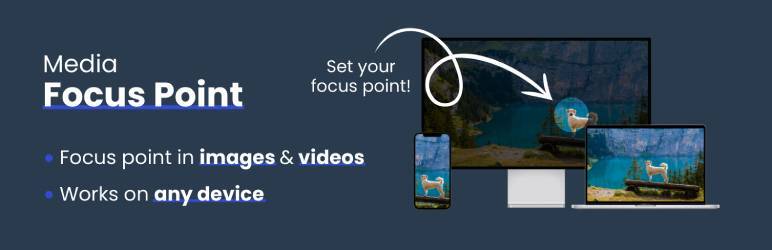
This plugin makes managing background images or videos effortless by allowing you
to set a focus point that stays consistent. Regardless of how the media is resized
or the background changes, the focus point ensures that the most important part
of your media remains visible and centered.
Ideal for responsive designs and dynamic backgrounds, this tool ensures your media
always looks polished and professional on any screen size or resolution.
🚀 See the plugin in action on [WP Company](https://www.wpcompany.nl/)
## ئېكران كەسمىسى
[⌊This screenshot displays the Media Focus Point options available for an uploaded
image.⌉⌊This screenshot displays the Media Focus Point options available for an
uploaded image.⌉[
This screenshot displays the Media Focus Point options available for an uploaded
image.
[⌊This screenshot showcases how to set the focus point on an image.⌉⌊This screenshot
showcases how to set the focus point on an image.⌉[
This screenshot showcases how to set the focus point on an image.
[⌊This screenshot illustrates how the image resizes while ensuring the focus point
remains visible.⌉⌊This screenshot illustrates how the image resizes while ensuring
the focus point remains visible.⌉[
This screenshot illustrates how the image resizes while ensuring the focus point
remains visible.
## ئورنىتىش
If you installed the plugin and set a focus point on your image or video **it should
work right away**. Most WordPress themes already use this standard WordPress method
to render featured images.
_💡 The plugin automatically adds an inline style attribute to the image element,
such as:_
```
style="object-position: 50% 38%;"
```
To display an image in your custom template with the focus point applied, you can
use the following code snippet:
**For featured images (post thumbnails):**
```
```
**For background images including the background-image:url():**
```
```
**To omit inline background-image, set second parameter to false:**
```
```
**For images from Advanced Custom Fields (ACF):**
```
```
**To ensure the image fills its element while maintaining the focus point, use the
object-fit property in your CSS. For example:**
```
img {
height: 300px;
width: 100%;
object-fit: cover;
}
```
**For custom video tags**
```
```
**Custom video function**
```
```
## FAQ
### How do I set a focus point?
When you upload an image or video, the default focus point is centered. To change
this, follow these steps:
1. Upload your media: After uploading, you’ll see the standard focus point set to
the center of the media.
2. Edit the focus point: Below the description fields, you’ll find an option labeled
Focus Point. Click on this and then click on the ›Change‹ button.
3. Select the focus area: A preview of your image or video will appear. Simply click
on the part of the media you want to focus on. The plugin will visually mark the
selected focus area.
4. Save your selection: After selecting the focus point, click Save. The plugin will
record your choice.
5. Adjust percentage: Once saved, you will see two percentage fields: one for the
horizontal and one for the vertical focus point. These percentages represent the
exact position of your selected focus area relative to the media’s dimensions.
6. No additional save required: Once the percentages are set, the focus point is automatically
applied, and there’s no need to save the image itself again.
The focus point will now remain centered on the selected area as the media resizes,
ensuring the most important parts are always visible, no matter the screen size
or layout changes.
### Is this plugin compatible with all themes?
Yes, the plugin is designed to be compatible with most WordPress themes that use
image backgrounds. If you encounter issues, please reach out to our support team.
## باھالاشلار

### [Works well, great service](https://wordpress.org/support/topic/works-well-great-service/)
[Millennyum](https://profiles.wordpress.org/millennyum/) 2026-يىلى 28-ئىيۇل
This plugin is easy to use and helpful, and the service provided when there are
issues is very good and fast!

### [Great plugin to use with Gumlet](https://wordpress.org/support/topic/great-plugin-to-use-with-gumlet/)
[maxstrategiq1](https://profiles.wordpress.org/maxstrategiq1/) 2026-يىلى 10-فېۋرال
Great plugin I am using with Gumlet image processor to select the focal point. Support
is rapid, I raised 1 bug and sorted within the next day.Great support for a great
plugin.

### [Easy to use](https://wordpress.org/support/topic/easy-to-use-5284/)
[Make carlos](https://profiles.wordpress.org/make-carlos/) 2025-يىلى 14-ئۆكتەبىر
The support team is excellent — they understood the issues clearly and resolved
them with the latest updates.

### [Simple, slick and does the job](https://wordpress.org/support/topic/simple-slick-and-does-the-job/)
[Tim](https://profiles.wordpress.org/timwakeling-1/) 2025-يىلى 1-ئۆكتەبىر
Really good plugin, does one job and does it well. Focus point is automatically
used wherever the image is used on the site, more seamlessly than I expected. Nice.

### [This should be a core functionality +1](https://wordpress.org/support/topic/this-should-be-a-core-functionality-1/)
[Cornel](https://profiles.wordpress.org/vonweb/) 2026-يىلى 12-ماي
This should be a core functionality +1

### [This should be a core functionality](https://wordpress.org/support/topic/this-should-be-a-core-functionality-2/)
[CDHeumann](https://profiles.wordpress.org/cdheumann/) 2025-يىلى 8-سېنتەبىر 2 replies
Great plugin, does exactly what it should. Only with very wide images, setting the
focus point is not optimal. You have to experiment a bit.
[ 9 باھالاشنىڭ ھەممىنى ئوقۇش ](https://wordpress.org/support/plugin/media-focus-point/reviews/)
## تۆھپىكار ۋە ئىجادكار
«Media Focus Point» كودى ئوچۇق يۇمشاق دېتال. تۆۋەندىكى كىشىلەر بۇ قىستۇرمىغا تۆھپە
قوشقان.
تۆھپىكار
* [ WP Company ](https://profiles.wordpress.org/wpcompany/)
«Media Focus Point» 1 تىلغا تەرجىمە قىلىنغان. [تەرجىمانلار](https://translate.wordpress.org/projects/wp-plugins/media-focus-point/contributors)
نىڭ تۆھپىسى ئۈچۈن رەھمەت.
[«Media Focus Point» نى تىلىڭىزغا تەرجىمە قىلىڭ](https://translate.wordpress.org/projects/wp-plugins/media-focus-point)
### ئىجادىيەتكە قىزىقامسىز؟
[كودقا كۆز يۈگۈرتۈپ](https://plugins.trac.wordpress.org/browser/media-focus-point/)،
[SVN خەزىنە](https://plugins.svn.wordpress.org/media-focus-point/) تەكشۈرۈپ ياكى
[RSS](https://plugins.trac.wordpress.org/log/media-focus-point/?limit=100&mode=stop_on_copy&format=rss)
ئارقىلىق [ئىجادىيەت خاتىرىسى](https://plugins.trac.wordpress.org/log/media-focus-point/)
گە مۇشتەرى بولغىلى بولىدۇ.
## ئۆزگىرىش خاتىرىسى
#### 2.1.3
* Preserve the selected `object-position` on the generated `![]() ` when Imagify
displays images through `` tags.
#### 2.1.2
* Stop forcing `object-fit: cover` and a fixed height on ordinary and Gutenberg
images.
* Keep image sizing and cropping controlled by WordPress, Gutenberg, and the active
theme.
#### 2.1.1
* Updated the tested WordPress compatibility metadata for the 7.1 release branch,
including WordPress 7.1.1.
#### 2.1.0
* Use a core Image block’s own Gutenberg focal point on the backend and frontend.
* Fall back to the attachment-wide Media Focus Point value when no block-specific
focal point is set.
* Keep attachment-wide focus point changes active until a block-specific Gutenberg
value is chosen.
#### 2.0.9
* Use a core Image block’s own Gutenberg focal point on the backend and frontend.
* Fall back to the attachment-wide Media Focus Point value when no block-specific
focal point is set.
* Keep attachment-wide focus point changes active until a block-specific Gutenberg
value is chosen.
#### 2.0.8
* Improved core Image block preview updates in the block editor.
#### 2.0.7
* Fixed focal points for core Image blocks in the editor and frontend.
* Scoped focal-point styling to individual images and made reset restore default
behavior.
#### 2.0.6
* Added support for Blocksy image rendering, including dynamically loaded images.
#### 2.0.5
* Correctly decodes Base64 UTF-8 strings for opening in modal (Example: ExampleImagewithCopyright
©.png)
#### 2.0.4
* Weird bug when setting focus point for Featured Image or ACF Image fields
#### 2.0.3.1
* Fixed bug where overlay controls were sometimes visible in locations they shouldn’t
be.
#### 2.0.3
* Fixed an issue with overlapping elements when opening the focus point overlay
within a media library opened in a block editor.
#### 2.0.2
* Fixed aspect ratio of wide images while selecting a focus point
* Fixed setting a focus point by mouseclick sometimes resulting in a focus point
just outside the image
#### 2.0.1
* Added custom prefix to all classes to prevent style conflicts
#### 2.0
* Media Focus Point: now supports video!
* Added Gutenberg-block compatibility for images and videos
* Fixed bug that allowed negative percentages to be manually inserted
#### 1.5
* Added functionality to allow editing the focus point directly on the attachment
detail page without requiring the modal.
#### 1.4
* Images are no longer draggable while setting a focus point.
* Corrected image boundaries when setting a focus point by clicking on an image.
* Focus point is now shown in number fields to allow for further fine-tuning.
* Fixed a bug where image dimensions were sometimes read too early causing division
by zero.
#### 1.3
* New function MFP_Background to dynamically generate background position for background
images.
#### 1.2.2
* Remove the disabled script that caused errors in certain situations
#### 1.2.1
* Added banner, icon and screenshot to plugin
#### 1.2
* Added i18n support
#### 1.1
* Replaced jQuery with vanilla JavaScript for improved performance and compatibility.
#### 1.0
* Initial release with the ability to set a focus point on image backgrounds.
## Meta
* Version **2.1.3**
* ئاخىرقى يېڭىلانغان ۋاقىت **5 كۈن بۇرۇن**
* ئاكتىپ ئورنىتىش سانى **6,000+**
* WordPress نەشرى ** 6.0 ياكى يۇقىرى **
* **7.1.2** دا سىنالغان
* PHP نەشرى ** 7.4 ياكى يۇقىرى **
* تىل
* [Dutch](https://nl.wordpress.org/plugins/media-focus-point/) ۋە [English (US)](https://wordpress.org/plugins/media-focus-point/).
* [تىلىڭىزغا تەرجىمە قىلىڭ](https://translate.wordpress.org/projects/wp-plugins/media-focus-point)
* بەلگە
* [background](https://ug.wordpress.org/plugins/tags/background/)[focus](https://ug.wordpress.org/plugins/tags/focus/)
[image](https://ug.wordpress.org/plugins/tags/image/)[video](https://ug.wordpress.org/plugins/tags/video/)
* [ئالىي كۆرۈنۈش](https://ug.wordpress.org/plugins/media-focus-point/advanced/)
## دەرىجە
5/5 يۇلتۇز
* [ 9 5-يۇلتۇز باھالاش ](https://wordpress.org/support/plugin/media-focus-point/reviews/?filter=5)
* [ 0 4-يۇلتۇز باھالاش ](https://wordpress.org/support/plugin/media-focus-point/reviews/?filter=4)
* [ 0 3-يۇلتۇز باھالاش ](https://wordpress.org/support/plugin/media-focus-point/reviews/?filter=3)
* [ 0 2-يۇلتۇز باھالاش ](https://wordpress.org/support/plugin/media-focus-point/reviews/?filter=2)
* [ 0 1-يۇلتۇز باھالاش ](https://wordpress.org/support/plugin/media-focus-point/reviews/?filter=1)
[Your review](https://wordpress.org/support/plugin/media-focus-point/reviews/#new-post)
[بارلىق ئىنكاسنى كۆرسەت](https://wordpress.org/support/plugin/media-focus-point/reviews/)
## تۆھپىكار
* [ WP Company ](https://profiles.wordpress.org/wpcompany/)
## قوللاش
يېقىنقى ئىككى ئايدا ھەل قىلىنغان مەسىلە:
4 / 6
[قوللاش مۇنبىرىنى كۆرسەت](https://wordpress.org/support/plugin/media-focus-point/)
` when Imagify
displays images through `` tags.
#### 2.1.2
* Stop forcing `object-fit: cover` and a fixed height on ordinary and Gutenberg
images.
* Keep image sizing and cropping controlled by WordPress, Gutenberg, and the active
theme.
#### 2.1.1
* Updated the tested WordPress compatibility metadata for the 7.1 release branch,
including WordPress 7.1.1.
#### 2.1.0
* Use a core Image block’s own Gutenberg focal point on the backend and frontend.
* Fall back to the attachment-wide Media Focus Point value when no block-specific
focal point is set.
* Keep attachment-wide focus point changes active until a block-specific Gutenberg
value is chosen.
#### 2.0.9
* Use a core Image block’s own Gutenberg focal point on the backend and frontend.
* Fall back to the attachment-wide Media Focus Point value when no block-specific
focal point is set.
* Keep attachment-wide focus point changes active until a block-specific Gutenberg
value is chosen.
#### 2.0.8
* Improved core Image block preview updates in the block editor.
#### 2.0.7
* Fixed focal points for core Image blocks in the editor and frontend.
* Scoped focal-point styling to individual images and made reset restore default
behavior.
#### 2.0.6
* Added support for Blocksy image rendering, including dynamically loaded images.
#### 2.0.5
* Correctly decodes Base64 UTF-8 strings for opening in modal (Example: ExampleImagewithCopyright
©.png)
#### 2.0.4
* Weird bug when setting focus point for Featured Image or ACF Image fields
#### 2.0.3.1
* Fixed bug where overlay controls were sometimes visible in locations they shouldn’t
be.
#### 2.0.3
* Fixed an issue with overlapping elements when opening the focus point overlay
within a media library opened in a block editor.
#### 2.0.2
* Fixed aspect ratio of wide images while selecting a focus point
* Fixed setting a focus point by mouseclick sometimes resulting in a focus point
just outside the image
#### 2.0.1
* Added custom prefix to all classes to prevent style conflicts
#### 2.0
* Media Focus Point: now supports video!
* Added Gutenberg-block compatibility for images and videos
* Fixed bug that allowed negative percentages to be manually inserted
#### 1.5
* Added functionality to allow editing the focus point directly on the attachment
detail page without requiring the modal.
#### 1.4
* Images are no longer draggable while setting a focus point.
* Corrected image boundaries when setting a focus point by clicking on an image.
* Focus point is now shown in number fields to allow for further fine-tuning.
* Fixed a bug where image dimensions were sometimes read too early causing division
by zero.
#### 1.3
* New function MFP_Background to dynamically generate background position for background
images.
#### 1.2.2
* Remove the disabled script that caused errors in certain situations
#### 1.2.1
* Added banner, icon and screenshot to plugin
#### 1.2
* Added i18n support
#### 1.1
* Replaced jQuery with vanilla JavaScript for improved performance and compatibility.
#### 1.0
* Initial release with the ability to set a focus point on image backgrounds.
## Meta
* Version **2.1.3**
* ئاخىرقى يېڭىلانغان ۋاقىت **5 كۈن بۇرۇن**
* ئاكتىپ ئورنىتىش سانى **6,000+**
* WordPress نەشرى ** 6.0 ياكى يۇقىرى **
* **7.1.2** دا سىنالغان
* PHP نەشرى ** 7.4 ياكى يۇقىرى **
* تىل
* [Dutch](https://nl.wordpress.org/plugins/media-focus-point/) ۋە [English (US)](https://wordpress.org/plugins/media-focus-point/).
* [تىلىڭىزغا تەرجىمە قىلىڭ](https://translate.wordpress.org/projects/wp-plugins/media-focus-point)
* بەلگە
* [background](https://ug.wordpress.org/plugins/tags/background/)[focus](https://ug.wordpress.org/plugins/tags/focus/)
[image](https://ug.wordpress.org/plugins/tags/image/)[video](https://ug.wordpress.org/plugins/tags/video/)
* [ئالىي كۆرۈنۈش](https://ug.wordpress.org/plugins/media-focus-point/advanced/)
## دەرىجە
5/5 يۇلتۇز
* [ 9 5-يۇلتۇز باھالاش ](https://wordpress.org/support/plugin/media-focus-point/reviews/?filter=5)
* [ 0 4-يۇلتۇز باھالاش ](https://wordpress.org/support/plugin/media-focus-point/reviews/?filter=4)
* [ 0 3-يۇلتۇز باھالاش ](https://wordpress.org/support/plugin/media-focus-point/reviews/?filter=3)
* [ 0 2-يۇلتۇز باھالاش ](https://wordpress.org/support/plugin/media-focus-point/reviews/?filter=2)
* [ 0 1-يۇلتۇز باھالاش ](https://wordpress.org/support/plugin/media-focus-point/reviews/?filter=1)
[Your review](https://wordpress.org/support/plugin/media-focus-point/reviews/#new-post)
[بارلىق ئىنكاسنى كۆرسەت](https://wordpress.org/support/plugin/media-focus-point/reviews/)
## تۆھپىكار
* [ WP Company ](https://profiles.wordpress.org/wpcompany/)
## قوللاش
يېقىنقى ئىككى ئايدا ھەل قىلىنغان مەسىلە:
4 / 6
[قوللاش مۇنبىرىنى كۆرسەت](https://wordpress.org/support/plugin/media-focus-point/)