
چۈشەندۈرۈش
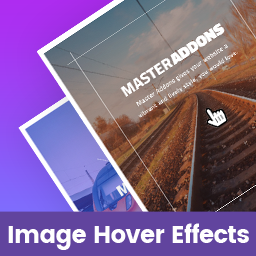
Image Hover Effects for Elementor is a standalone Elementor addon plugin that adds image hover effects to your pages. All effects are fully responsive on all devices and touch-enabled.
Features
- Fully responsive on all devices
- Multiple image hover effects
- Touch-enabled for mobile devices
- Title and description content on hover
- Social media content support
- Image upload from media library
- Typography and color settings
- Easy to use
Elementor page builder is required. If Elementor is not installed, the plugin will display a notice with an installation link.
Common Problems & Solutions
Elementor not loading?
Increasing the PHP memory limit in wp-config.php or php.ini is the most common solution.
View Tutorial
Related Plugins by Jewel Theme
Adminify – White Label Admin Menu Editor, Login Customizer – Admin customization with Dark Mode, Menu Editor, Login Customizer, and Admin Columns.
Master Addons for Elementor – 55+ Elementor widgets and extensions including Theme Builder and Popup Builder.
Image Comparison for Elementor – Before/after image comparison slider with multiple layout variations.
Master Accordion – A standalone FAQ/accordion plugin for non-Elementor WordPress pages.
WordPress prettyPhoto – Lightbox support for images, video, YouTube, iframes, and AJAX.
Support
ئېكران كەسمىسى

Image Hover Effects for Elementor Preview – One 
Image Hover Effects for Elementor Preview – Two 
Image Hover Effects for Elementor Preview – Three 
Image Hover Effects for Elementor Preview – Four
ئورنىتىش
- Upload the
image-hover-effects-elementor-addon.zipfile via Plugins Add New Upload Plugin in your WordPress dashboard. - Alternatively, extract the ZIP and upload the
image-hover-effects-elementor-addonfolder to/wp-content/plugins/via FTP. - Activate Image Hover Effects for Elementor from the Plugins screen.
Note: Elementor must be installed and activated before using this plugin.
FAQ
-
Can I use this plugin without Elementor?
-
No. Elementor page builder is required. If Elementor is not installed or activated, the plugin will display an installation notice automatically.
-
How do I install this plugin?
-
Follow the steps in the Installation section above. Video tutorials are also available on our YouTube Channel.
-
Do I need to configure anything after activation?
-
No configuration is required. After activation, find the «Image Hover Effects» widget in the Elementor panel under the General category and drag it onto your page.
-
How do I add Image Hover Effects to a page or post?
-
Navigate to any post or page and open it in Elementor. Search for «Image Hover Effects» in the widget panel or scroll to the General category. Drag the widget onto your canvas and customize it.
-
Image Hover Effects is installed but not working.
-
First, deactivate other Elementor addon plugins and try again. If the issue continues, post a support topic via the Website Contact Form.
-
Is it compatible with any WordPress theme?
-
Yes. It works with any WordPress theme that supports Elementor.
-
How can I get support?
-
Post a topic on the WordPress Support Forum or use the Website Contact Form.
باھالاشلار
بۇ قىستۇرمىغا تېخى باھا يېزىلمىدى.
تۆھپىكار ۋە ئىجادكار
«Image Hover Effects for Elementor» كودى ئوچۇق يۇمشاق دېتال. تۆۋەندىكى كىشىلەر بۇ قىستۇرمىغا تۆھپە قوشقان.
تۆھپىكار


«Image Hover Effects for Elementor» نى تىلىڭىزغا تەرجىمە قىلىڭ
ئىجادىيەتكە قىزىقامسىز؟
كودقا كۆز يۈگۈرتۈپ، SVN خەزىنە تەكشۈرۈپ ياكى RSSئارقىلىق ئىجادىيەت خاتىرىسىگە مۇشتەرى بولغىلى بولىدۇ.
ئۆزگىرىش خاتىرىسى
1.1.0
- Updated: Compatibility and stability improvements.
1.0.2.4
- Updated: Compatibility and stability improvements.
1.0.2.3
- Updated: General improvements.
1.0.2.2
- Updated: General improvements.
1.0.2.1
- Updated: General improvements.
1.0.2
- Initial public release.