
چۈشەندۈرۈش
Most WordPress sites run 20–40 plugins. That means 20–40 things that slow your site, conflict with each other, and need updating every week.
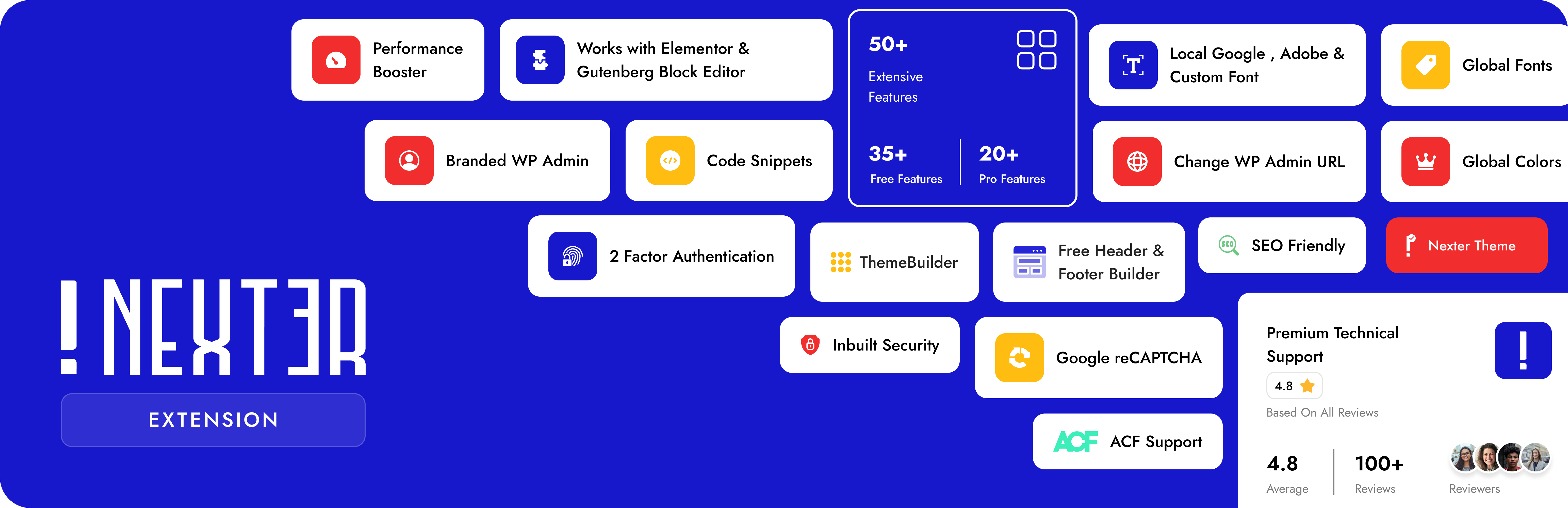
Nexter Extension fixes that. One plugin. 50+ features. Every module is toggle on/off — nothing loads unless you need it. Pure Vanilla JS, zero jQuery.
It’s the one WordPress plugin that handles your SEO, security, performance, email delivery, theme design, code management, and admin cleanup — all in one place, completely free to start.
👉 Website | All Features | Nexter SEO | Free vs Pro | Pricing | Docs | Roadmap | Support | Premium Support | AI Chat
🔍 Nexter SEO — Built-In WordPress SEO, Schema & AI Search
Handle your on-page SEO, schema, XML sitemaps, redirects, and AI search from one plugin. Nexter SEO is a complete, lightweight WordPress SEO toolkit built into Nexter Extension — drop your standalone SEO plugin, with no extra page weight and no plugin conflicts. 100% free.
- SEO Site Audit — Scan your site for on-page and technical issues, with a 0-100 health score and a prioritized list of top fixes.
- Meta Title & Description Templates — Set site-wide title and meta description templates with dynamic variables and a live Google search preview.
- Social / Open Graph — Control how your pages look when shared, with a default share image and Facebook and X (Twitter) cards.
- Schema Builder — Add 18 structured-data types (Article, Product, FAQ Page, How-To, Local Business, Event, Recipe, Video, and more) with dynamic variables and display conditions. No code.
- XML Sitemaps — Generate XML sitemaps, plus optional image, video, news, and HTML sitemaps, with exclude lists.
- Robots & Robots.txt Editor — Set per-type index, follow, and archive rules and edit your virtual robots.txt right from the dashboard.
- Instant Indexing (IndexNow) — Push new and updated URLs to search engines that support IndexNow instantly, automatically or in bulk.
- LLMs.txt for AI Search — Generate an LLMs.txt file so AI engines like ChatGPT, Perplexity, and Google AI can find and cite your content.
- Site Verification — Verify your site with Google, Bing, Pinterest, and Facebook in one place.
- Redirects & 404 Monitor — Create 301, 302, and other redirects with flexible matching, and log broken URLs to fix.
- Image SEO — Add automatic alt text from the filename or title (no AI needed) and redirect attachment pages to their parent post.
- Import / Export — Move your entire SEO configuration between sites with a single JSON file.
🏗️ Theme Builder — Free for Elementor & Gutenberg
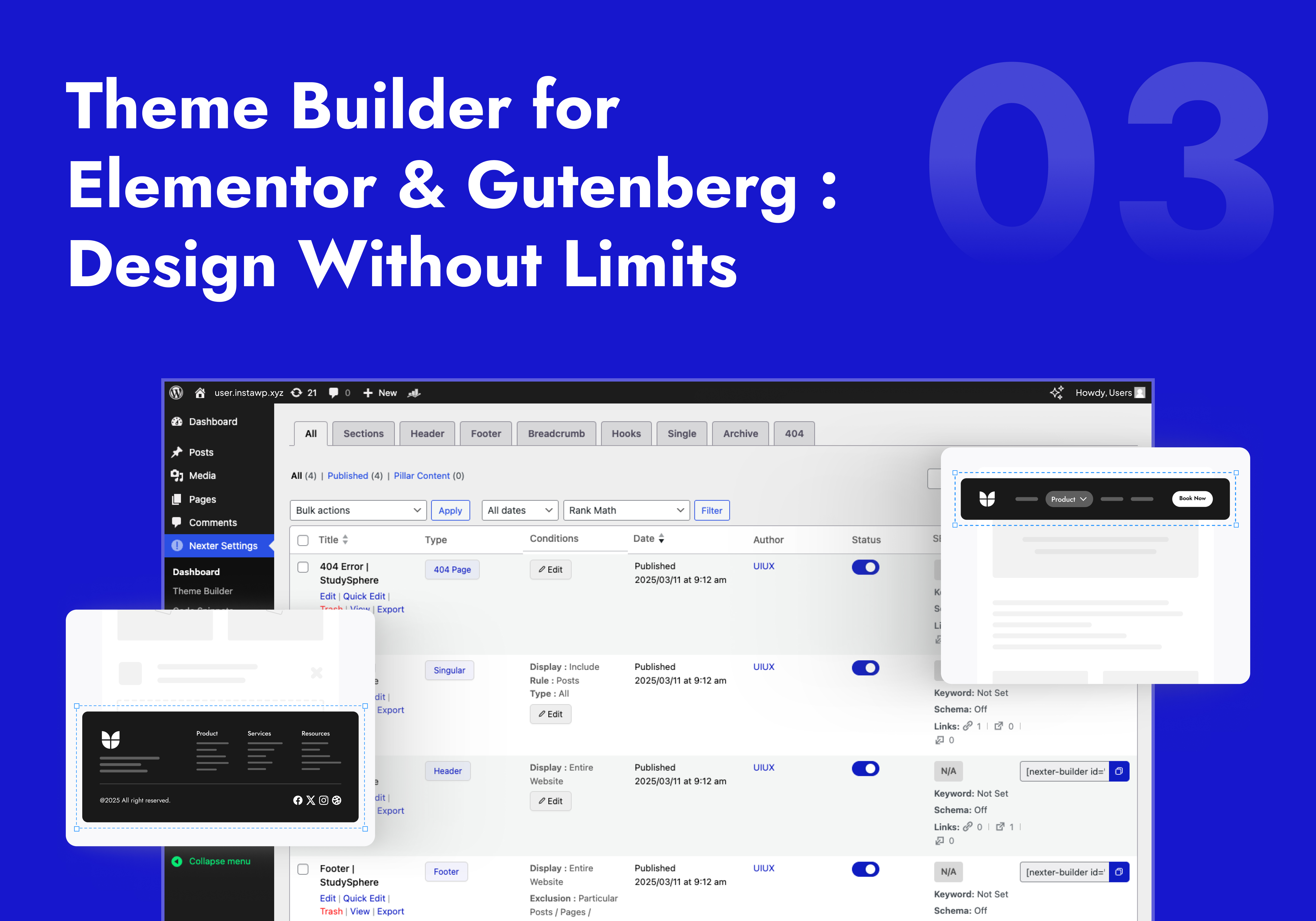
Build custom headers, footers, 404 pages, single post templates, and archive pages using Elementor widgets or Gutenberg blocks — completely free, no premium page builder needed.
Works with Astra, Hello Elementor, GeneratePress, Kadence, Blocksy, OceanWP, Neve, and Bricks Builder.
- Header Builder — Design sticky, transparent, or conditional headers with full page builder control. No coding.
- Footer Builder — Build any footer layout — multi-column, widgets, blocks — no template limits.
- Breadcrumbs Bar — SEO-structured breadcrumb navigation with full design control.
- 404 Page Builder — Custom-designed 404 pages that keep visitors on your site instead of bouncing.
- Single Post & Archive Templates — Unique layouts per post type, category, tag, or custom post type.
- Display Conditions — Show/hide templates by page, user role, device, login status, and 50+ more conditions (Pro).
💻 Code Snippets — PHP, CSS, JS & HTML Manager
Add custom PHP, CSS, JavaScript, and HTML to WordPress without touching functions.php or creating a child theme. All snippets run as static files — zero extra database queries, faster than other WordPress code snippets plugins.
- PHP, HTML, CSS & JS Snippets — Manage all four code types with live syntax validation. Auto crash-protection stops bad code from breaking your site.
- File-Based Execution — Snippets compile to static files, not database queries — a speed advantage over traditional code manager plugins.
- 22+ Conditional Load Rules — Load code only on specific pages, post types, user roles, devices, WooCommerce pages, EDD, or MemberPress.
- Scheduling (Pro) — Set start/end dates for any snippet. Perfect for seasonal banners and timed scripts.
- Smart Placement (Pro) — Inject code before/after specific HTML elements, after X words, at a content percentage, or via shortcode.
- Import / Export & Tagging — Move snippets between sites in one click. Tag and annotate your whole snippet library.
🖼️ Image Optimizer — WebP, AVIF & Bulk Compress
A fully built-in wordpress image optimizer — convert, compress, and bulk-optimize images without any API key, external account, or monthly subscription. Everything runs on your own server.
- WebP Conversion — Auto-convert JPG/PNG uploads to WebP. Up to 35% smaller files, zero quality loss.
- AVIF Support — Next-gen format, up to 50% smaller than JPEG. Built-in AVIF conversion at no extra cost.
- Bulk Image Compression — Compress your entire media library in one go. No image-by-image processing.
- Auto Resize on Upload — Automatically shrink oversized images on upload and delete the original to save disk space.
- No API Key. No Account. No Monthly Fee. — Enable the module, and it just works.
⚡ WordPress Performance & Page Speed Optimization
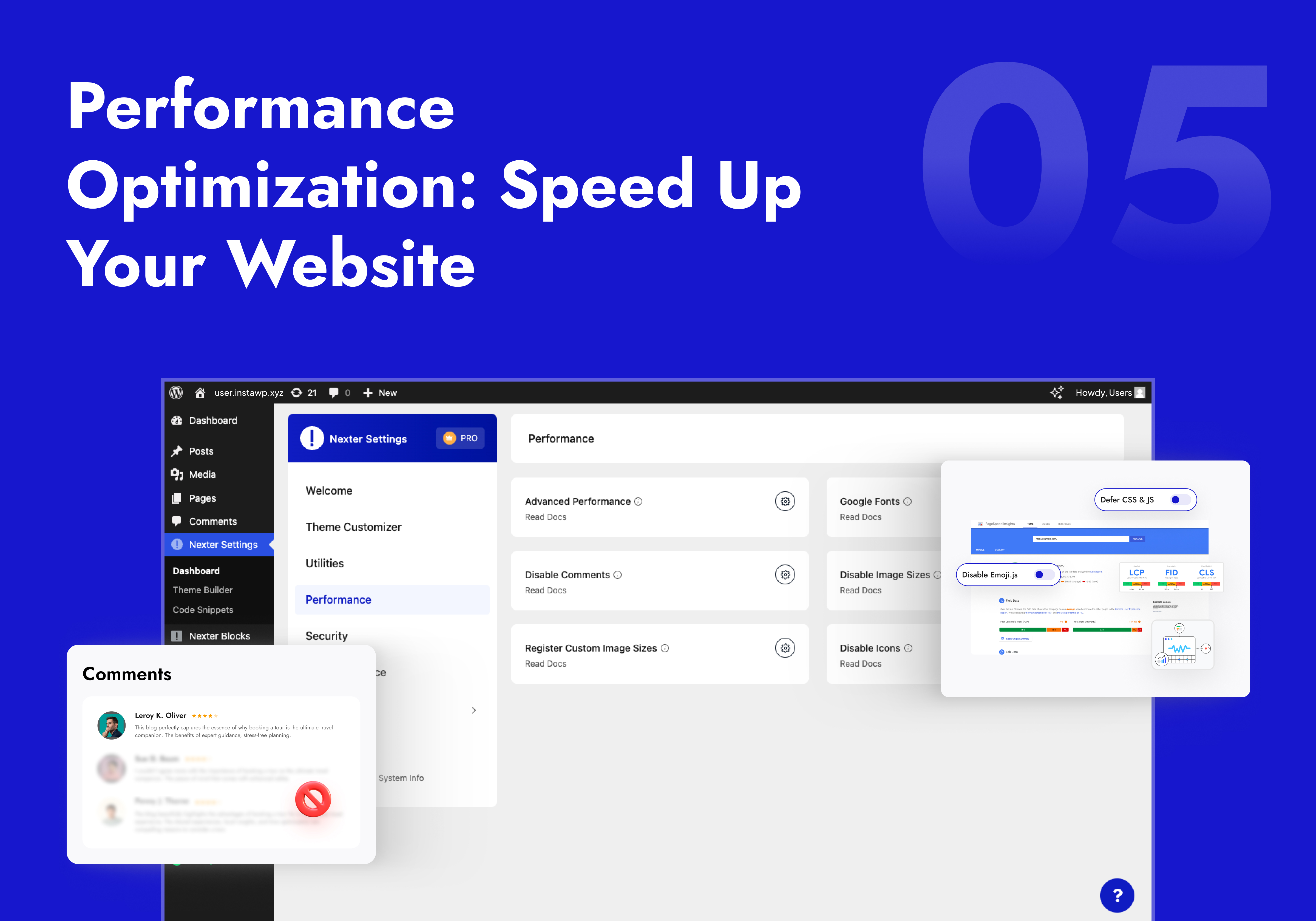
Granular WordPress speed optimization toggles — disable only what your site doesn’t need. No all-or-nothing switches that break things.
- Disable Bloat Scripts — Individual toggles for Emoji scripts, Embeds, Dashicons, Pingbacks, Feed Links, Shortlink tag, and more — each one separate.
- Defer CSS & JS — Defer non-critical stylesheets and scripts to improve First Contentful Paint and page load scores.
- Self-Host Google Fonts — Host Google Fonts on your own server. Eliminates the external Google request and makes your site GDPR-compliant.
- Heartbeat Control — Throttle or disable the WordPress Heartbeat API — a common cause of high CPU on shared hosting.
- Revision Control — Cap post revisions to prevent database bloat on content-heavy sites.
- Disable Comments — Turn off WordPress comments site-wide or per post type. Removes all comment scripts from page output.
- Disable Unused Image Sizes & Elementor Icons — Stop generating thumbnails and loading Font Awesome on pages that don’t use them.
🔒 WordPress Security Plugin — Hardening, Login Protection & More
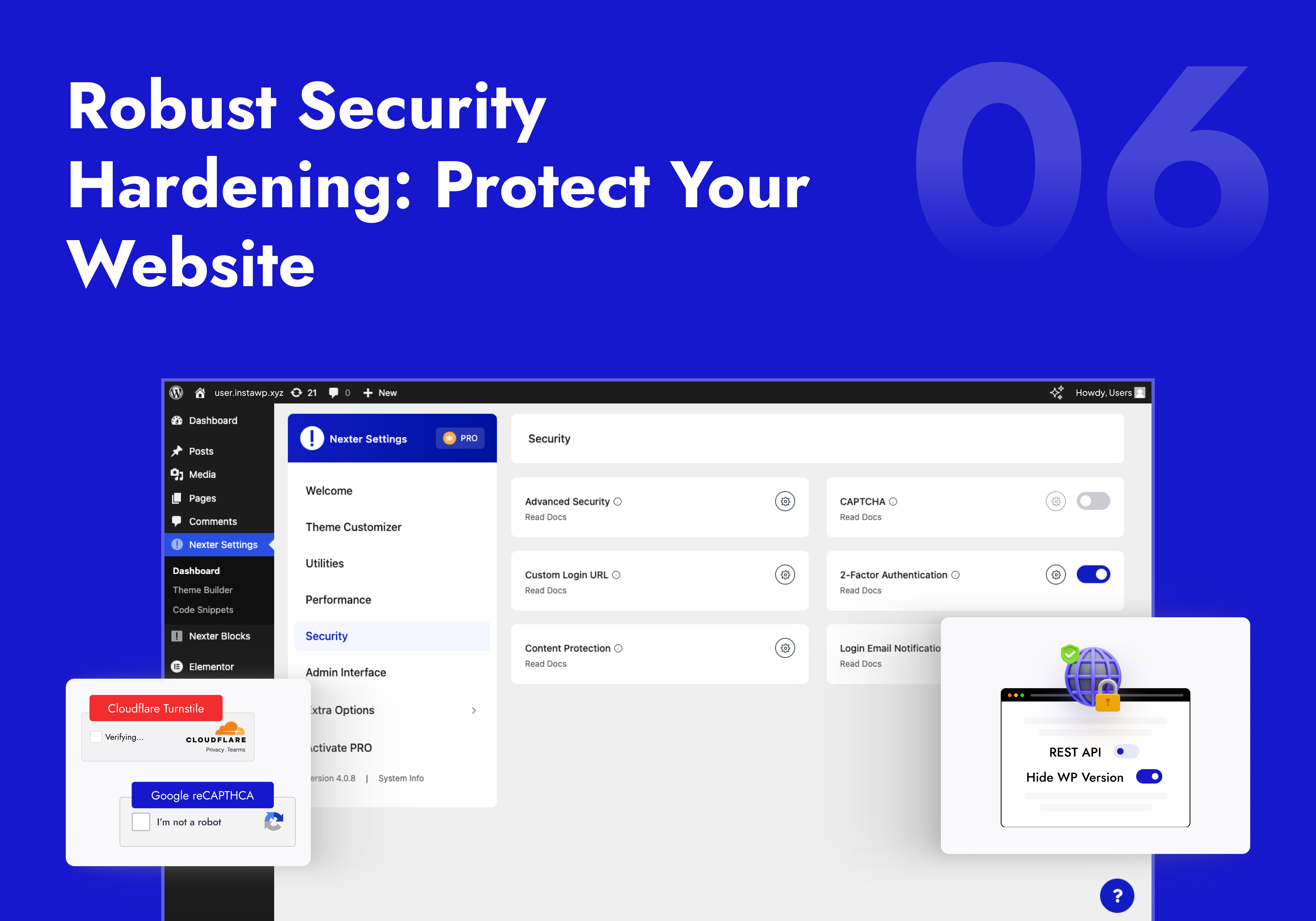
A layered WordPress security plugin with individual on/off toggles. Covers the most-used hardening and login protection features without adding a heavy security daemon to every page load.
- Security Hardening — Disable XML-RPC, hide WP version, remove REST API head links, block file editor, add XSS headers, and more — each as a separate toggle.
- Limit Login Attempts (Freemium) — Block brute-force attacks by locking out IPs after failed logins. No separate brute force protection plugin needed.
- CAPTCHA Spam Protection — Add Google reCAPTCHA v2/v3 or Cloudflare Turnstile to login, registration, comments, password reset, and WooCommerce checkout.
- Two-Factor Authentication (2FA) (Pro) — Email-based two-step verification with role-based enforcement. Replaces standalone two factor authentication plugins.
- Change WP Admin Login URL — Move your login page from the default wp-login.php to a custom URL. Stops automated bot scanning cold.
- Login Email Notifications (Pro) — Get alerted by email on every login with role-based filters and custom email content.
- Content Protection (Pro) — Disable right-click, text selection, image drag, copy-paste, and developer console access.
- SVG Upload — Let trusted roles upload SVG files with automatic sanitization. Clean icon uploads, no malicious payload risk.
- Last Login & Registration Tracking — See the last login date and registration date of every user right in the Users table.
📧 WordPress SMTP Email
Fix WordPress emails going to spam in minutes. The built-in WordPress smtp plugin routes your contact forms, order notifications, and password resets through a real mail provider — so they actually arrive.
- Gmail SMTP — Connect Google Workspace or Gmail via OAuth or App Password.
- Mailgun, SendGrid & Custom SMTP — Works with any provider: Brevo, Amazon SES, Postmark, Mailchimp Mandrill, or your host’s SMTP.
- Test Email Tool — Send a test email from inside the settings panel to confirm delivery before you go live.
🔧 WordPress Utilities — Replace a Dozen Single-Use Plugins
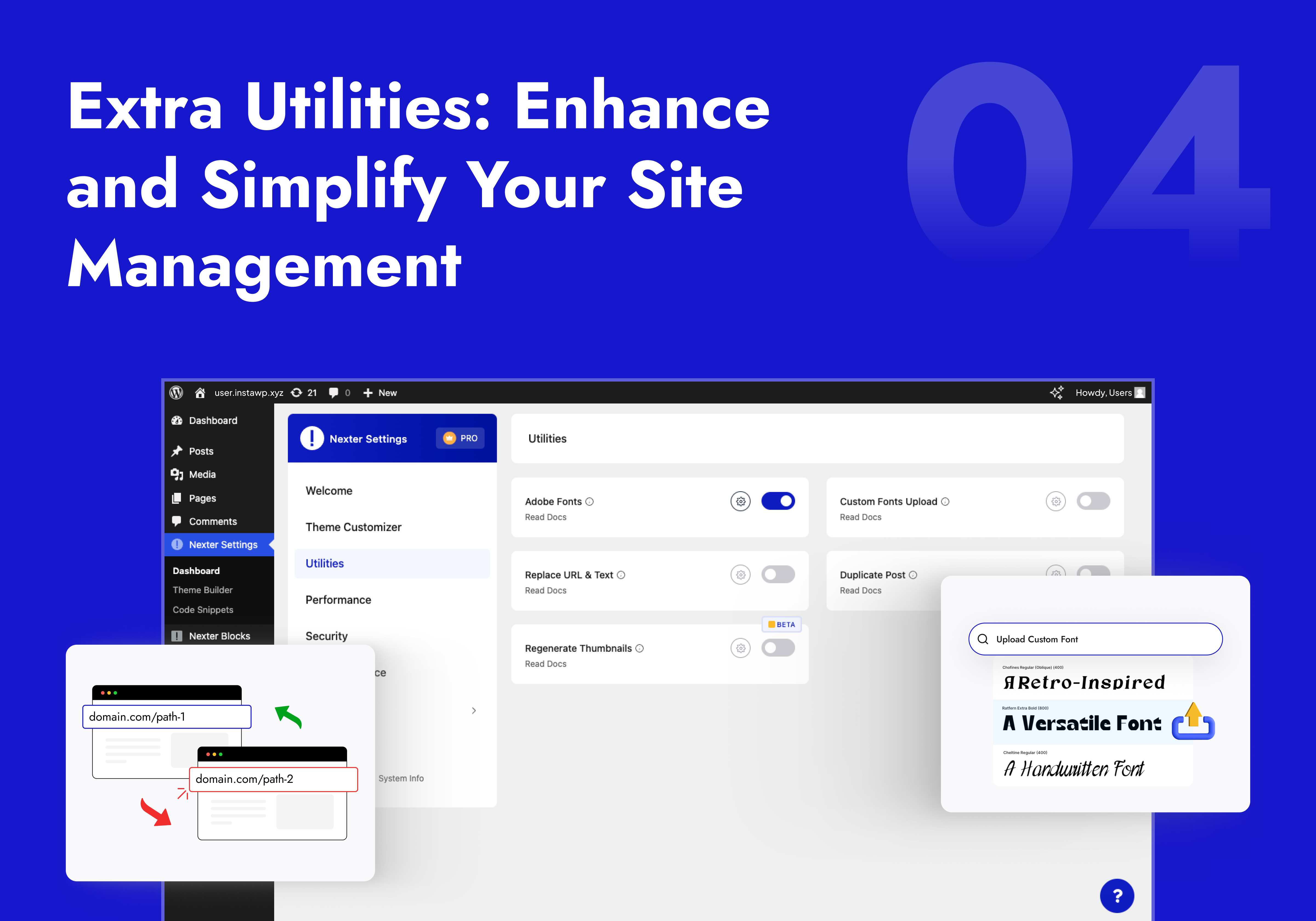
- Custom Font Uploads — Upload TTF, WOFF, WOFF2 and variable fonts. Apply in any page builder without a separate WordPress custom fonts plugin.
- Adobe Fonts Integration — Connect your Adobe Creative Cloud via Project ID and load any Typekit font in WordPress.
- Redirect 404 (Freemium) — Auto-redirect all broken 404 pages to your homepage (Free) or any custom URL (Pro).
- Post & Page Duplication — Clone any post or page with full layout and metadata preserved. No separate post duplicator plugin needed.
- Bulk Text & URL Replacement — Find and replace any string across your entire database in one click. Essential after domain migrations.
- Thumbnail Regeneration — Regenerate all image thumbnails after changing image sizes. No extra plugin.
- Rollback Manager — Downgrade any plugin to a previous version instantly if a new update causes conflicts.
- Admin Role Switcher — Switch between any WordPress user role without logging out. Perfect for testing permissions.
- Disable Gutenberg — Restore Classic Editor on specific post types without an extra plugin.
- WP Debug Mode — Toggle WP_DEBUG on/off from your dashboard. No wp-config.php editing.
- Content Post Order — Drag-and-drop reorder posts and pages. No code, no custom fields.
- Public Preview for Drafts (Pro) — Share a preview link for any unpublished post without requiring a login.
- Replace Media (Pro) — Swap any file without changing its URL or breaking existing links.
- Taxonomy Term Order (Pro) — Drag-and-drop reorder categories, tags, and custom taxonomies on the frontend.
🎨 WordPress Admin Customization & Dashboard Cleanup
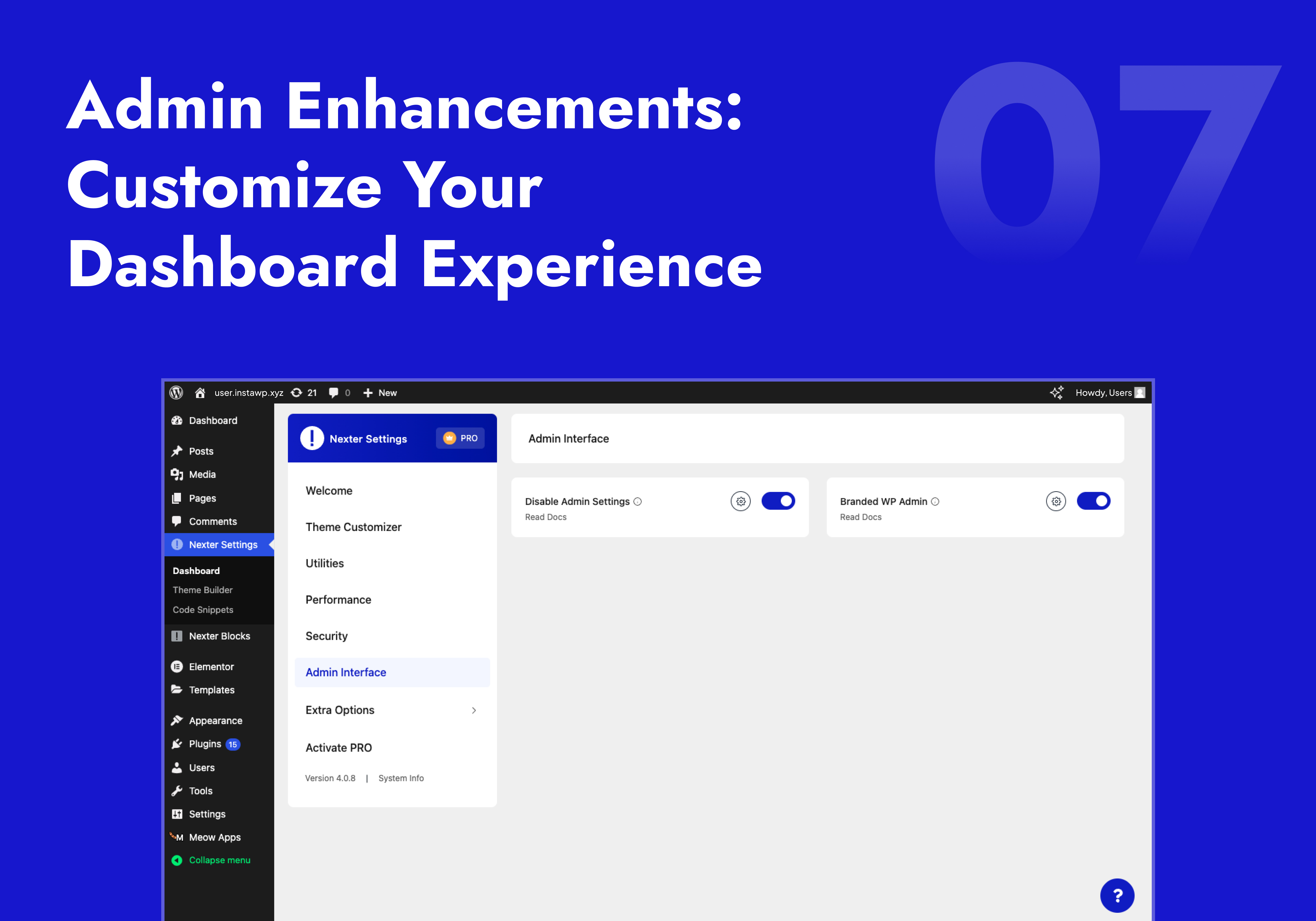
- Branded Admin Interface / White Label WordPress (Pro) — Replace the WordPress login page with your agency logo and colors. Full white-label WordPress admin for client sites.
- Admin Menu Organizer (Pro) — Reorder, rename, or hide sidebar menu items per user role. Show clients only what they need.
- Elementor Ad-Free — Hide all Elementor upgrade banners, AI popups, and upsell buttons from the editor. Clean workspace, focused editing.
- Clean Admin Bar — Remove any item from the WordPress toolbar: WP logo, site name, comments counter, Howdy greeting, plugin nodes, and more — each as a separate toggle.
- Disable Admin Notices & Dashboard Widgets — Hide update nags, plugin notices, At a Glance, Quick Draft, WooCommerce setup panel, and the WordPress Events feed — individually.
- Wider Admin Menu — Expand the sidebar so long menu labels display fully without truncation.
- Display Active Plugins First (Pro) — Pin active plugins to the top of the plugins list for faster access.
- User Profile Clean (Pro) — Remove unnecessary fields from user profiles for a cleaner client-facing backend.
🔁 Import / Export Settings
Export your full WordPress Customizer configuration and all Nexter Extension settings to a file — then import on any site instantly. Zero re-configuration for agencies managing multiple client sites.
⚡ Upgrade to Nexter Extension Pro
🏆 Our Other WordPress Products
- The Plus Addons for Elementor — 120+ Elementor widgets. Pairs perfectly with Nexter Extension’s free Theme Builder.
- Nexter Blocks — 90+ Gutenberg blocks. Zero jQuery. Built for speed.
- NexterWP Theme — Lightest, fastest starter theme for Elementor and Gutenberg. No jQuery.
- UiChemy – Figma to WordPress — Convert Figma designs into live Elementor pages with a free Figma plugin.
- WDesignKit — 1000+ WordPress templates, widget builder, block converter, and cloud storage.
ئېكران كەسمىسى

ئورنىتىش
- Go to Plugins Add New in your WordPress dashboard
- Search for Nexter Extension and click Install Now
- Activate the plugin
- Go to Nexter Extensions and toggle on the features you need
FAQ
-
Does Nexter Extension work with all WordPress themes?
-
Yes. Fully compatible with Astra, Kadence, Blocksy, GeneratePress, OceanWP, Neve, Hello Elementor, Bricks, and all standard WordPress themes. The Theme Builder works with Elementor, Gutenberg, and Bricks Builder. Code Snippets work with every theme regardless of editor.
-
Does Nexter Extension include SEO? Do I still need Yoast or Rank Math?
-
Nexter Extension now includes Nexter SEO, a complete built-in SEO toolkit: site audit, meta title and description templates, an 18-type schema builder, XML sitemaps, a robots.txt editor, redirects, a 404 monitor, image SEO, and site verification. For most sites it replaces a standalone SEO plugin like Yoast or Rank Math, with no extra page weight. It is 100% free. Explore Nexter SEO
-
Does Nexter SEO work for AI search (ChatGPT, Perplexity, Google AI)?
-
Yes. Nexter SEO generates an LLMs.txt file and JSON-LD schema so AI search engines like ChatGPT, Perplexity, and Google AI can discover and cite your content. It also supports Instant Indexing (IndexNow) to push new and updated URLs to supported search engines the moment you publish.
-
Does the Image Optimizer need an API key?
-
No API key. No external account. No per-image fees. The Image Optimizer (added in v4.6.0) compresses images locally on your server. WebP conversion is free. AVIF conversion is available in Pro. Bulk optimization runs across your entire media library in one click.
-
What security features are included?
-
Security hardening (disable XML-RPC, hide WP version, XSS protection, iFrame security, secure cookies), 2FA (Pro), Google reCAPTCHA & Cloudflare Turnstile CAPTCHA, Limit Login Attempts, custom admin login URL, SVG upload sanitization, and content protection. See all security features
-
Does the SMTP work with Gmail?
-
Yes. Supports Gmail SMTP, Mailgun, SendGrid, and any custom SMTP server with SSL/TLS. Includes a built-in test email tool to confirm your connection is working.
-
Are Code Snippets stored in the database?
-
No. All snippets run as file-based code — not database queries. This means no database lookup on every page load, faster execution, and cleaner performance as your site scales.
-
Does it support GDPR for Google Fonts?
-
Yes. The Self-Host Google Fonts feature downloads fonts to your own server and serves them locally — eliminating all HTTP requests to Google’s CDN. This is the correct technical solution for GDPR compliance in the EU.
-
Can I white-label this for client sites?
-
Yes. Branded Admin Interface (Pro) lets you add your logo and brand colors to the WP login page. Admin Menu Organizer (Pro) lets you reorder, rename, and hide menu items for clean client dashboards. Combined with Elementor Ad-Free, clients see only what you want them to see.
-
Does the Theme Builder work with Elementor and Gutenberg?
-
Yes — both at the same time on the same site. Assign Elementor-built headers to one section and Gutenberg-built footers to another. Display rules let you control exactly which template loads where. Fully compatible with Elementor 4.0 template CSS (since v4.5.3).
-
Will enabling all modules slow my site?
-
No. Each module is individually toggleable. Disabled modules load zero CSS and zero JavaScript on the frontend. The entire plugin runs on Vanilla JS with no jQuery dependency. Only what you enable is loaded.
-
Why is this plugin separate from the Nexter Theme?
-
To comply with WordPress.org theme submission guidelines, which require features like register_post_type() to be delivered via plugins rather than themes. More on WordPress plugin guidelines
-
How do I report a security vulnerability?
-
Via the Patchstack Vulnerability Disclosure Program: Report a vulnerability
-
Is there a Pro version?
-
Yes. Compare Free vs Pro | See Pricing
-
Where can I request new features?
باھالاشلار


تۆھپىكار ۋە ئىجادكار
«Nexter Extension – Security, Performance, Code Snippets & Site Toolkit» كودى ئوچۇق يۇمشاق دېتال. تۆۋەندىكى كىشىلەر بۇ قىستۇرمىغا تۆھپە قوشقان.
تۆھپىكار


«Nexter Extension – Security, Performance, Code Snippets & Site Toolkit» 2 تىلغا تەرجىمە قىلىنغان. تەرجىمانلارنىڭ تۆھپىسى ئۈچۈن رەھمەت.
«Nexter Extension – Security, Performance, Code Snippets & Site Toolkit» نى تىلىڭىزغا تەرجىمە قىلىڭ
ئىجادىيەتكە قىزىقامسىز؟
كودقا كۆز يۈگۈرتۈپ، SVN خەزىنە تەكشۈرۈپ ياكى RSSئارقىلىق ئىجادىيەت خاتىرىسىگە مۇشتەرى بولغىلى بولىدۇ.
ئۆزگىرىش خاتىرىسى
View Complete Changelog at roadmap.nexterwp.com
V4.7.2
27 July 2026
– Fixed : Nexter SEO : JSON-LD schema and XML sitemap now defer to an active third-party SEO plugin (Yoast, Rank Math, AIOSEO, SEOPress and others), preventing duplicate structured data and dual sitemaps
– Fixed : Nexter SEO : the XML sitemap now self-heals its rewrite rule when enabled via settings import or migration, so /sitemap.xml serves XML without a manual permalink flush
– Fixed : Nexter SEO : default Article schema now links its WebPage node (mainEntityOfPage / isPartOf) and enforces required properties, and a blanked Article no longer emits an incomplete node
– Fixed : Nexter SEO : Site Audit link-checker now refuses to probe internal/private hosts (SSRF hardening) and verifies TLS
– Fixed : Nexter SEO : Open Graph image probe hardened further against DNS-rebinding and IPv6 bypass, with a response-size cap
– Fixed : Nexter SEO : «Switch to HTTPS» audit fix now verifies the WordPress Address host separately on split-host installs before changing any URL, preventing wp-admin lockout
– Fixed : Nexter SEO : 404 Monitor logging is now rate-limited per visitor to prevent database write amplification from bulk 404 requests
– Fixed : Accessibility : SEO admin screens now expose a page heading (H1) for screen-reader navigation
– Fixed : Nexter SEO : SEO Audit no longer reports a meta description as «missing or longer than 160 characters» when it comes from the default template — the audit now measures the rendered description, matching the Google preview
– Fixed : Nexter SEO : on-page analysis now reads the rendered page, so shortcode sliders and page-builder (Elementor) content are correctly detected for images, links and subheadings instead of reporting «no images»
– Fixed : Nexter SEO : Site Audit no longer falsely reports «images missing ALT text» for lazy-loaded/slider images (whose ALT is set by JavaScript) or for intentionally-decorative images with an empty alt=»»
– Fixed : Nexter SEO : title/description template variables are resolved in a single pass, so a post title or excerpt that contains %token% text can no longer corrupt the rendered title or description
– Fixed : Nexter SEO : Open Graph and Twitter title/description are resolved independently and cross-fill each other, so filling one social field no longer diverges the cards from the real title/description on the homepage
– Fixed : Nexter SEO : Instant Indexing auto-ping now runs even on hosts with WP-Cron disabled (Kinsta, WP Engine, Cloudways, Pantheon), and its bulk rate limiter is now concurrency-safe
– Fixed : Nexter SEO : Pro-only SEO features now unlock correctly on sites activated via the legacy white-label Pro path
– Fixed : Nexter SEO : per-term robots (noindex/nofollow/noarchive) can now override a globally-noindexed taxonomy instead of silently reverting to the global setting
– Fixed : Nexter SEO : multi-keyword focus input separated by new lines is preserved, and keyword density now counts non-Latin/CJK keywords
– Fixed : Nexter SEO : schema and llms.txt now use the page’s real robots signal to decide noindex, matching what search engines see when another SEO plugin is active
– Fixed : Nexter SEO : the site Organization is emitted once in structured data instead of by two uncoordinated sources
– Fixed : Nexter SEO : requesting /wp-sitemap.xml (WordPress core sitemap) now returns a proper 404 when Nexter’s sitemap is active, instead of soft-redirecting to the homepage
– Fixed : Nexter SEO : an admin notice now warns when llms.txt is enabled but unreachable — a «Plain» permalink structure or a physical llms.txt file at the site root — instead of failing silently
– Fixed : Nexter SEO : Site Audit run and sitemap-regenerate endpoints now enforce capability and throttle guards
– Fixed : Nexter SEO : SEO Audit now flags an over-long meta description entered directly, and auto-generated descriptions strip raw shortcodes
– Fixed : Nexter SEO : the «SEO Checks» posts/terms list column no longer re-analyzes and writes to the database on every page load
– Fixed : Nexter SEO : the «Enable SEO» promo notice is now dismissed per-user instead of hiding it for every administrator
– Fixed : Nexter SEO : bulk «fill missing alt text» reports accurate progress and no longer signals «done» while images remain
– Improved : Nexter SEO : clearer «Search Engine Description» label, and internal hardening/cleanup across the SEO module
– Fixed : Image Optimizer : the background cron no longer retries a permanently-failing image (e.g. an AVIF encoder error) every 10 minutes forever — after 3 failed attempts it falls back to WebP, and after 3 more failed WebP attempts it is skipped for good, instead of flooding the error log indefinitely
– Fixed : Security : CSRF nonce is now enforced when dismissing the «Upgrade to Pro» admin notice
– Fixed : Security : the theme/plugin installer no longer unserializes the WordPress.org API response without class restrictions (PHP object-injection hardening) and aborts cleanly instead of writing a corrupt ZIP if the package download fails
– Fixed : Security : the plugin-deactivation feedback request now verifies the SSL certificate, and admin save actions validate JSON input before storing it
– Fixed : Compatibility : on hosts with WP-Cron disabled (Kinsta, WP Engine, Cloudways, Pantheon), the SEO score recalculation, Site Audit schedule and background image optimizer now run via a fallback instead of silently never firing
– Fixed : the plugin-deactivation popup no longer risked a fatal error from an unregistered AJAX handler, and is correctly hidden on white-labelled (Pro) sites
– Fixed : the «Upgrade to Pro» notice timing no longer drifts by a day (replaced a deprecated, timezone-dependent timestamp)
– Fixed : Search & Replace URL tool no longer strips one backslash level too many from URLs on submit
– Fixed : Code Snippets : a permission-denied read of the snippet cache file now degrades gracefully (no warning spam, and it never deletes a still-valid cache) instead of being treated as corruption
– Fixed : Bug Fixes and Improvements
V4.7.1
21 July 2026
– Fixed : Nexter SEO : Schema Builder now shows a clear validation error when saving an empty FAQ Page instead of failing silently
– Fixed : Nexter SEO : Redirection rules with a query string in the source URL now match and redirect correctly
– Fixed : Nexter SEO : Open Graph image-dimension probe hardened against SSRF (rejects internal/private hosts, verifies TLS)
– Fixed : Nexter SEO : imported IndexNow API key with an invalid format is now skipped rather than silently discarded
– Improved : Nexter SEO : JSON-LD structured data is now cached persistently and rebuilt only when content or settings change (faster front-end on all hosting)
– Improved : Nexter SEO : REST endpoints for Redirects, 404 Monitor and Instant Indexing now respond to GET; a request for a missing post/term returns 404
– Fixed : Security : «Disable XML-RPC» now fully blocks the XML-RPC endpoint (method listing, pingback and authentication) — the toggle could previously report enabled without taking effect
– Fixed : White Label : the brand name now replaces «Nexter» across the SEO editor panel, Dashboard, Site Audit, Redirects and Import/Export screens, and help links respect the Hide Help Links option
– Fixed : Translations : added missing translator comments, ordered placeholders, and corrected text-domain coverage
– Fixed : Bug Fixes and Improvements
V4.7.0
16 July 2026
– New : Nexter SEO : Launched built-in SEO — replace your standalone SEO plugin with Nexter. On-page SEO, schema, sitemaps, redirects, robots.txt, and image SEO, all in one plugin. Enable from Dashboard SEO; the module loads only when turned on.
– New : Nexter SEO : SEO Site Audit — scan your site for on-page and technical issues, with a 0–100 health score and a prioritized list of top fixes.
– New : Nexter SEO : Meta Title & Description Templates — site-wide title and meta description templates with dynamic variables and a live Google search preview.
– New : Nexter SEO : Social / Open Graph — control how pages look when shared, with a default share image and Facebook and X (Twitter) cards.
– New : Nexter SEO : Schema Builder — add 18 structured-data types (Article, Product, FAQ Page, How-To, Local Business, Event, Recipe, Video, and more) with dynamic variables and display conditions. No code.
– New : Nexter SEO : XML Sitemaps — generate XML sitemaps, plus optional image, video, news, and HTML sitemaps, with exclude lists.
– New : Nexter SEO : Robots & Robots.txt Editor — set per-type index, follow, and archive rules and edit your virtual robots.txt right from the dashboard.
– New : Nexter SEO : Instant Indexing (IndexNow) — push new and updated URLs to search engines that support IndexNow instantly, automatically or in bulk.
– New : Nexter SEO : LLMs.txt for AI Search — generate an LLMs.txt file so AI engines like ChatGPT, Perplexity, and Google AI can find and cite your content.
– New : Nexter SEO : Site Verification — verify your site with Google, Bing, Pinterest, and Facebook in one place.
– New : Nexter SEO : Redirects & 404 Monitor — create 301, 302, and other redirects with flexible matching, and log broken URLs to fix.
– New : Nexter SEO : Image SEO — add automatic alt text from the filename or title (no AI needed) and redirect attachment pages to their parent post.
– New : Nexter SEO : Import / Export — move your entire SEO configuration between sites with a single JSON file.
– Fixed : Custom Font Upload : Variable Font Compatibility Register font Elementor bug fix
– Fixed : Bug Fixes and Improvements
V4.6.17
08 July 2026
– Fixed : Image Optimization : Large images (over 2560px, WordPress «-scaled») are now optimised and served as WebP/AVIF instead of the original JPEG
– Fixed : Image Optimization : «Run in Background» now defers conversion to the cron queue so uploads are not blocked, and the queue no longer reprocesses already-optimised images
– Fixed : Google Fonts : Self-Host Google Fonts now works on fresh installs (the local fonts directory was not created before first use)
– Fixed : Security : iFrame Security now correctly sends the X-Frame-Options header (clickjacking protection)
– Fixed : Bug Fixes and Improvements
V4.6.16
02 July 2026
– Fixed : Theme Builder : «Edit with Elementor» rewrite rules flush automatically
– Improved : Theme Builder : Register the template post type before Elementor initializes for reliable editor detection
– Fixed : Bug Fixes and Improvements
V4.6.15
30 June 2026
– Fixed : MCP Abilities : All abilities failed to register (none appeared in SproutOS / WP Abilities API) due to a missing permission callback dependency
– Fixed : Security : Custom Login URL : «Change WP Admin Login Path» stripped «/» so multi-segment login paths were broken
– Fixed : Bug Fixes and Improvements
V4.6.14
25 June 2026
– Fixed : Translate : Missing text-domain in Dashboard, Code Snippets and Theme Builder
– Fixed : Bug Fixes and Improvements
V4.6.13
22 June 2026
– Fixed : Disable Gutenberg : «Except On» and «All Post Types» modes not disabling the block editor for selected post types
– Fixed : Code Snippets : wp_head PHP snippet (e.g. Add Google Analytics Tracking Code) not loading on the frontend
– Fixed : Code Snippets : JavaScript error when selecting a field in Conditional Logic
– Fixed : Post Duplicate : Elementor content not copied correctly on duplicated pages
– Fixed : Translate : Missing text-domain in Dashboard, Code Snippets and Theme Builder
– Fixed : Dashboard : Responsive Mobile Devices
– Fixed : Bug Fixes and Improvements
V4.6.12
16 June 2026
– Improve : Dashboard : Converted dashboard modules to a component-based structure for improved maintainability and scalability
– Fixed : Custom Upload Font : TTF, Woff2 , Woff compatibility Upload file
– Fixed : Image Optimisation : Improve Image optimization
– Fixed : Bug Fixes and Improvements
V4.6.11
28 May 2026
– New : MCP Abilities : 26 Added WordPress Abilities API integration for templates, snippets, extensions, SMTP, security, performance, image optimization, and custom fonts.
– Added : Dashboard : Settings : «Enable MCP Abilities» setting in Connection.
– Improved : Utilities : SMTP Email : improve SMTP connection.
V4.6.10
20 May 2026
– Compatibility : WordPress 7.0 Tested
V4.6.9
11 May 2026
– Fixed : Utilities : Post Duplicate : Post content bug Fix duplicate post.
– Fixed : Bug Fixes and Improvements.
V4.6.8
07 May 2026
– Fixed : Rollback Manager : options object fatal error bug Fix
– Fixed : Translate : Some text update translation
– Fixed : Theme Builder : bug Fix
– Fixed : Bug Fixes and Improvements.
V4.6.7
13 April 2026
– Fixed : Theme Builder : Translate Localization support in the Nexter Theme Builder scripts.
– Fixed : Dashboard : Corrected untranslated text strings for improved localization support.
– Fixed : Bug Fixes and Improvements.
V4.6.6
11 April 2026
– Fixed : Advanced Security : options object fatal error bug Fix
– Fixed : Custom Login URL : bug fix
– Fixed : Bug Fixes and Improvements.
V4.6.5
08 April 2026
– Fixed : Post Duplicate : Fix issue on duplicate post data
– Fixed : Advanced Security : Options Bug fix
– Fixed : Bug Fixes and Improvements.
V4.6.4
07 April 2026
– Fixed : Bug Fixes and Improvements.
V4.6.3
06 April 2026
– Improved : Bootstrap & Core : Optimized initialization flow and conditional loading for better performance and stability.
– Improved : Architecture : Refactored core modules into smaller classes for enhanced maintainability, performance, and clearer separation of logic.
– Improved : General : Applied strict checks, cleanup handling, and overall performance and stability enhancements.
– Fixed : Code Snippets : Corrected snippet display logic to use in-memory data for accurate conditional evaluation and avoid redundant meta queries.
– Fixed : Admin & Assets : Resolved issue where dashboard/admin assets were skipped due to over-restricted enqueue conditions after refactor.
– Fixed : Theme Builder : Singular & Archive Templates : Resolved issue where templates were not rendering on the frontend due to premature post type check before registration.
– Fixed : Admin Interface : Notice Dismiss : Fixed «Invalid Notice ID» error when dismissing pro license notices, added extensible filter for notice ID whitelist.
– Fixed : Performance : Template Resolution : Consolidated three separate nxt-build-get-data option reads per frontend request into a single cached read.
– Fixed : General bug fixes and performance improvements.
V4.6.2
25 March 2026
– Fixed : Custom Font Upload : font-face Italic style font bug fix
– Fixed : Code Snippet : Create Snippet Register Custom Post type or Taxonomy Load Issue Bug Fix.
– Fixed : General bug fixes and performance improvements
V4.6.1
18 March 2026
– Fixed : Utilities : Replace URL & Text : Improved search and replace functionality with code-level fixes for more accurate data handling.
– Fixed : Performance : Image Optimisation : Fixed white label content issue.
– Fixed : Performance : Image Optimisation : Resolved issue where SVG images included in the skip list were still being optimized.
– Fixed : Admin interface : Elementor AdFree : Fixed dynamic field icon display bug.
– Fixed : General bug fixes and performance improvements
V4.6.0
13 March 2026
– Added : Image Optimization : WebP / AVIF support, including compression, resizing, and bulk optimization.
– Improved : Admin Interface : Clean Admin Bar : Added an option to toggle ON/OFF all third-party plugin nodes in the admin bar.
– Fixed : Code Snippets : Resolved an issue where the «Add On AJAX Work» option was not executing PHP snippets correctly.
– Fixed : Elementor AdFree : Dynamic Fields Hide bug Fixed CSS