
چۈشەندۈرۈش
Choose your categories and interval from the settings menu and it will display 1 post from the chosen categories at your set interval, chosen randomly.
ئېكران كەسمىسى
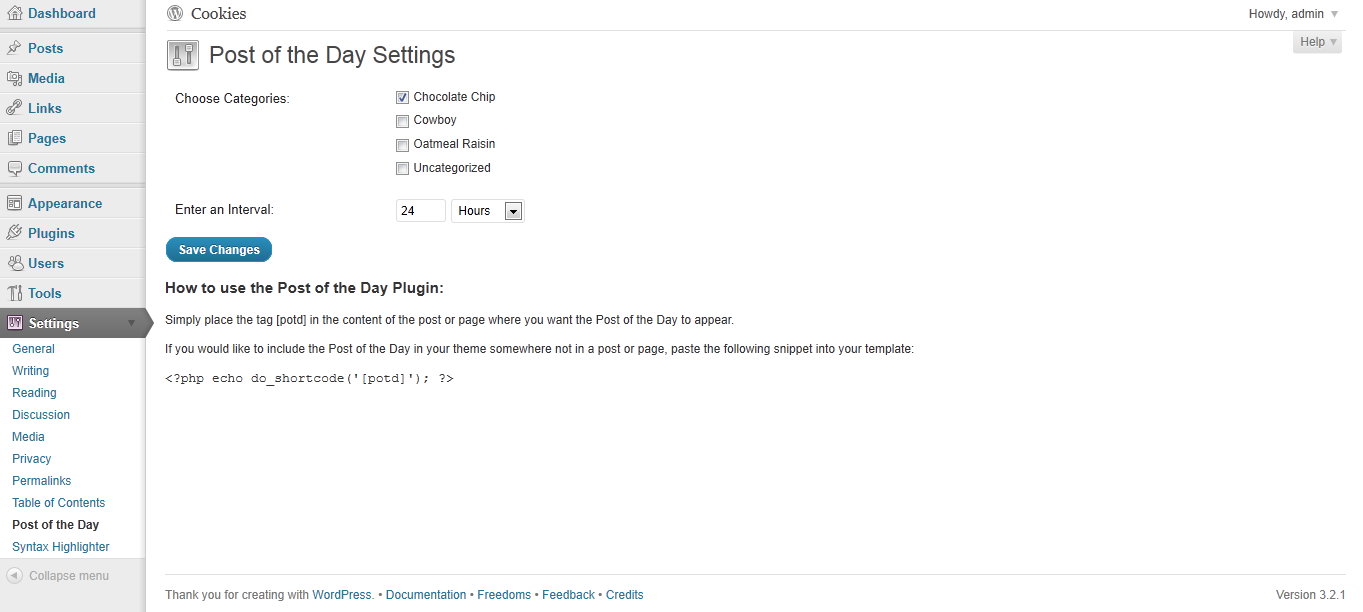
screenshot-1.png: Settings page
ئورنىتىش
- Upload the entire ›post-of-the-day‹ folder to the ›/wp-content/plugins/‹ directory.
- Activate the plugin through the ›Plugins‹ menu in WordPress.
- You should see “Post of the Day” under your Settings. Edit the settings.
- Include this shortcode within a post or page: [potd]
Alternatively, if you want to include the post somewhere in your theme that is not in a post or page, just include the following in your php page:
<?php echo do_shortcode('[potd]'); ?>
FAQ
- Can I display more than one post at a time?
-
No, not at this point.
باھالاشلار

2023-يىلى 5-ئاپرېل
I works, i guess. It displays a post.
There is little to no documentation, so it is hard to set up, eg are there any options for image other than thumbnail?
تۆھپىكار ۋە ئىجادكار
«Post of the Day» كودى ئوچۇق يۇمشاق دېتال. تۆۋەندىكى كىشىلەر بۇ قىستۇرمىغا تۆھپە قوشقان.
تۆھپىكار
«Post of the Day» نى تىلىڭىزغا تەرجىمە قىلىڭ
ئىجادىيەتكە قىزىقامسىز؟
كودقا كۆز يۈگۈرتۈپ، SVN خەزىنە تەكشۈرۈپ ياكى RSSئارقىلىق ئىجادىيەت خاتىرىسىگە مۇشتەرى بولغىلى بولىدۇ.
ئۆزگىرىش خاتىرىسى
1.0
First Release