
چۈشەندۈرۈش
Show a list of terms assigned to the current post in the specified taxonomy. It also works in the new Query block.
ئېكران كەسمىسى
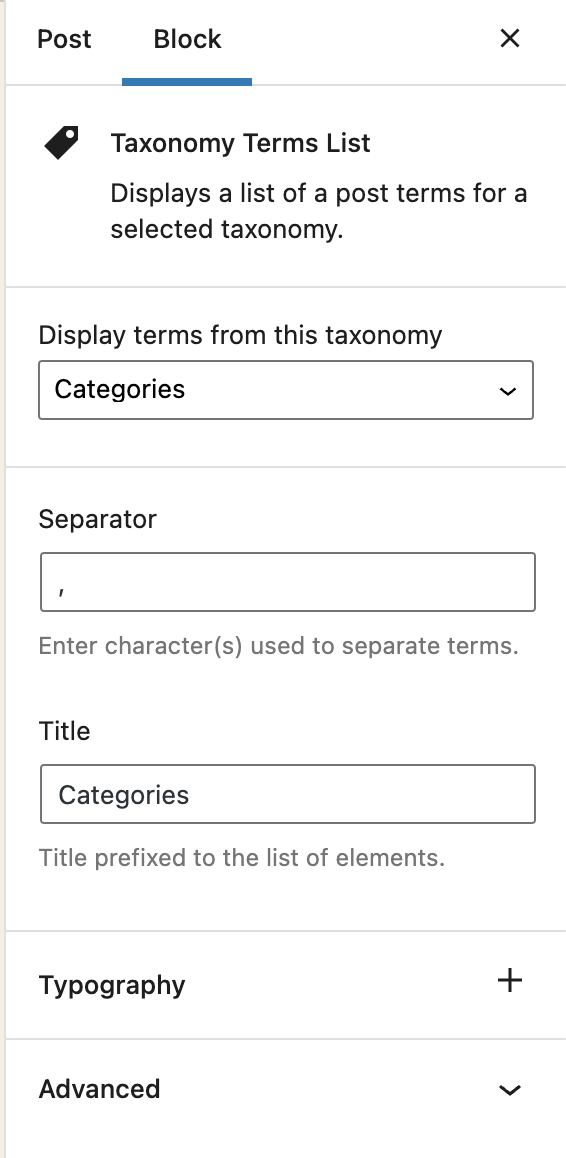
Block options 
Block content
بۆلەك
بۇ قىستۇرما 1 بۆلەك تەمىنلەيدۇ.
- Taxonomy Terms List Displays a list of a post terms for a selected taxonomy.
ئورنىتىش
- Visit Plugins > Add New
- Search for ›Taxonomy Terms List Block‹
- Activate Taxonomy Terms List Block from your Plugins page.
- Open your block editor. Now you can add a new Taxonomy Terms List block.
باھالاشلار

تۆھپىكار ۋە ئىجادكار
«Taxonomy Terms List Block» كودى ئوچۇق يۇمشاق دېتال. تۆۋەندىكى كىشىلەر بۇ قىستۇرمىغا تۆھپە قوشقان.
تۆھپىكار
«Taxonomy Terms List Block» 1 تىلغا تەرجىمە قىلىنغان. تەرجىمانلارنىڭ تۆھپىسى ئۈچۈن رەھمەت.
«Taxonomy Terms List Block» نى تىلىڭىزغا تەرجىمە قىلىڭ
ئىجادىيەتكە قىزىقامسىز؟
كودقا كۆز يۈگۈرتۈپ، SVN خەزىنە تەكشۈرۈپ ياكى RSSئارقىلىق ئىجادىيەت خاتىرىسىگە مۇشتەرى بولغىلى بولىدۇ.
ئۆزگىرىش خاتىرىسى
1.1.2
Fix: The previous version did not properly include the translated strings. Props again to Christoph Herbst.
1.1.1
Fix: Some of the strings were not translatable. Props to Christoph Herbst.
1.1.0
Enhancement: Support custom background and text color.
Enhancement: Support custom spacing (margin/padding)
Some other UX improvements.
1.0.2
Fix: Taxonomy terms previsualization was not working in the block editor.
1.0.1
Allow to select any taxonomy if the current post has no taxonomies linked.
1.0
First release