

چۈشەندۈرۈش
wp show category shows any category posts in widget , page or post, have shortcode [wpscp]
ئېكران كەسمىسى

User view after installation 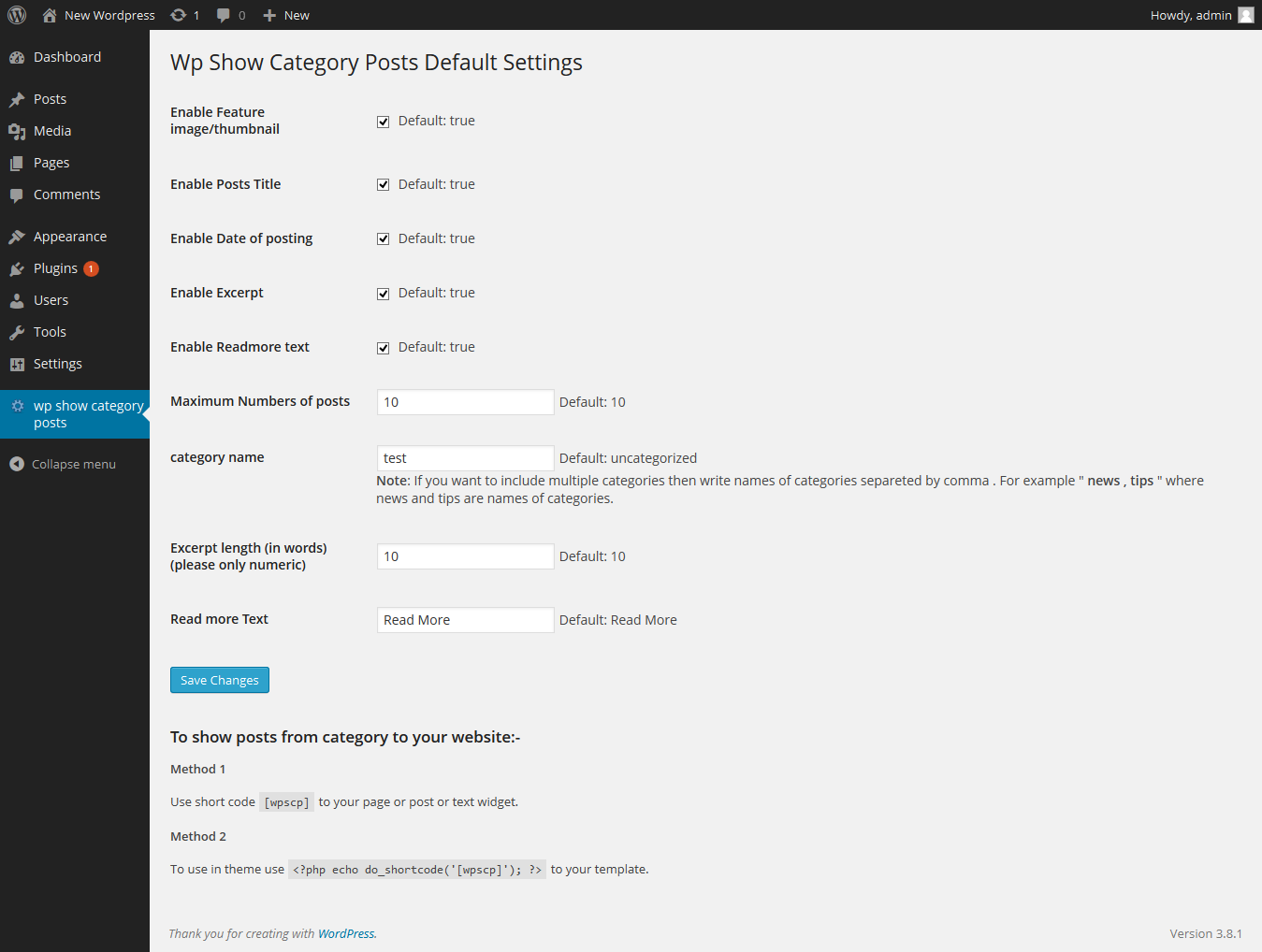
Admin setting page
ئورنىتىش
The plugin can be use just by installing it by wordpress admin or upload manually.
- Upload
wp-show-category-poststo the/wp-content/plugins/directory - Activate the plugin through the ›Plugins‹ menu in WordPress
- Now go to wp-show-category-posts tab at wp-admin
FAQ
- How to set number of posts ?
-
Go to «wp show category posts» in left panel of wordpress. enable or disable title, thumbnail, or date as you need or other setting.
and press «Save Changes» button - How to use plugin on page or posts ?
-
use [wpscp] shortcode in page, post or widget.
For more visit blog wp-show-category-posts
باھالاشلار
بۇ قىستۇرمىغا تېخى باھا يېزىلمىدى.
تۆھپىكار ۋە ئىجادكار
«wp show category posts» كودى ئوچۇق يۇمشاق دېتال. تۆۋەندىكى كىشىلەر بۇ قىستۇرمىغا تۆھپە قوشقان.
تۆھپىكار
«wp show category posts» نى تىلىڭىزغا تەرجىمە قىلىڭ
ئىجادىيەتكە قىزىقامسىز؟
كودقا كۆز يۈگۈرتۈپ، SVN خەزىنە تەكشۈرۈپ ياكى RSSئارقىلىق ئىجادىيەت خاتىرىسىگە مۇشتەرى بولغىلى بولىدۇ.
ئۆزگىرىش خاتىرىسى
0.1
*show category posts
*initial release