

چۈشەندۈرۈش
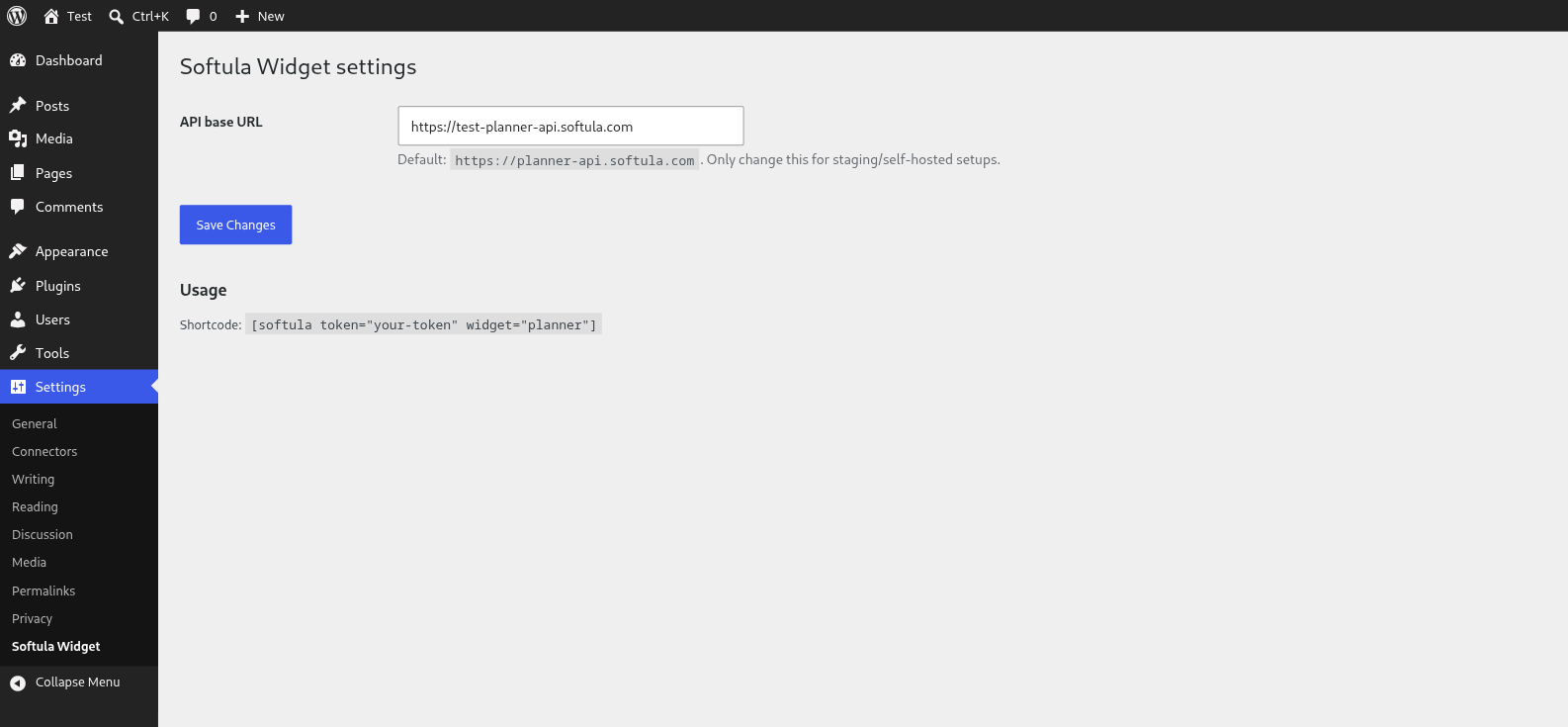
Booking Widget for Softula embeds the Softula booking widget — such as the Planner booking widget — directly into your WordPress pages and posts via the [softula] shortcode or the native «Booking Widget for Softula» block.
The plugin only loads widget.js on pages where the shortcode or block is actually used.
External services
This plugin connects to the Softula widget-delivery service to load and render the booking widget.
It loads a JavaScript file (widget.js) from https://planner-api.softula.com (or a self-hosted/staging API base configured via Settings) every time a page with the [softula] shortcode or block is viewed. The request includes the widget version and, embedded in the rendered widget’s markup, the site’s configured embed token and widget type — no personal visitor data is sent by the plugin itself; any data exchanged once the widget is loaded (e.g. booking form submissions) is handled directly between the visitor’s browser and Softula’s API, governed by Softula’s own terms.
This service is provided by Softula: Terms of Service, Privacy Policy.
Usage
Basic:
[softula token=»your-embed-token» widget=»planner»]
With API base override:
[softula token=»your-embed-token» widget=»planner» api_base=»https://test-planner-api.softula.com»]
Attributes:
* token (required) — your Softula embed token (found in the dashboard under widget settings).
* widget (required) — the widget type, e.g. «planner».
* api_base (optional) — override the API base URL. Default: https://planner-api.softula.com, configurable via Settings Booking Widget for Softula or SOFTULA_API_BASE in wp-config.php.
ئېكران كەسمىسى
بۆلەك
بۇ قىستۇرما 1 بۆلەك تەمىنلەيدۇ.
- Booking Widget for Softula Embed the Softula booking widget (e.g. the Planner booking widget).
ئورنىتىش
- Upload the
booking-widget-for-softulafolder to/wp-content/plugins/. - Activate the plugin via the «Plugins» menu.
- (Optional) Go to Settings Booking Widget for Softula to configure a custom API base (staging/self-hosted).
- Add the
[softula]shortcode, or the «Booking Widget for Softula» block, to a page or post.
FAQ
-
Does the plugin work with the block editor (Gutenberg)?
-
Yes. Besides the
[softula]shortcode, a native «Booking Widget for Softula» block is available in the block inserter (category «Embeds»). Fill in the token and widget type via the block settings in the sidebar. -
What happens to my settings when I remove the plugin?
-
When the plugin is deleted (not just deactivated), the stored API base setting is automatically removed from the database.
-
Where do I find my embed token?
-
In the Softula dashboard, under the widget settings of the widget you want to embed.
-
Can I use multiple widgets on one site?
-
Yes, use a separate shortcode or block per widget with its own token.
باھالاشلار
بۇ قىستۇرمىغا تېخى باھا يېزىلمىدى.
تۆھپىكار ۋە ئىجادكار
«Booking Widget for Softula» كودى ئوچۇق يۇمشاق دېتال. تۆۋەندىكى كىشىلەر بۇ قىستۇرمىغا تۆھپە قوشقان.
تۆھپىكار
«Booking Widget for Softula» نى تىلىڭىزغا تەرجىمە قىلىڭ
ئىجادىيەتكە قىزىقامسىز؟
كودقا كۆز يۈگۈرتۈپ، SVN خەزىنە تەكشۈرۈپ ياكى RSSئارقىلىق ئىجادىيەت خاتىرىسىگە مۇشتەرى بولغىلى بولىدۇ.
ئۆزگىرىش خاتىرىسى
1.0.0
- Initial release