
چۈشەندۈرۈش
Inquiry Button for WooCommerce allows you to add a customizable WhatsApp inquiry button to your WooCommerce product pages. This makes it easier for customers to contact you directly for more information about your products.
Key Features:
- Enable or disable the inquiry button.
- Customize the WhatsApp number, inquiry message, and button text.
- Seamless integration with WooCommerce product pages.
ئېكران كەسمىسى

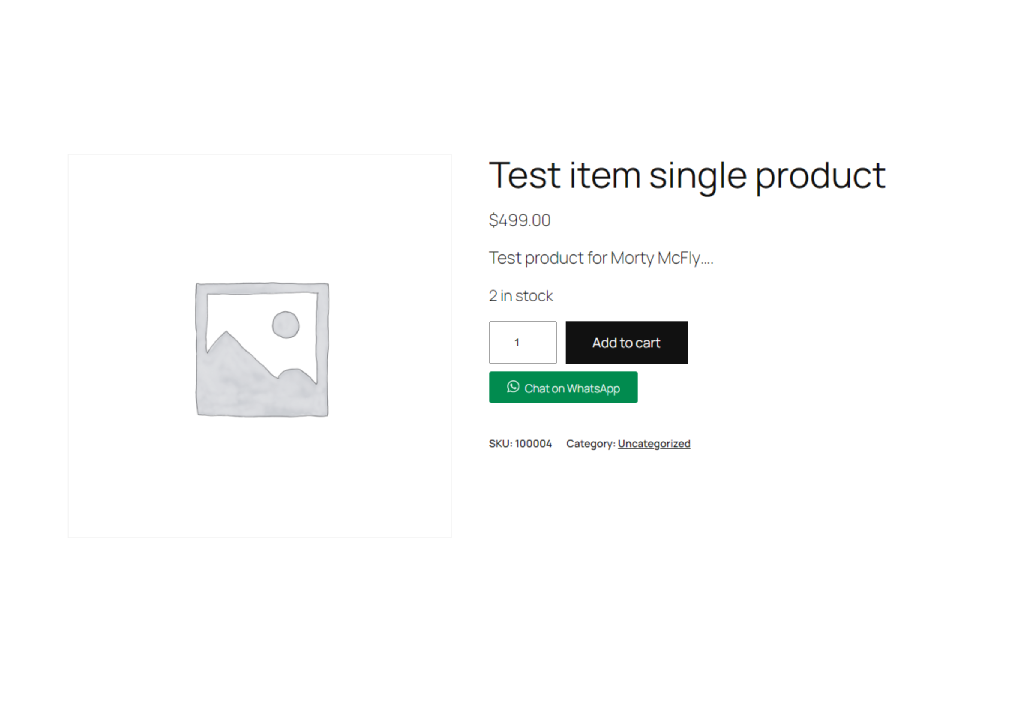
ئورنىتىش
- Download the plugin ZIP file.
- Go to your WordPress dashboard.
- Navigate to Plugins > Add New.
- Click «Upload Plugin» and choose the downloaded ZIP file.
- Click «Install Now» and then «Activate Plugin.»
FAQ
-
How do I configure the plugin?
-
Go to the «Woo Inquiry» admin page in your WordPress dashboard. From there, you can enable the button, set your WhatsApp number, define the inquiry message, and customize the button text.
-
Can I use a different messaging platform instead of WhatsApp?
-
This version of the plugin is specifically designed for WhatsApp. If you need support for other platforms, contact the plugin author for customization.
-
Yes, the button is designed to be fully responsive and works well on all devices.
باھالاشلار
بۇ قىستۇرمىغا تېخى باھا يېزىلمىدى.
تۆھپىكار ۋە ئىجادكار
«Inquiry Button for WooCommerce» كودى ئوچۇق يۇمشاق دېتال. تۆۋەندىكى كىشىلەر بۇ قىستۇرمىغا تۆھپە قوشقان.
تۆھپىكار
«Inquiry Button for WooCommerce» نى تىلىڭىزغا تەرجىمە قىلىڭ
ئىجادىيەتكە قىزىقامسىز؟
كودقا كۆز يۈگۈرتۈپ، SVN خەزىنە تەكشۈرۈپ ياكى RSSئارقىلىق ئىجادىيەت خاتىرىسىگە مۇشتەرى بولغىلى بولىدۇ.
ئۆزگىرىش خاتىرىسى
** 1.0 **
* Initial release with customizable WhatsApp inquiry button for WooCommerce.