
چۈشەندۈرۈش
LatePoint – The Lightweight Appointment Booking Plugin for WordPress
★★★★★
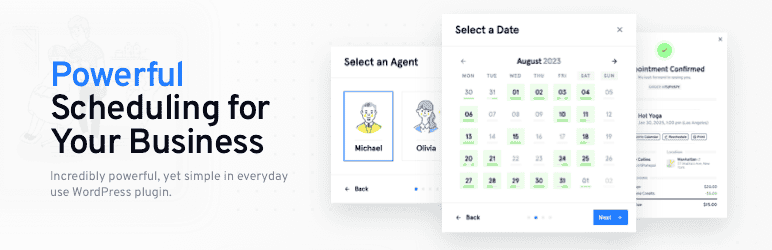
LatePoint is an appointment scheduling and booking plugin for WordPress that lets your clients schedule, reschedule, and pay for appointments without a single back-and-forth email.
It’s the WordPress booking plugin built for coaches, salons, consultants, clinics, and event hosts who rely on appointments and group bookings.
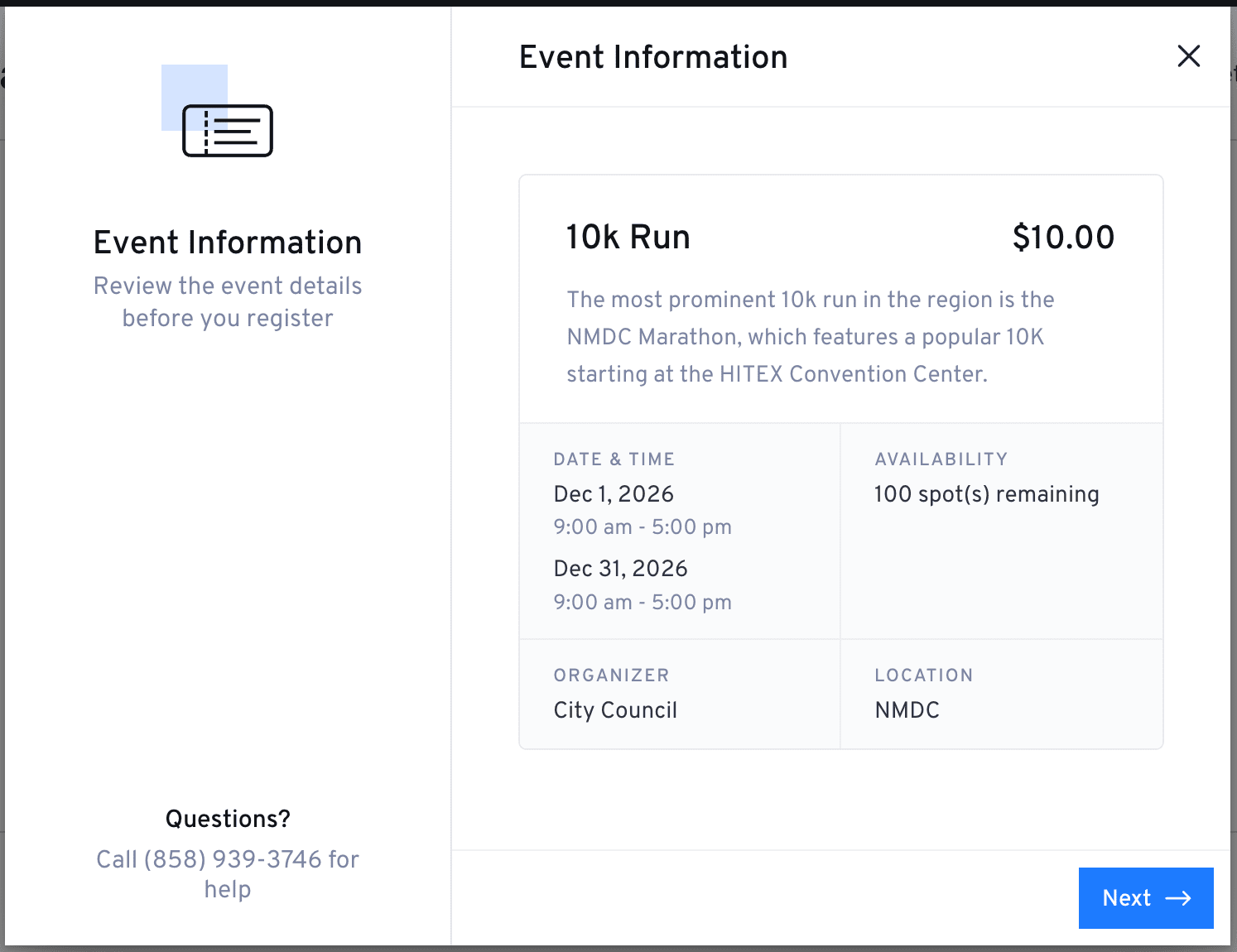
Now with Events. Alongside appointments, LatePoint lets you publish and sell tickets for workshops, classes, and group events, right from the same booking flow your clients already use. Add an events list, or drop a registration button, anywhere with a shortcode, set capacity, and let attendees register and pay in a few clicks. With LatePoint Pro, offer multiple ticket types per event (like General or VIP) at different prices, and every ticket comes with a QR code for fast check-in at the door. Every registration becomes an order, so you manage your event booking system the same way you manage appointment bookings.
Used on 100,000+ WordPress sites, LatePoint gives service businesses a fully branded booking experience that works 24/7. Your clients book from any device. You get paid upfront. No-shows drop. Admin time disappears.
Whether you’re a coach, salon, consultant, or clinic, if your business runs on bookings, LatePoint makes it easy to manage your schedule, take payments, and let clients book online 24/7.
Set it up in 10 minutes. Look professional. Automate the boring stuff. Let LatePoint handle the heavy lifting so you can focus on your business.
Features available with the free plugin
Booking & scheduling
- Unlimited appointments
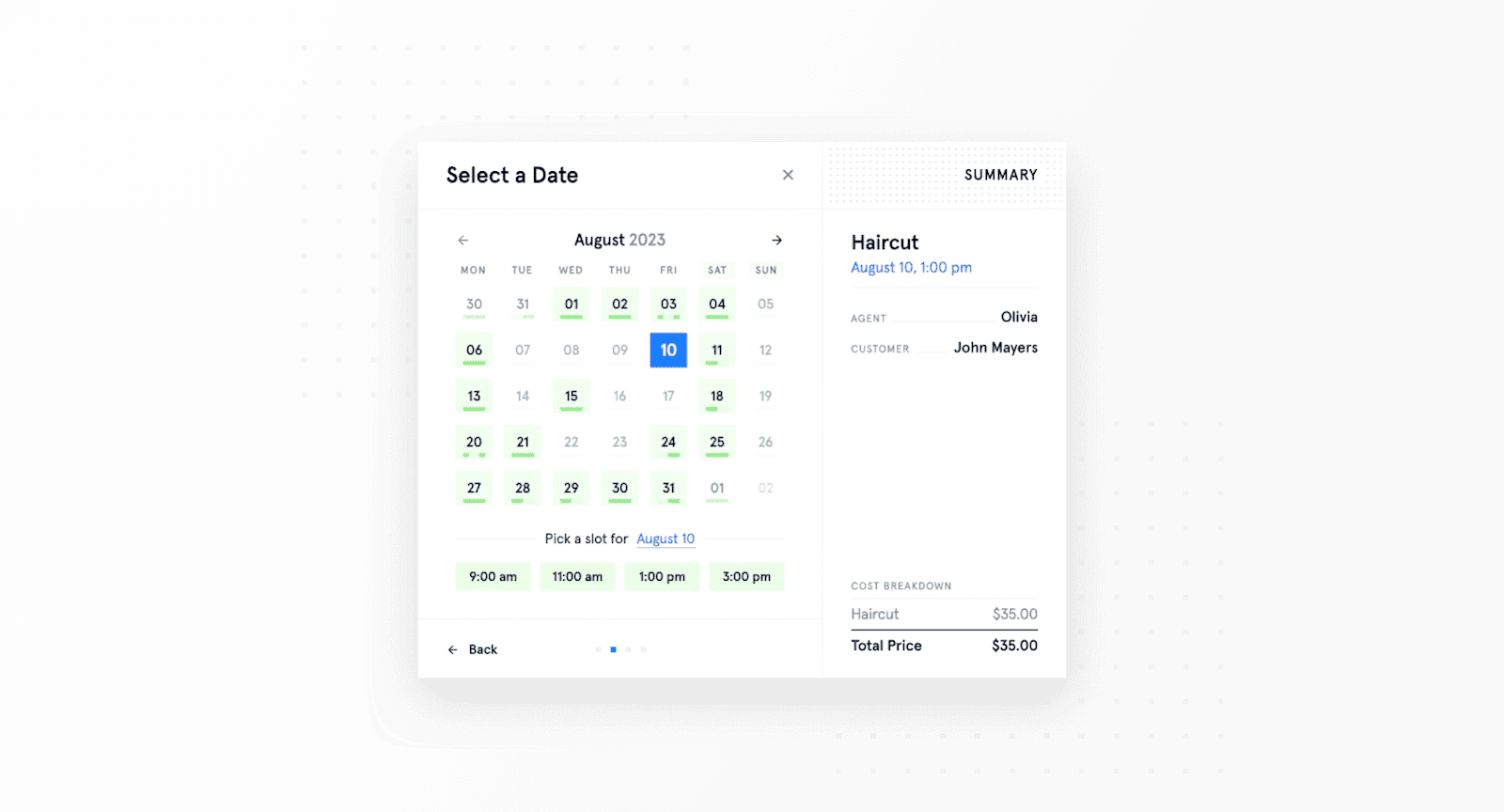
- Multi-step booking form & step-by-step wizard
- Instant booking forms
- Booking form customization
- Custom schedules, holidays & days off
- Time restrictions & timeslot logic
- Cancellation
- Clone service
Event booking
- Create and publish events – workshops, classes, or ticketed gatherings
- Event categories
- Event list and event button shortcodes
- Capacity and pricing per event
- Registrations flow through the same cart, checkout, and payment process as appointments
- Automatic registration confirmation and cancellation emails
Payments
- Stripe payments
- PayPal payments
- Razorpay payments
- Manual payments (Pay Later)
Notifications
- Email notifications
Management & admin
- Single location
- Customer dashboard
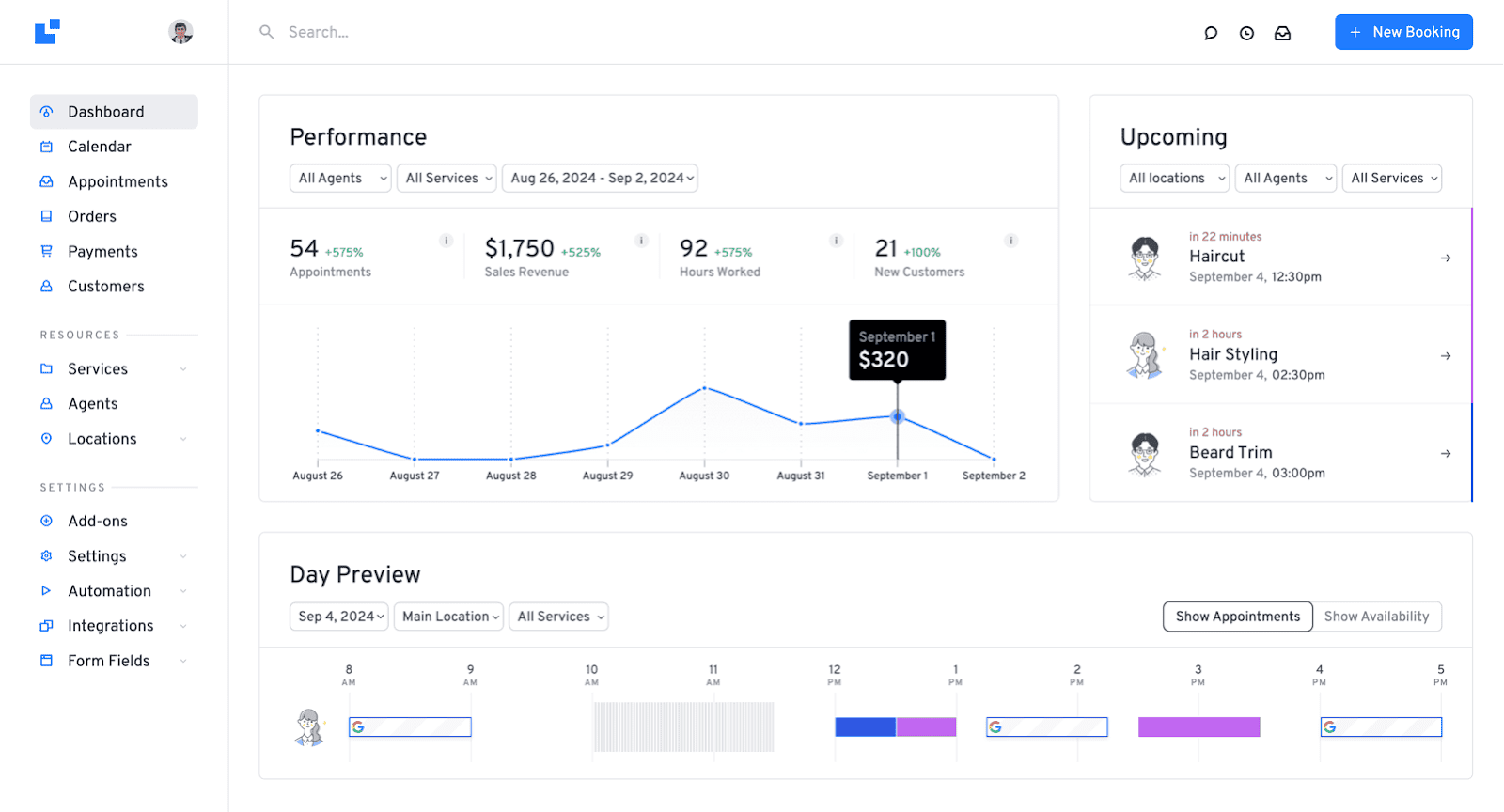
- Admin analytics dashboard
- Activity log
- Scheduled jobs
- Conversion tracking through tracking code configuration
- Import / export functionality
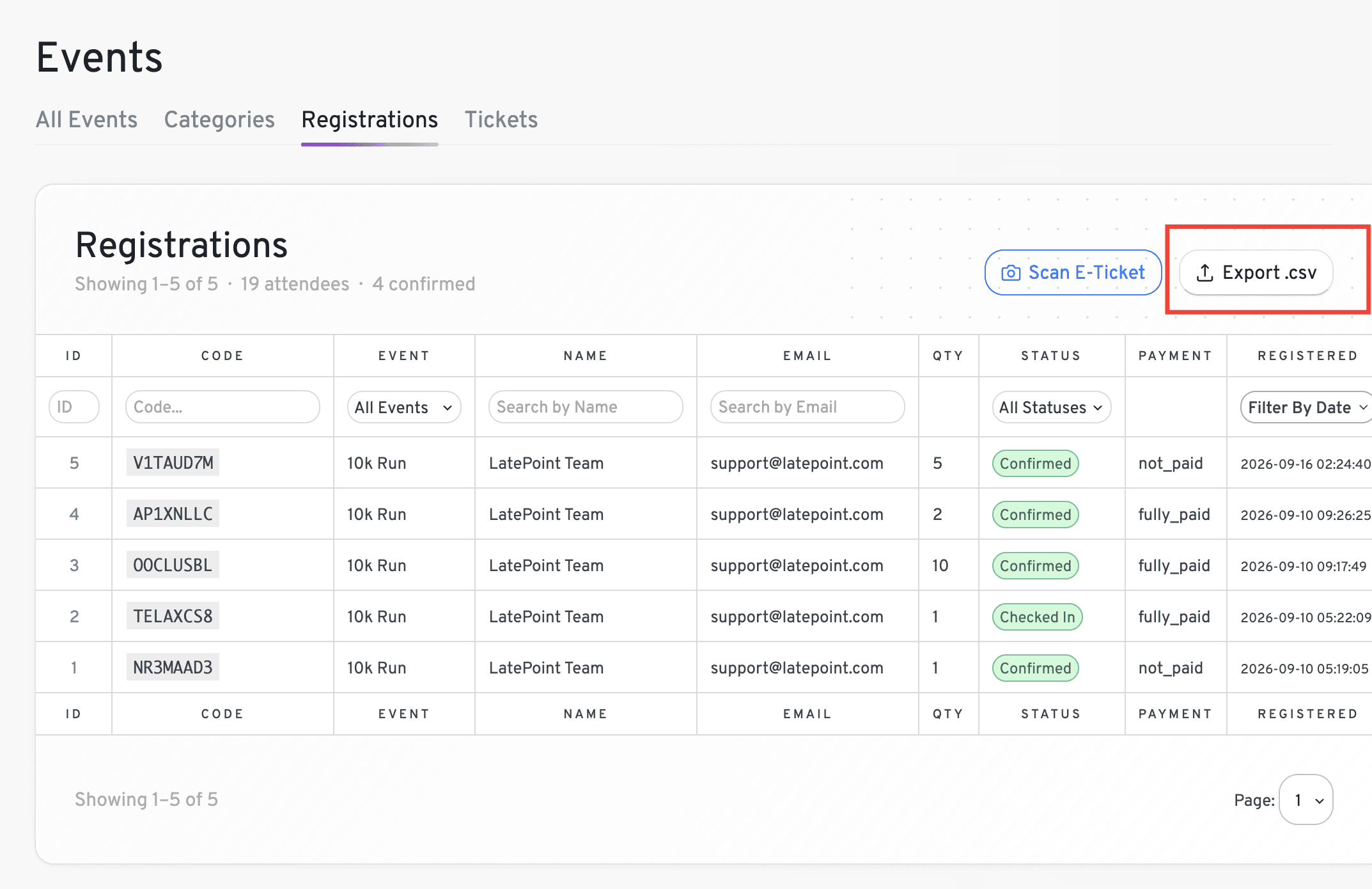
- Event registrations dashboard with CSV export
Features available with LatePoint Pro
Booking & scheduling
- Multiple locations & multi-location management
- Multiple staff & agents
- Recurring appointments
- Group bookings
- Custom service durations
- Service categories
- Service extras / add-ons
- Service packages
- Quick time blocking
- Shopping cart (book multiple appointments at once)
- Rescheduling
Event booking
- Multiple ticket types per event (e.g. General, VIP), each with its own price
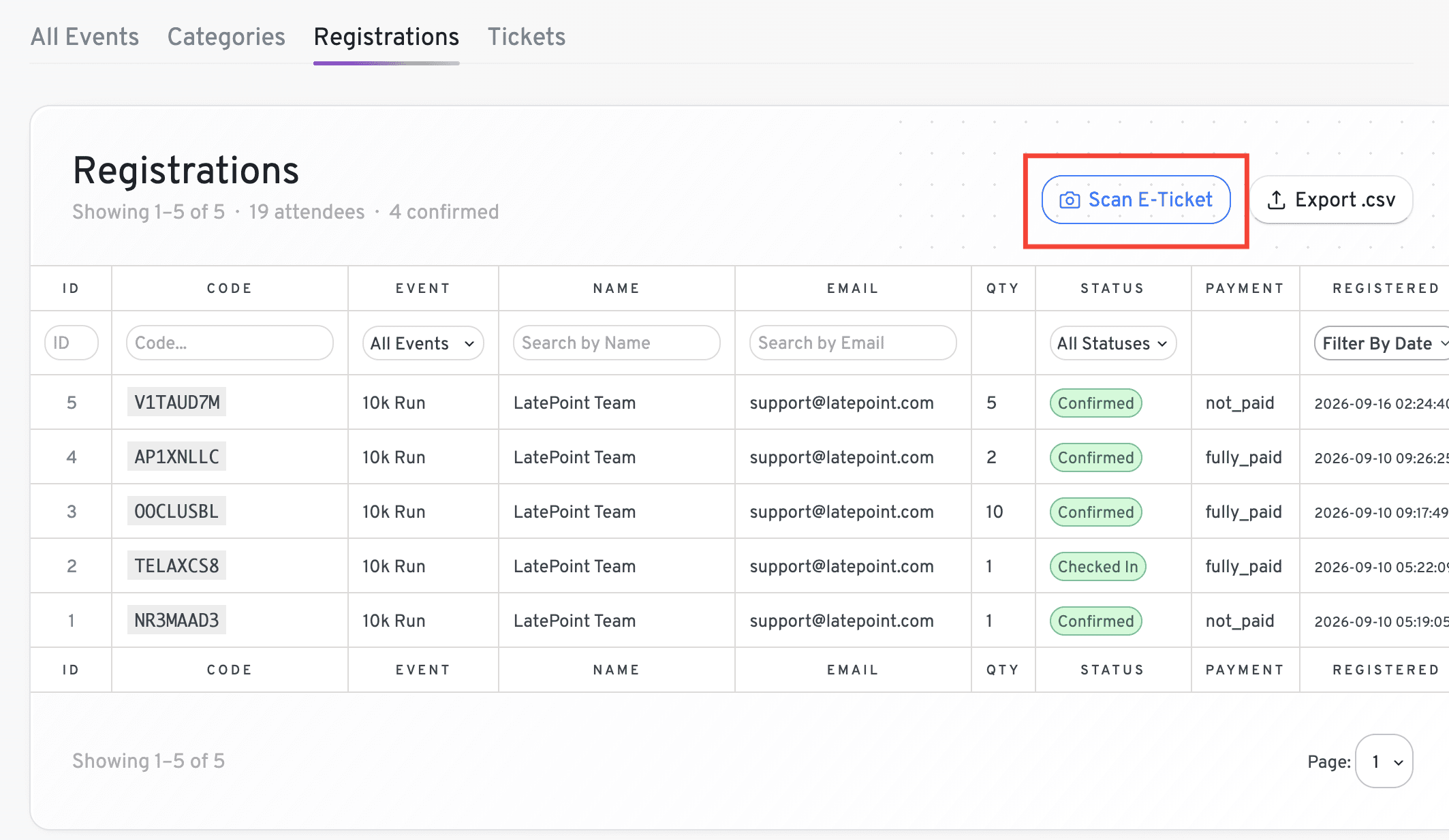
- QR code issued per ticket, scan or enter the code manually to check attendees in
Payments
- Square, Mollie, MercadoPago, Flutterwave, Braintree, PayStack, SureCart
- WooCommerce integration
- Local payment (pay later)
- Pay via a link
- Refund processing
- Invoices
- Tax support
Notifications
- SMS notifications
- WhatsApp notifications
- Email & SMS scheduled notifications
- Reminder notifications
Integrations
- Google Calendar sync
- Zoom, Google Meet, and Microsoft Teams integration
- Mailchimp integration
- Webhook functionality
Forms & customization
- Custom fields for booking forms
- Address autocomplete
- Custom roles (e.g. Manager)
- Security & spam protection
- Agent dashboard
See the Full Free vs Pro Feature Comparison
Accept payments at the time of booking
LatePoint lets you collect payment the moment a client books, no due invoices, no chasing, no unpaid appointments. Connect Stripe, PayPal or Razorpay in about 10 minutes and start accepting payments on the free plan.
Choose how you get paid:
- Full payment at booking: Client pays the complete service fee upfront
- Deposit at booking: collect a fixed amount or percentage to hold the slot, balance due later
- Pay later: Send a payment link after the appointment via the invoicing feature
Payments are processed directly by your payment gateway. LatePoint never holds your funds.
Card data is handled entirely by Stripe or your chosen processor. PCI-DSS compliant by default.
Accept payments with Razorpay | Accept payments with Stripe
Why accept payments at the time of booking?
Accepting a deposit is the single most effective way to reduce no-shows. When a client has paid to hold their slot, they show up. LatePoint makes it a one-step process at checkout.
- Supported payment gateways (free plugin): Stripe, PayPal and Razorpay
- Supported payment gateways (Pro): Square, Mollie, MercadoPago, Flutterwave, Braintree, PayStack, SureCart, WooCommerce Payments, Stripe, and Razorpay
Who Is LatePoint For?
LatePoint is built for small businesses and independent professionals who run on appointments. Whether you’re a solo practitioner or managing a small team, if your business depends on clients booking time with you, LatePoint saves you the back-and-forth and gets you paid faster.
Salons & Studios
If you run a personal care studio, hair or nail salon, spa, massage therapist or tattoo studio, you’ll know how important it is to avoid no-shows, double-bookings, and awkward payment moments.
With LatePoint:
- Customers can book online anytime
- You can send automatic reminders so clients actually show up
- Accept payments upfront or after the session
- Sync your bookings with Google Calendar
▶️ How To Set Up LatePoint for Salons
Coaches, Consultants & Trainers
If you run 1:1 sessions, group coaching, or online workshops, LatePoint keeps your schedule organized and sessions full.
- Let clients pick time slots based on availability
- Accept payments or deposits at the time of booking
- Offer in-person or Zoom sessions
- Sell service packages and recurring appointments
How to Setup LatePoint for Consultants
Clinics, Therapists & Healthcare Pros
For medical, wellness, or therapy practices, LatePoint helps you stay professional while giving patients a smooth experience.
- Collect patient information with custom fields
- Offer multiple services with different specialists
- Manage multiple staff calendars and locations
Education & Classes
Whether you’re a tutor, language teacher, or run in-person classes, you can:
- Let students book 1:1 or group sessions
- Handles sessions with upfront payment so you’re never chasing payments post classes
- Limit bookings to your preferred hours
- Automate reminders and payments
How to Setup LatePoint for Private Tutors
Local Services & Agencies
Photographers, cleaners, auto services, pet services, repair shops, if your business depends on appointments, LatePoint makes it simple.
- Show real-time availability
- Set different schedules by service or team member
- Let clients book 24/7, no calls or emails needed
Tours, Rentals & Experiences
If you run a jet ski rental, dive school, boat tour, or any activity business, LatePoint handles slot-based bookings with upfront payment so you’re never chasing deposits last minute.
- Let customers book specific time slots for activities or guided sessions
- Require full payment or a deposit at booking to confirm the reservation
- Send automatic reminders so customers show up prepared
- Set capacity limits per session for group tours
Legal & Law Firms
If you run a law firm, notary practice, or offer legal consultations, LatePoint helps you manage client appointments professionally without the back-and-forth.
- Let clients book consultations directly from your website
- Collect intake information upfront with custom booking fields
- Send automatic reminders to reduce missed appointments
- Manage schedules across multiple attorneys or staff members
Pet Services
Whether you run a grooming salon, doggy daycare, or mobile pet care service, LatePoint keeps your bookings organised and your clients coming back.
- Let pet owners book appointments online anytime
- Accept payments or deposits at the time of booking
- Set different availability for different services or staff
- Send reminders so clients never miss a grooming slot
HVAC & Home Services
For HVAC technicians, plumbers, electricians, and other trade businesses, LatePoint makes it easy for customers to book service visits without a phone call.
- Let customers request appointments directly from your website
- Set availability by service type or team member
- Send automatic confirmations and reminders before the visit
- Manage jobs across multiple technicians from one dashboard
What Makes LatePoint Unique?
LatePoint isn’t just another booking plugin, it’s designed to solve real-world scheduling problems with a smart, flexible approach.
- Purpose-built for service providers: From solo pros to teams across locations, LatePoint adapts to your business.
- Quick to launch, simple to manage: The built-in onboarding wizard walks you through the entire setup. You’ll go from install to taking bookings in under 10 minutes.
- Mobile-first booking experience: Clients see clean, intuitive forms that work beautifully on phones, tablets, and desktops. Fewer clicks = fewer drop-offs.
- Automation built-in: LatePoint handles confirmations, reminders, follow-ups, and payments. Skip the admin and focus on delivering your services.
- Affordable, with a forever-free plan: You won’t get trapped in expensive subscriptions. Start with the free version, and upgrade when you need advanced features.
- Native to WordPress: Built to feel like a natural part of your site, LatePoint works with most popular themes and page builders out of the box.
LatePoint Review: Is It the Right Booking Plugin for Your Service?
How It Works
- Install the plugin: Download LatePoint from the WordPress plugin repository and activate it on your site.
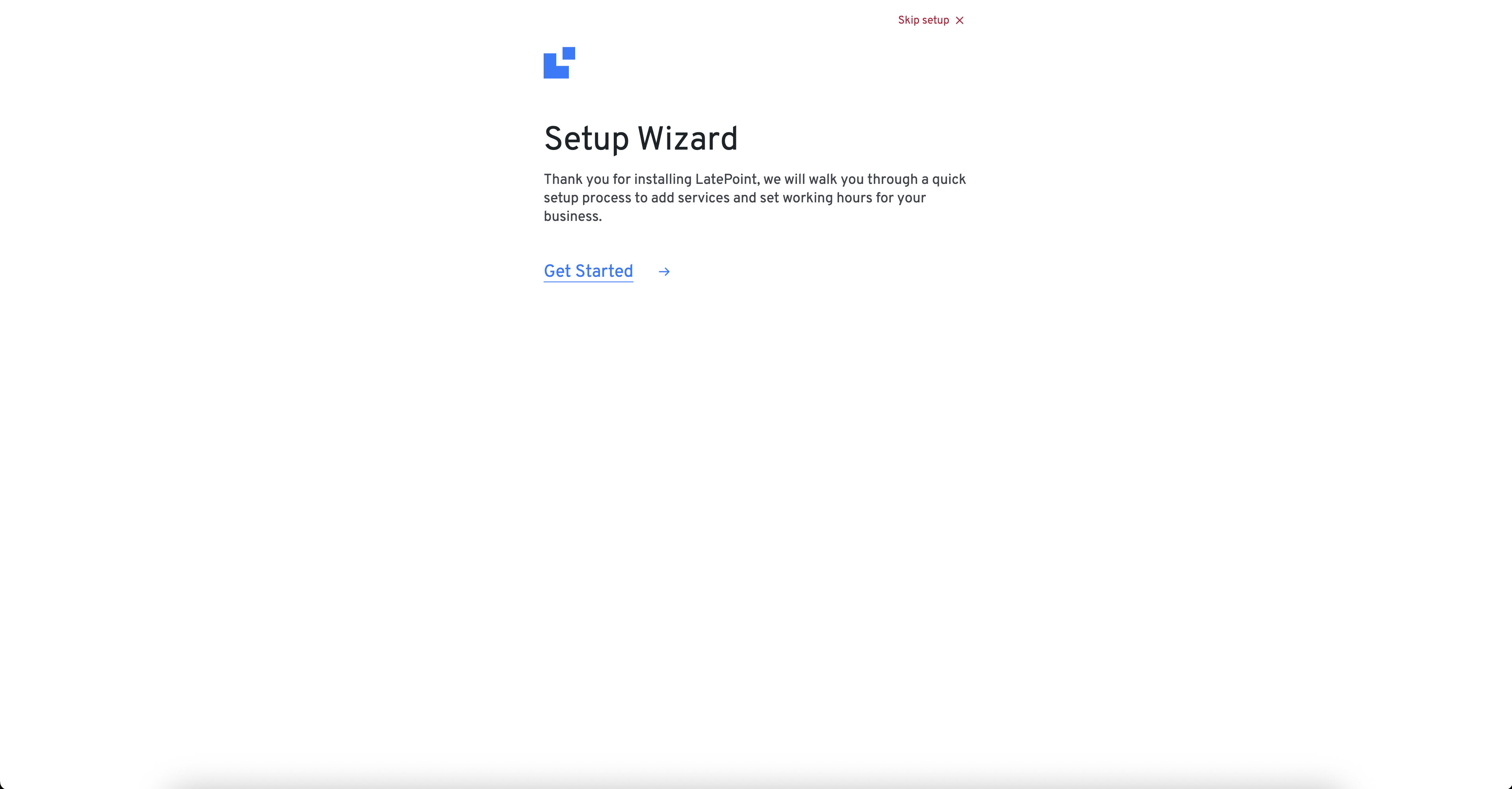
- Complete the setup wizard: Walk through a simple onboarding process to set your services and availability.
- Customize your booking form: Add fields to collect the information you need before a session. Choose which details to make required or optional.
- Add booking to your site: Use a shortcode or LatePoint widget to place the booking interface into any page or post.
- Start accepting bookings: Customers can now see your real-time availability, book appointments, pay, and receive confirmation emails.
- Manage everything in your dashboard: View and manage appointments, customer information, payments, and notifications directly from your agent dashboard.
- Customer dashboard: Let customers manage their appointments through a dedicated customer dashboard.
Features You’ll Love With the Plugin
✅ Appointment booking form builder – Build the form customers will fill while scheduling their appointments.
✅ Stripe, PayPal and Razorpay payments at booking – Accept a deposit the moment a client books.
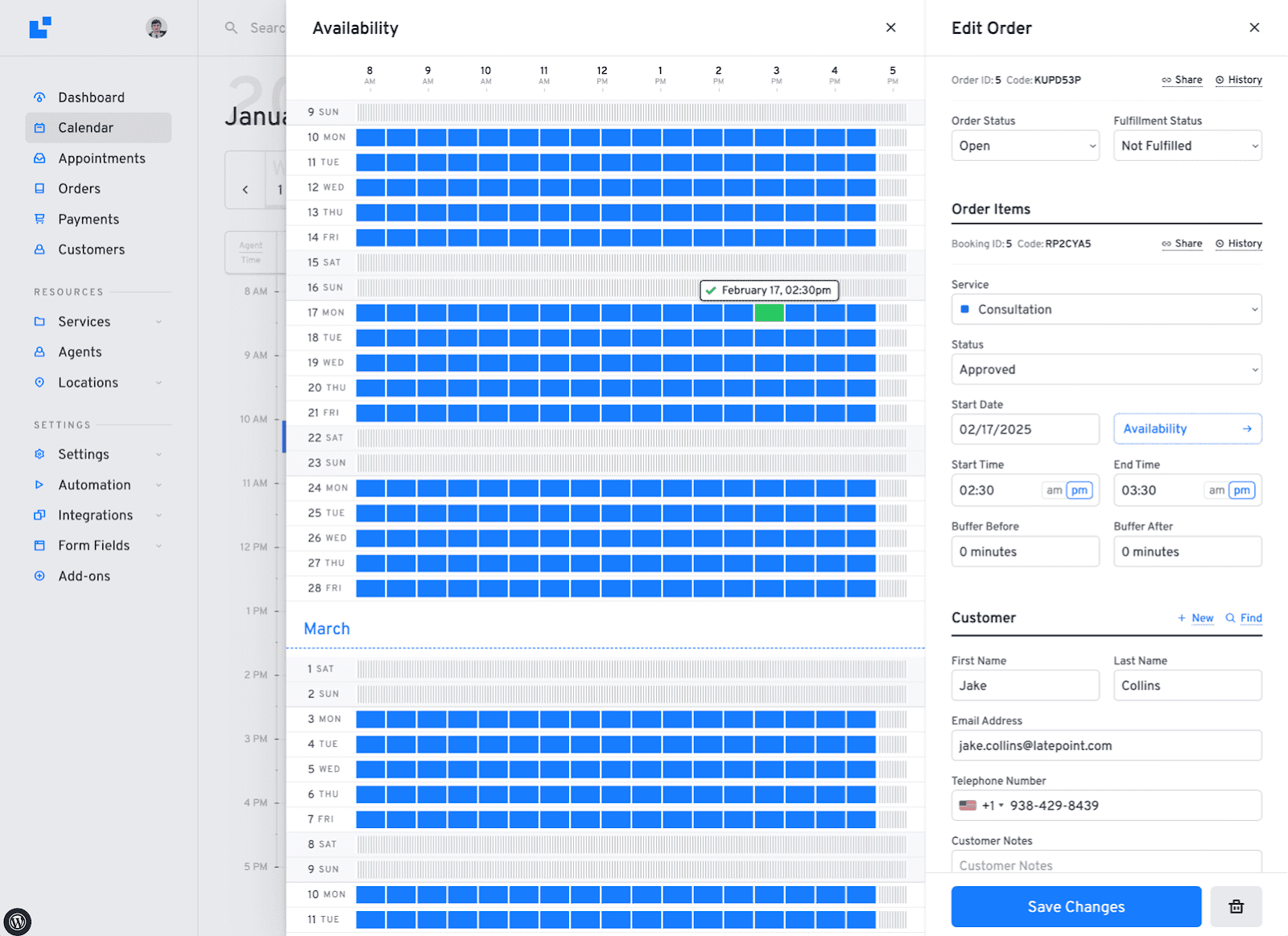
✅ Admin dashboard – Full calendar view with filters for appointments and services.
✅ Multi-step booking wizard – A clean, guided booking flow that works on any device without configuration.
✅ Email notifications – Automatic confirmations sent to both you and your client at booking.
✅ Cancellation management – Let clients cancel their own appointments without emailing you.
✅ Custom schedules & holidays – Set your working hours, block off days, and manage time off without workarounds.
✅ Conversion tracking – Track how many visitors turn into bookings by configuring third-party tracking code.
✅ Import / export – Move your data in and out without needing a developer.
✅ Activity log – See a full history of every action taken on your account.
Want To Unlock More?
LatePoint’s free plugin is a solid starting point – unlimited appointments, Stripe, PayPal & Razorpay payments, and a full booking experience out of the box. When your business grows and you need more power, Pro has you covered.
Here’s what you unlock with LatePoint Pro:
- Manage multiple locations, staff members, and agents
- Accept payments via Square, Mollie, MercadoPago, Flutterwave, Braintree, PayStack, and SureCart along with Stripe, PayPal and Razorpay
- Accept local payments via WooCommerce integration. If you want to use any local payments you can use LatePoint Woo
- Sync with Google Calendar, Outlook, and Apple Calendar
- Clients can view, manage, reschedule, and cancel bookings without contacting you
- Send SMS and WhatsApp notifications and scheduled reminders
- Offer recurring appointments, group bookings, and service packages
- Add custom fields, address autocomplete, and custom roles
- Connect Zoom, Google Meet, and Microsoft Teams for automatic video meeting links
- Clients book in their local time zone, no confusion on either side
- Block out time on your calendar in seconds when something comes up
- Issue invoices, send payment links, process refunds, and setup tax
- Integrate with WooCommerce and Mailchimp
Works With Your Stack
- Works with most Popular WordPress themes (Astra, Kadence, GeneratePress and others)
- Fully compatible with Elementor, Gutenberg, and page builders
- LatePoint is compatible with WooCommerce but doesn’t need it to work. To collect payments using local payment methods (pay later), you can use LatePoint Woo
- Extendable with LatePoint Pro (Calendar integrations, Zoom, WhatsApp, etc.)
Blocks
This plugin provides 6 blocks.
- Customer dashboard: Adds a customer dashboard for LatePoint
- Booking button: Adds a booking button
- List of resources: Adds a list of bookable resources by type
- Booking form: Adds a LatePoint booking form
- Customer login: Adds a customer login form
- Latepoint calendar: Adds a calendar of events
Trusted by 100,000+ Businesses
LatePoint is trusted by 100,000+ businesses worldwide, from solo freelancers and independent practitioners to fitness chains and the Nigerian Embassy. Join a growing community of service businesses that have simplified their scheduling with LatePoint.
If you want a modern, effortless way to let your customers book online, give LatePoint a try today.
Branding Guidelines
LatePoint® is a registered trademark. Please use the following format when mentioning LatePoint anywhere:
- LatePoint [correct]
- Late Point [incorrect]
- Latepoint [incorrect]
- Late point [incorrect]
ئېكران كەسمىسى





بۆلەك
بۇ قىستۇرما 6 بۆلەك تەمىنلەيدۇ.
- Latepoint calendar Generates a calendar of events for LatePoint
- Booking Form Generates a booking form for LatePoint
- Customer Login Generates a customer login form
- List of Resources Generates a list of bookable resources by type for LatePoint
- Customer Dashboard Generates a customer dashboard for LatePoint
- Booking Button Generates a booking button for LatePoint
ئورنىتىش
- Upload
latepoint.zipto the/wp-content/plugins/directory - Activate the plugin through the ›Plugins‹ menu in WordPress
- Make sure to disable caching on your customer cabinet page
FAQ
-
Does this work with Elementor or other page builders?
-
Yes! LatePoint works with Elementor, Gutenberg, and most other major builders.
-
Can I use this on client websites?
-
Absolutely. It’s perfect for agencies or freelancers setting up client booking systems.
-
Can customers book multiple appointments at once?
-
Yes, the booking cart lets users add multiple appointment bookings in one go.
-
Can I accept payments during booking?
-
Yes, Stripe, PayPal and Razorpay on the free plan. Square, Mollie, MercadoPago, Flutterwave, Braintree, PayStack and SureCart on paid plans. Also supports WooCommerce Payments.
-
Can I make clients pay a deposit during the appointment booking?
-
Yes. Set a fixed deposit per service. Available on all plans including free. The balance can be collected later directly through customers. With the Pro version, you can collect the remaining amount via payment link and invoice.
-
Can I issue refunds from WordPress?
-
You can refund payments directly from the LatePoint dashboard. Processes through your payment gateway automatically.Here’s documentation to help you along the way.
-
How do I reduce no-shows?
-
Enable deposits and make clients pay while they schedule their appointments. Combine with automated SMS/email reminders with the Pro version.
-
Does it sync with Google Calendar?
-
Yes, two-way sync with Google Calendar, Outlook, and Apple Calendar is available with the Pro plan.
-
Can clients reschedule or cancel themselves?
-
Yes, via their customer dashboard. You control the cancellation policy and whether deposits are refunded on cancellation. Rescheduling appointments is available with the Pro plan.
-
Does it work for group bookings?
-
Yes, you can enable group bookings for your clients with the Pro version.
-
Is LatePoint good for appointment scheduling across multiple staff or locations?
-
Yes. LatePoint handles appointment scheduling for solo providers as well as teams of staff or agents, each with their own calendar, availability, and services. If you run multiple locations, LatePoint Pro adds full multi-location scheduling so clients can pick a location, staff member, and time slot in one booking flow.
-
Can I sell tickets or manage registrations for events, workshops, or classes?
-
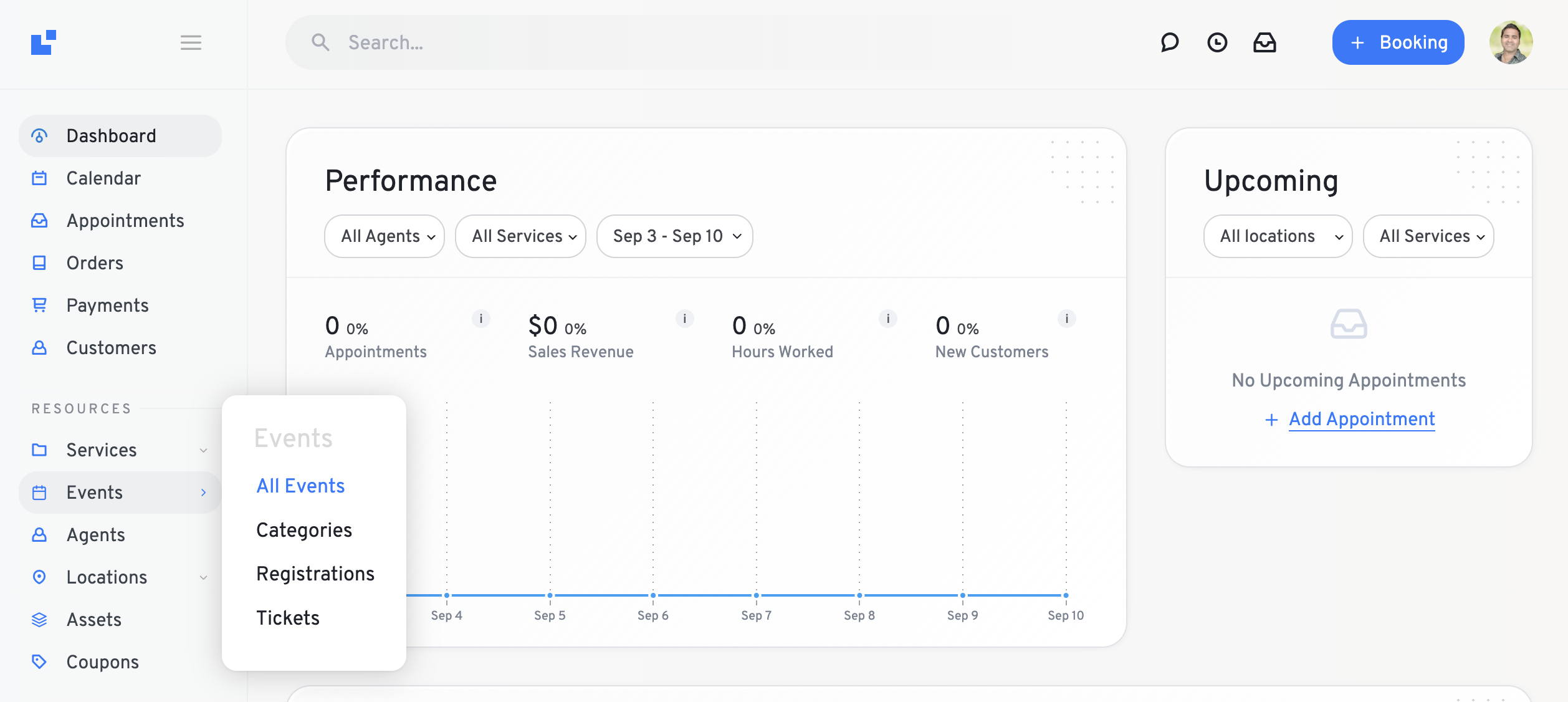
LatePoint now includes a dedicated Events feature in Dashboard. You can create an event, set capacity and pricing, and publish it with a shortcode. Customers register and pay through the same booking cart and checkout LatePoint uses for appointments, and each registration appears in your Orders and in Events -> Registrations. With LatePoint Pro, you can also create multiple ticket types per event (like General or VIP) at different prices, and every ticket gets a QR code for fast check-in at the door.
-
Does LatePoint work as an event calendar for my site?
-
LatePoint’s event booking system lets you publish a full events list with a shortcode, showing dates, pricing, and live availability for every event at a glance – or drop a button shortcode anywhere you just need a direct registration link. It’s designed as a complete booking system built into your existing setup, for event registration and booking rather than as a traditional calendar-only plugin.
-
Is LatePoint free or paid?
-
This is the free version, perfect for simple booking needs. Want advanced features like expanded payment options, Zoom integration, recurring appointments, or WhatsApp notifications? Check out LatePoint Pro
باھالاشلار


تۆھپىكار ۋە ئىجادكار
«Appointment Booking Plugin – LatePoint | Calendar & Scheduling for WordPress» كودى ئوچۇق يۇمشاق دېتال. تۆۋەندىكى كىشىلەر بۇ قىستۇرمىغا تۆھپە قوشقان.
تۆھپىكار
«Appointment Booking Plugin – LatePoint | Calendar & Scheduling for WordPress» 6 تىلغا تەرجىمە قىلىنغان. تەرجىمانلارنىڭ تۆھپىسى ئۈچۈن رەھمەت.
ئىجادىيەتكە قىزىقامسىز؟
كودقا كۆز يۈگۈرتۈپ، SVN خەزىنە تەكشۈرۈپ ياكى RSSئارقىلىق ئىجادىيەت خاتىرىسىگە مۇشتەرى بولغىلى بولىدۇ.
ئۆزگىرىش خاتىرىسى
5.7.3 – September 29, 2026
- Security
- Addressed security bugs. Props to WordFence for reporting it.
5.7.2 – September 23, 2026
- Fixes
- Fixed an issue where WordPress admin pages were inaccessible to users without LatePoint access.
5.7.1 – September 22, 2026
-
Improvements
- The phone number field now has a searchable country selector, no longer drops digits when saving numbers for some countries and has an upgraded phone field library.
-
Security
- Addressed security bugs. Props to WordFence for reporting it.
5.7.0 – September 16, 2026
-
New
- Introduces Events. Publish workshops, classes, and ticketed gatherings, with registrations flowing through the same cart and checkout as appointments. LatePoint Pro adds multiple ticket types and QR code check-in.
-
Improvements
- The LatePoint item in the WordPress admin sidebar now opens a quick access menu for the main LatePoint screens.
- The Payments screen now shows each agent only the transactions of their own customers, matching how the Orders screen is scoped.
-
Fixes
- Fixed an issue where reminders and automations were never scheduled for bookings that start at exactly 12:00 am.
- Fixed a fatal error on the admin Calendar in time zones where daylight saving time starts at midnight.
5.6.11 – September 03, 2026
-
New
- Added the {{customer_admin_notes}} template variable for use in notifications and calendar sync.
- Added the service and end time of a booking to webhook payloads, so both can be mapped in automation workflows.
- Service category can now be used as a workflow trigger condition, so a rule can apply to a whole category instead of listing every service in it.
-
Improvements
- The Customer Dashboard and Customer Login pages now always load their scripts and styles, even when front-end assets are restricted to selected pages.
-
Fixes
- Fixed two customers checking out at the same time being able to book the same slot. A checkout in progress now holds the slot briefly.
- Fixed a schedule ending at 12:00 am producing no available time slots, which made a full 24-hour day impossible to set.
- Fixed the Orders CSV export showing 0.00 in the Amount column for every order.
- Fixed the delete confirmation on non-English sites asking users to type the English word «delete» instead of the translated one. Affects services, locations, agents and appointments.
- Fixed «Add another item» failing when «Reset Presets When Adding New Item» was enabled and the booking button had a preselected service.
- Fixed the availability tools in the MCP/Abilities integration returning incorrect results.
- Fixed Razorpay reporting that the selected payment method is not available even though the payment had gone through.
5.6.10 – August 03, 2026
-
New
- Added White Label admin brand colour support for the upcoming premium release, allowing you to replace the LatePoint admin brand colour throughout the admin area.
-
Fixes
- Fixed an issue where going back in the booking form could keep the originally selected agent or time slot in the finalized booking.
-
Security
- Addressed security bugs. Props to WordFence for reporting it.
5.6.9 – July 16, 2026
-
New
- Introduces the PayPal v6 payment gateway integration.
-
Improvements
- Added filter ›latepoint_calendar_now_datetime‹ for calendar flexibility to better support customer timezone-based calendars.
- Reordered the Permitted Actions in Roles settings to improve organization and usability.
- Strengthened the Razorpay payment verification.
-
Fixes
- Fixed delayed workflow actions running immediately in some case instead of waiting for the configured delay.
- Fixed an issue where Google Calendar events were not removed when bookings were deleted from an order in the admin area.
5.6.8 – July 9, 2026
-
New
- Added MCP server support with the /wp-json/latepoint/v1/mcp endpoint, AI client integration (such as Claude), and a settings panel for easy setup. Requires WordPress 6.9+ and the MCP Adapter plugin.
- Added support for the {year} token in invoice number prefixes, automatically inserting the invoice creation year.
-
Improvements
- Added the latepoint_should_load_front_scripts filter for conditional frontend asset loading.
-
Fixes
- Invoice numbers are now generated and locked at the time of creation to ensure consistency.
-
Security
- Addressed security bugs. Props to Artus for reporting it.
5.6.7 – July 6, 2026
-
Fixes
- Fixed a «You have to select an agent» error that occurred when choosing «Any agent.»
-
Security
- Addressed security bugs. Props to Khoa and WordFence for reporting it.
5.6.6 – July 3, 2026
- Fixes
- Fixed an inconsistent slots availability in the dashboard calendar view despite being unavailable in availability and booking interfaces.
5.6.5 – July 1, 2026
-
New
- Added maximum bookings per day feature support for an upcoming premium release, allowing you to set limits on the number of bookings a customer can make per day.
- Added cancellation and reschedule reason feature feature support for an upcoming premium release, allowing you to require customers to provide a reason when cancelling or rescheduling an appointment.
-
Improvements
- Refactored backend code to improve stability and maintainability.
-
Fixes
- Fixed revenue statistics and analytics displaying pre-discount amounts when coupons were applied. Dashboard revenue widgets and reports now correctly reflect the discounted total paid by customers.
- Fixed the Admin Notes customer field, not being saved when edited by agents or users with custom LatePoint roles.
- Fixed service extras quantity inputs not updating the cart total when values were typed manually on desktop or mobile devices.
- Fixed the Confirmation step showing a Create Account prompt to customers who were already logged in. Logged-in customers now see an Open My Cabinet link instead.
- Fixed a loading spinner issue in the Price Breakdown and Balance & Payments panels when changing the selected service while creating an order in the admin area.
5.6.4 – June 30, 2026
- Security
- Addressed security bugs. Props to WordFence for reporting it.
- Addressed security bugs. Props to Patchstack for reporting it.
5.6.3 – June 24, 2026
-
New
- Added URL pre-fill support for an upcoming premium release, allowing users to pre-fill customer fields using URL query parameters before the contact step is rendered.
- Added display price support for bundles in an upcoming premium release, allowing merchants to display prices to customers on the bundle selection step while keeping the Charge Amount as the actual billed amount.
-
Fixes
- Fixed deprecation warnings for all LatePoint Gutenberg blocks (Booking Button, Booking Form, Calendar, Customer Dashboard, Customer Login, and List of Resources).
-
Security
- Strengthened nonce validation. Props to Meher Sudhakar Abbireddi for reporting it.
- Strengthened the visibility filter that only ran on the display layer. Props to WordFence for reporting it.
5.6.2 – June 15, 2026
-
New
- Added a clear «No Availability» message when a selected service or agent has no bookable dates, making it easier to understand why no dates are available.
- Added new options to control which services are displayed during the booking process. You can now choose to show all services, only individual services, or only bundles in booking forms and widgets.
- Added White Label support for upcoming premium release, allowing you to replace LatePoint branding throughout the admin area with your own brand identity.
-
Improvements
- Added an extra confirmation step when deleting services to help prevent accidental deletions. This is especially important because deleting a service also removes its associated appointments.
-
Fixes
- Fixed inconsistent invoice payment information. Invoice pages now show the correct remaining balance as Amount Due, and fully paid invoices are clearly marked as Paid.
- Fixed an issue where cancelled Mollie or PayPal payments could cause duplicate items to appear in the booking cart when resuming a booking.
- Fixed an issue where time slots already reserved in the cart could still appear available when booking across different calendar months, preventing accidental duplicate bookings.
- Fixed an issue where bulk actions could disappear from the Appointments list after filtering, sorting, or navigating between pages. Bulk actions now remain available consistently.
-
Security
- Security: Addressed security bugs. Props to WordFence for reporting it.
5.6.1 – May 29, 2026
-
New
- Added a new workflow condition «Order Item Counts» for the Booking Created and Order Created triggers. This allows a workflow to fire (or be skipped) based on number of bookings created in the same order.
- Added bulk delete option to the Appointments list along with a confirmation prompt to prevent accidental deletions.
- Added translations for Portuguese (Brazil), Polish, Dutch, Chinese (Simplified), Turkish, Indonesian, Japanese, Arabic, Swedish, Vietnamese, Hebrew, Thai, Greek, and Czech
-
Improvements
- Updated the existing translations with corrections and added new translations for the new strings.
-
Fix:
- Missing text domains on some strings that prevented them from being translatable.
- Strengthened the nonce validation. Props to Wordfence.
5.6.0 – May 18, 2026
- New: Introduces the RazorPay payment gateway integration.
- Improvement: Added a new “Create invoices for free bookings” toggle under Settings -> Invoices, allowing admins to optionally generate invoices for free bookings.
- Improvement: Updated all LatePoint Gutenberg blocks (Booking Button, Booking Form, Calendar, Customer Dashboard, Customer Login, and List of Resources) to Block API version 3.
- Improvement: Removed source map from CSS and JS to reduce output size.
- Fix: Fixed Gutenberg block preview rendering inside the WordPress iframe editor, preventing blank booking form and calendar previews in responsive/device preview modes.
5.5.2 – May 14, 2026
- Added support for custom
.icscalendar attachment filenames in workflow email notifications, including smart variables such as{{service_name}}and{{booking_id}}for more personalized calendar invites. - Added new MCP settings in General -> MCP to enable and manage Abilities support.
- Security: Addressed security bugs. Props to WordFence for reporting it.
5.5.1 – May 5, 2026
- Security: Addressed security bugs. Props to WordFence for reporting it.
5.5.0 – April 27, 2026
- New: Added “Enable Invoices” toggle in general settings. This introduces foundational support for premium versions and allows admins to disable invoice functionality when using external invoicing tools or when invoices are not needed.
- New: Added drag-and-drop column reordering to the Appointments table. Users can customize column order via the Table Settings panel, with preferences saved across sessions.
- Improvement: Improved browser autofill support by adding proper autocomplete attributes to all customer-facing forms, resolving PCI compliance warnings.
- Fix: Fixed a crash on the dashboard and month calendar when an agent has no work schedule, preventing DivisionByZero errors.
- Fix: Resolved a WordPress 6.7+ notice related to delayed textdomain loading.
- Fix: Fixed a 500 error during password reset requests when customer lookup returned invalid data.
5.4.2 – April 24, 2026
- Security: Addressed security bugs. Props to WordFence for reporting it.
5.4.1 – April 18, 2026
- Security: Addressed security bugs. Props to WordFence for reporting it.
5.4.0 – April 13, 2026
- New: Added Assets (Shared Resources) feature support for the upcoming Pro release.
- Fix: Resolved an issue where scheduled jobs more than a month away displayed incorrect remaining time.
- Security: Addressed security bugs. Props to WordFence for reporting it.
5.3.2 – March 31, 2026
- New: Calendar URL now remembers your view, date, and filter selections, refresh the page and everything stays in place
- Improvement: Dates on Orders and Payments pages now use the same readable format as the rest of the plugin
- Fix: Services set to «Visible to admins and agents only» no longer appear on the booking form for customers
- Fix: Coupon discounts now display correctly when the thousand separator is set to a space
- Fix: Fixed missing close button on the calendar day view popup
- Fix: Calendar day view popup is now wider so filter dropdowns aren’t cut off
- Fix: Fixed a fatal error on the customer dashboard when a purchased bundle has been deleted
5.3.1 – March 26, 2026
- Security: Addressed security bugs. Props to WordFence for reporting it.
5.3.0 – March 19, 2026
- Improvement: Added foundational support for upcoming pro features related to location based agent schedules.
- Improvements: Improved compatibility checks between Free and Pro plugins.
- Fix: Fixed SMS OTP not being sent when verifying existing customers by phone due to incorrect delivery method
- Fix: Fixed OTP verification box showing incorrect label — now displays “Verify your phone number” when SMS OTP is enabled.
5.2.11 – March 10, 2026
- Fix: Fixed calendar month names displaying duplicated characters (e.g., «Marss», «Aprilil») when both short and full month names are translated to the same value via Loco Translate.
- Security: Strengthen plugin security and harden against potential vulnerabilities.
5.2.10 – February 26, 2026
- New: Added «Remove all data on plugin deletion» toggle under Settings > General > Danger Zone > Plugin Deletion to permanently delete all LatePoint data when the plugin is removed.
- Security: Strengthen plugin security and harden against potential vulnerabilities.
- Fix: Resolved the forgot-password form persisting when switching back to the New Customer tab in the Booking Form.
Full changelog can be found on our website: Full Changelog