
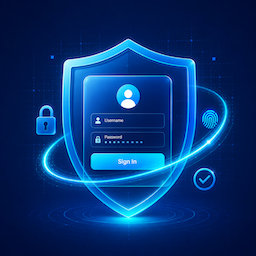
چۈشەندۈرۈش
Did you know that over 90% of WordPress hacking attempts target the default wp-login.php and wp-admin pages? Malicious bots and brute-force attacks constantly scan these URLs to break into your website, draining your server resources and risking your data.
LevelNetwork Custom Login Protector solves this instantly using the power of smart obscurity and beautiful design.
This lightweight, high-performance plugin allows you to hide your default login URL and replace it with a unique, secret path of your choice (e.g., yoursite.com/my-secret-access). Any unauthorized bot or hacker trying to access the standard login entry points will be automatically blocked and redirected to your homepage or a 404 error page.
But security doesn’t have to look boring. Beyond elite protection, you can completely rebrand and customize your WordPress login page to match your corporate identity or client’s brand. No coding required! Choose from 11 premium, pre-designed visual layouts—including Frosted Glass, Cyberpunk, Minimalist, and Neumorphic styles—and easily upload your custom logo or background image.
Why Choose LevelNetwork Custom Login Protector?
- Instant Brute-Force Protection: Stop malicious login attempts before they even reach your form.
- 100% Client-Ready Rebranding: Impress your clients by replacing the generic WordPress login screen with a fully customized, premium portal.
- Ultra-Lightweight & Fast: Built strictly on native WordPress standards. Zero impact on your website speed or server performance.
- No-Code Media Uploader: Easily change your login logo and background graphics with a single click via the native Media Library.
ئېكران كەسمىسى


ئورنىتىش
- Upload the
levelnetwork-custom-login-protectordirectory to your/wp-content/plugins/directory, or install it directly through the WordPress plugins screen. - Activate the plugin through the ›Plugins‹ menu in WordPress.
- Navigate to Settings > Login Protector in your WordPress admin dashboard.
- Set your new Custom Login URL, choose your redirect slug for blocked attempts, and select your favorite layout.
- Save the settings.
- Important: Remember to bookmark your new login URL!
FAQ
-
What happens if I forget my custom login URL and get locked out?
-
If you forget your custom login URL, you can easily regain access via FTP or your hosting control panel’s File Manager.
Navigate to thewp-content/plugins/directory and rename the folderlevelnetwork-custom-login-protectorto something else (e.g.,levelnetwork-custom-login-protector-disabled).
This will instantly deactivate the plugin and restore the defaultwp-login.phpURL. -
Do I need to update my permalinks after saving?
-
Yes.
After setting a new login URL or changing an existing one, it is highly recommended to go to Settings > Permalinks and simply click the «Save Changes» button to safely flush the WordPress rewrite rules. -
Is this plugin compatible with caching plugins?
-
Absolutely. However, to prevent login loops or cached nonces, you must ensure your new custom login URL slug is excluded from being cached in your caching plugin’s settings (e.g., WP Rocket, LiteSpeed Cache, W3 Total Cache).
باھالاشلار
بۇ قىستۇرمىغا تېخى باھا يېزىلمىدى.
تۆھپىكار ۋە ئىجادكار
«Custom Login Protector – Hide Login URL & Brute Force Security» كودى ئوچۇق يۇمشاق دېتال. تۆۋەندىكى كىشىلەر بۇ قىستۇرمىغا تۆھپە قوشقان.
تۆھپىكار
«Custom Login Protector – Hide Login URL & Brute Force Security» نى تىلىڭىزغا تەرجىمە قىلىڭ
ئىجادىيەتكە قىزىقامسىز؟
كودقا كۆز يۈگۈرتۈپ، SVN خەزىنە تەكشۈرۈپ ياكى RSSئارقىلىق ئىجادىيەت خاتىرىسىگە مۇشتەرى بولغىلى بولىدۇ.
ئۆزگىرىش خاتىرىسى
1.2.4
- UI/UX: Completely redesigned the Admin Settings page with a modern, responsive two-column layout.
- UI/UX: Improved the Layout Selector with a better visual grid and clearer active states.
- Enhancement: Added a new sidebar with quick links to Documentation, Developer resources, and community support.
- Enhancement: Moved admin inline styles to a dedicated CSS file (
lnclp-admin-settings.css) for better performance and cleaner code. - Maintenance: Renamed the main plugin file and the
.pottranslation file to strictly align with WordPress.org directory slug requirements.
1.2.3
- Enhancement: Rebranded to «LevelNetwork Custom Login Protector» to comply with WordPress.org directory guidelines.
- Enhancement: Updated text domains to
levelnetwork-custom-login-protectorand all internal prefixes toLNCLP_. - Enhancement: Removed deprecated
load_plugin_textdomainlogic, leveraging native WordPress translation loading. - Fix: Addressed PHP_CodeSniffer (WPCS) warnings regarding nonce verification on whitelisted actions.
- Fix: Corrected translator comments formatting for localized strings containing placeholders.
1.2.2
- Minor bug fixes and performance improvements.
1.2.1
- Initial public release with core URL protection and 11 premium layouts.