

چۈشەندۈرۈش
If you sell products with multiple attributes in WooCommerce, you’ve likely run into the variation problem.
Four sizes, three materials, two colors — and you already have 24 variations just to define pricing. Change the price of a single material and you end up editing multiple records across your catalog.
WooCommerce variations were not designed for this.
PriceBlueprint is a WooCommerce variations alternative that replaces combinations with pricing rules.
Instead of generating every possible variation, you define simple rules:
«Size XL adds $10» or «Material Leather adds $25».
Attach one Price Blueprint to multiple products. Update one rule — every linked product reflects the change instantly.
What’s included:
- Reusable blueprints: one blueprint can cover your entire catalog if the pricing logic is the same
- Attribute-based rules: works with any WooCommerce global attribute: size, color, material, finish, whatever you use
- Live price updates: the price recalculates on the product page as customers make their selections
- Cart and checkout: selections and the final price carry through correctly at every step
- Order records: attribute choices show up in WC Admin, order emails, the Thank You page, and My Account
- No variation records: nothing gets written to the database per combination, so your store stays clean
- HPOS compatible: works with WooCommerce High-Performance Order Storage
- Schema.org structured data for configurable products
- RTL support and translations: English, German, French, Spanish, Ukrainian, Polish
Requires WooCommerce 6.0 or higher.
Who uses it?
Mostly store owners who got tired of managing hundreds of variations. Clothing shops with size and color pricing, custom product builders, print-on-demand stores — anyone who has the same pricing logic repeated across a lot of products.
ئېكران كەسمىسى
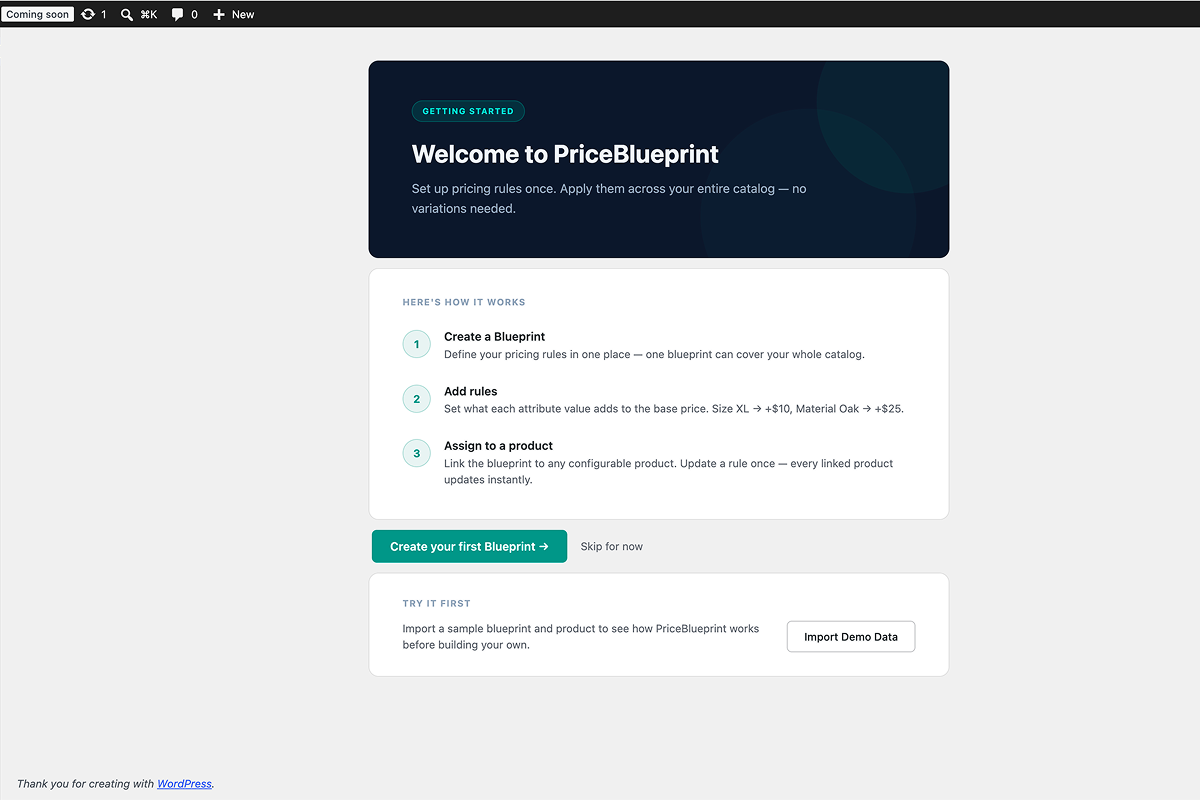
Welcome screen with setup steps and one-click demo import. 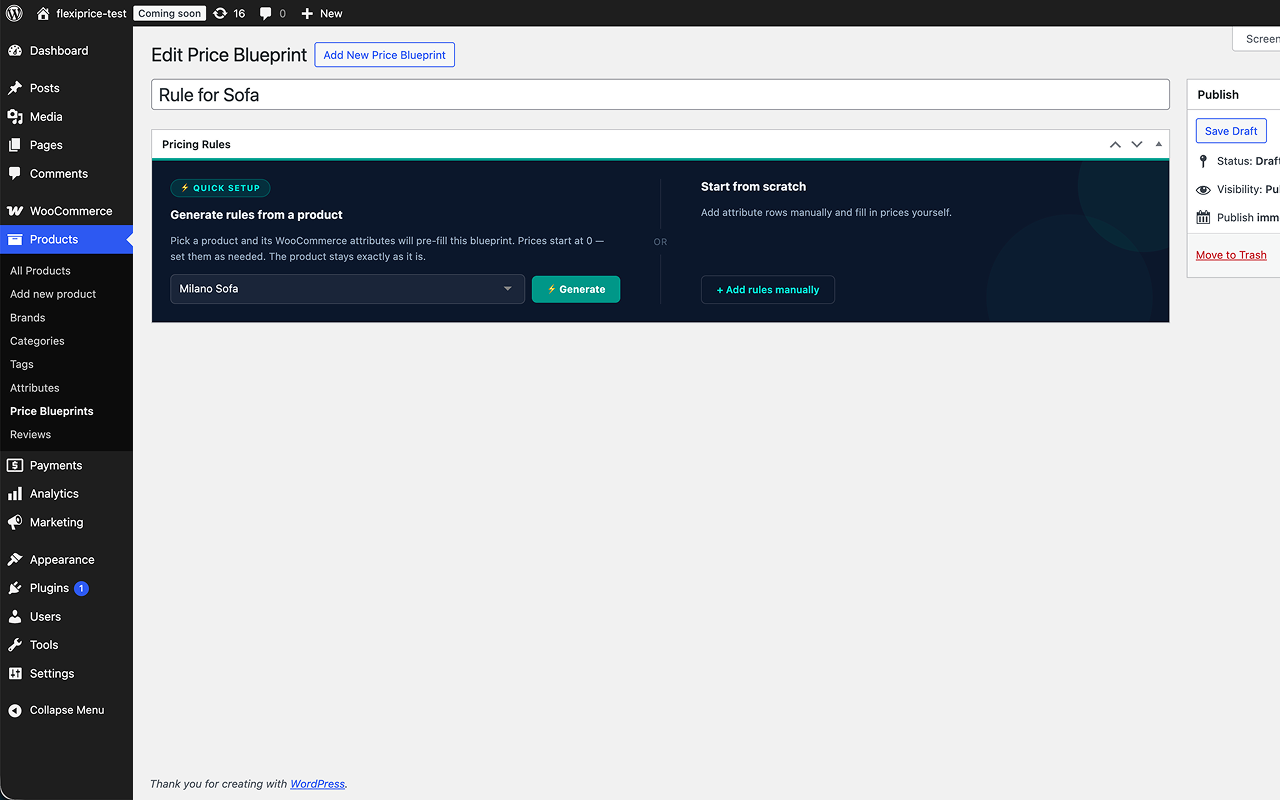
Quick Setup — generate pricing rules from an existing product in one click. 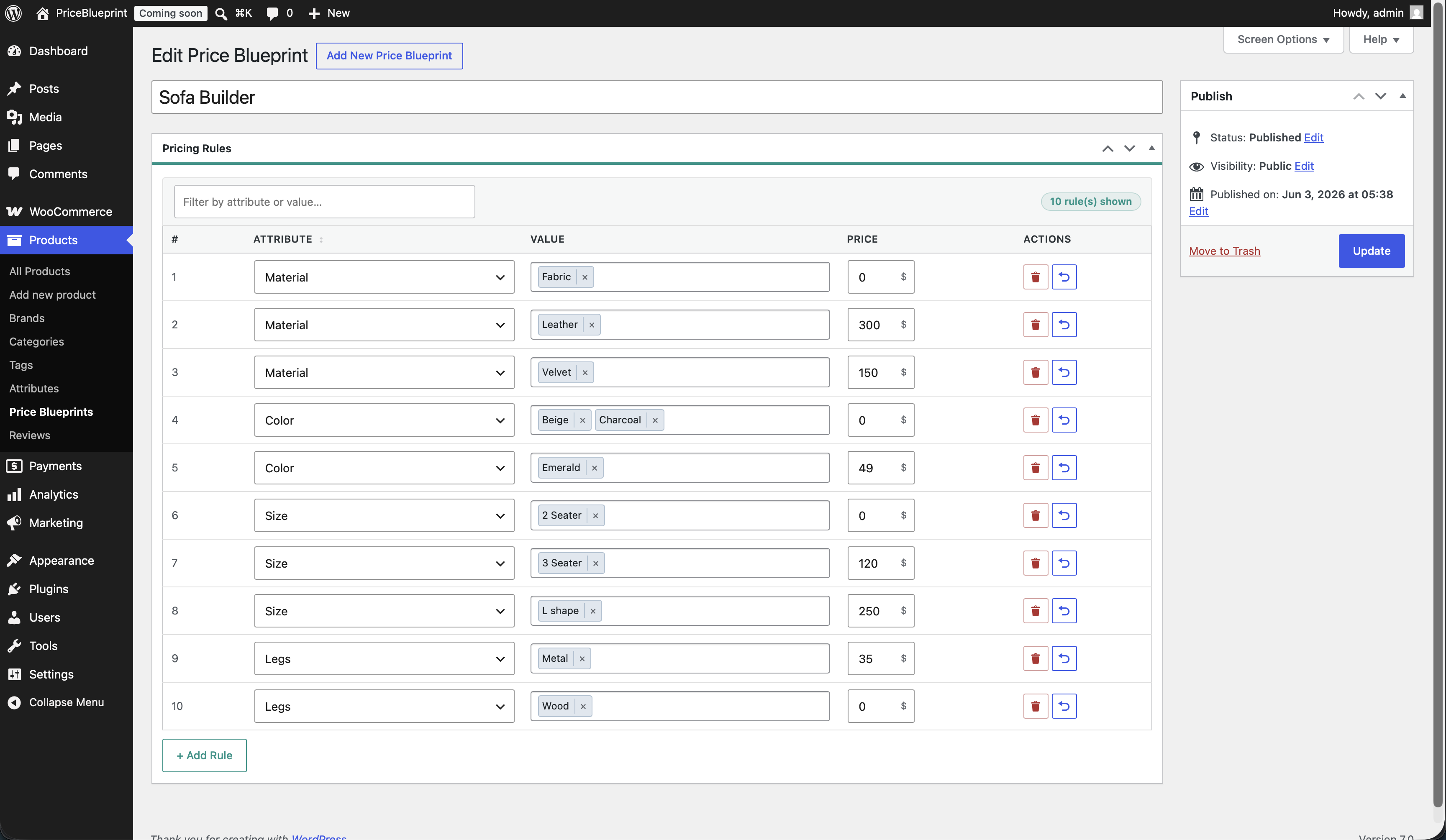
Blueprint editor with configured attribute rules ready to use. 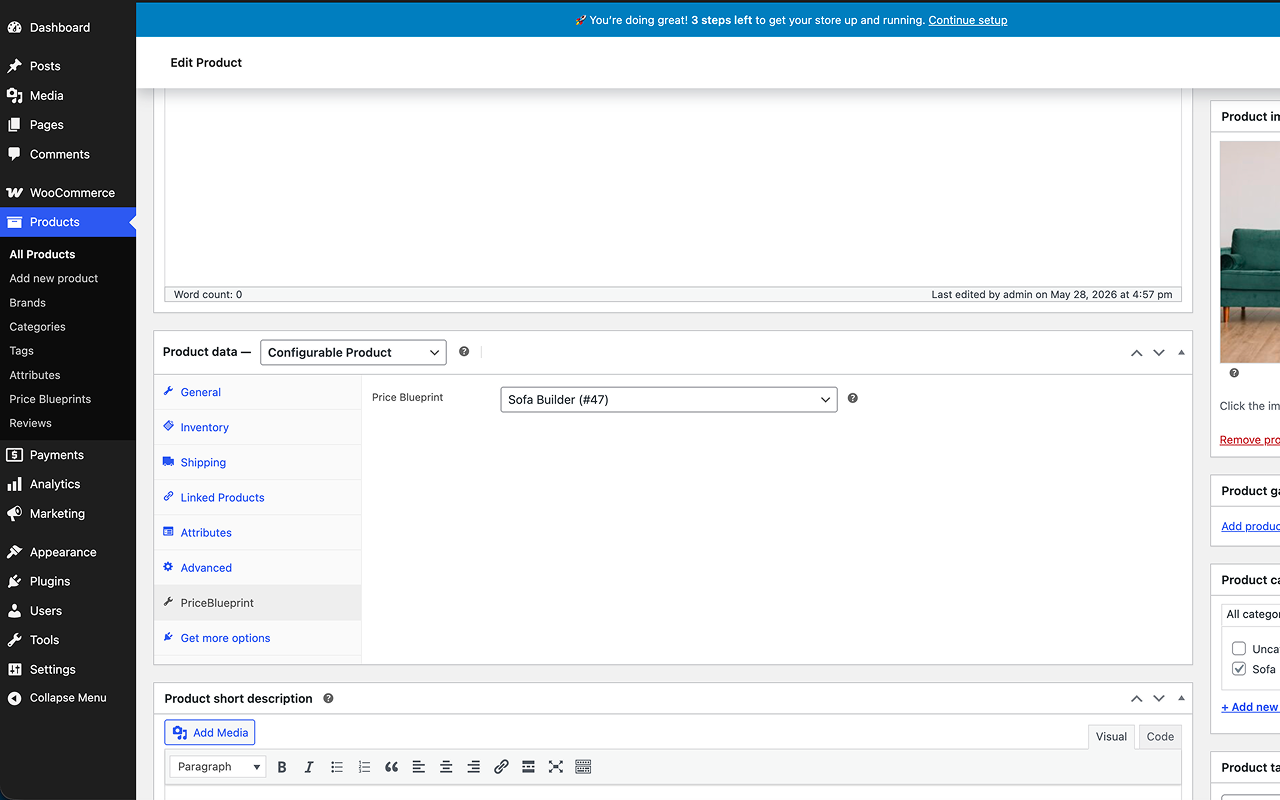
Assigning a blueprint to a product in the product settings. 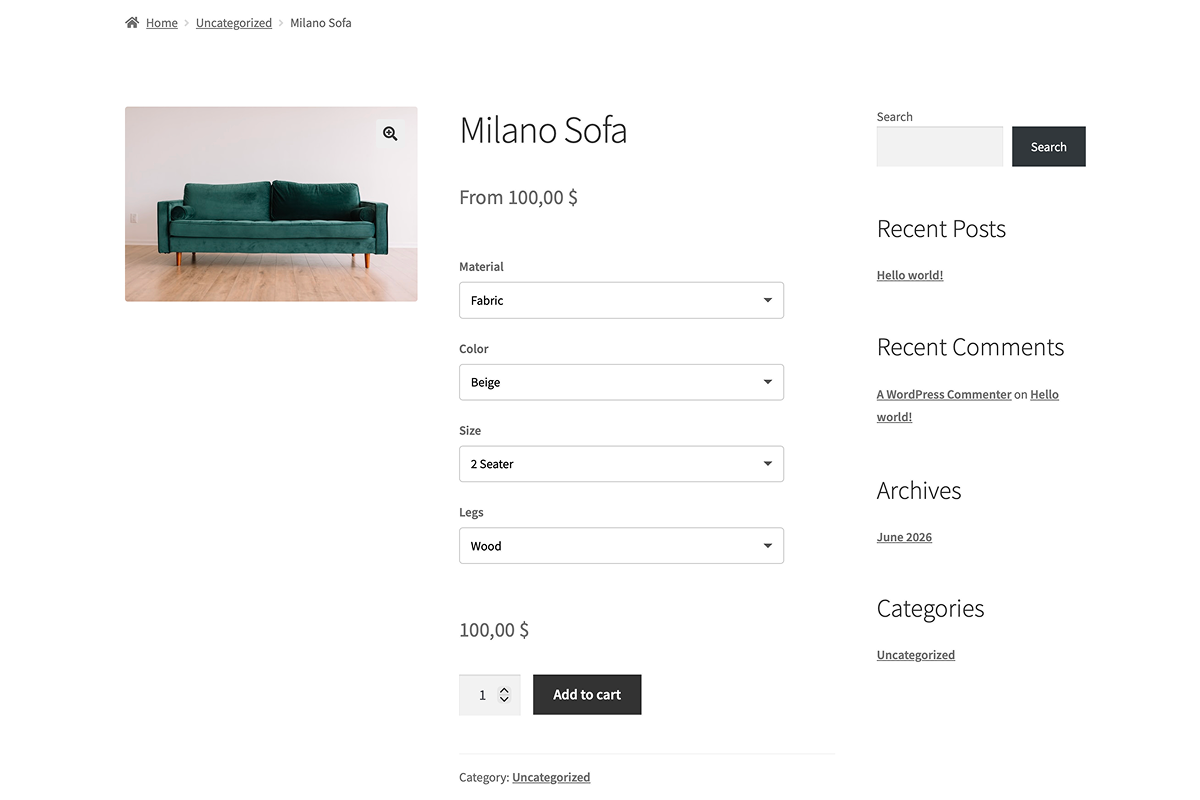
Live price calculator on the product page as customers make selections. 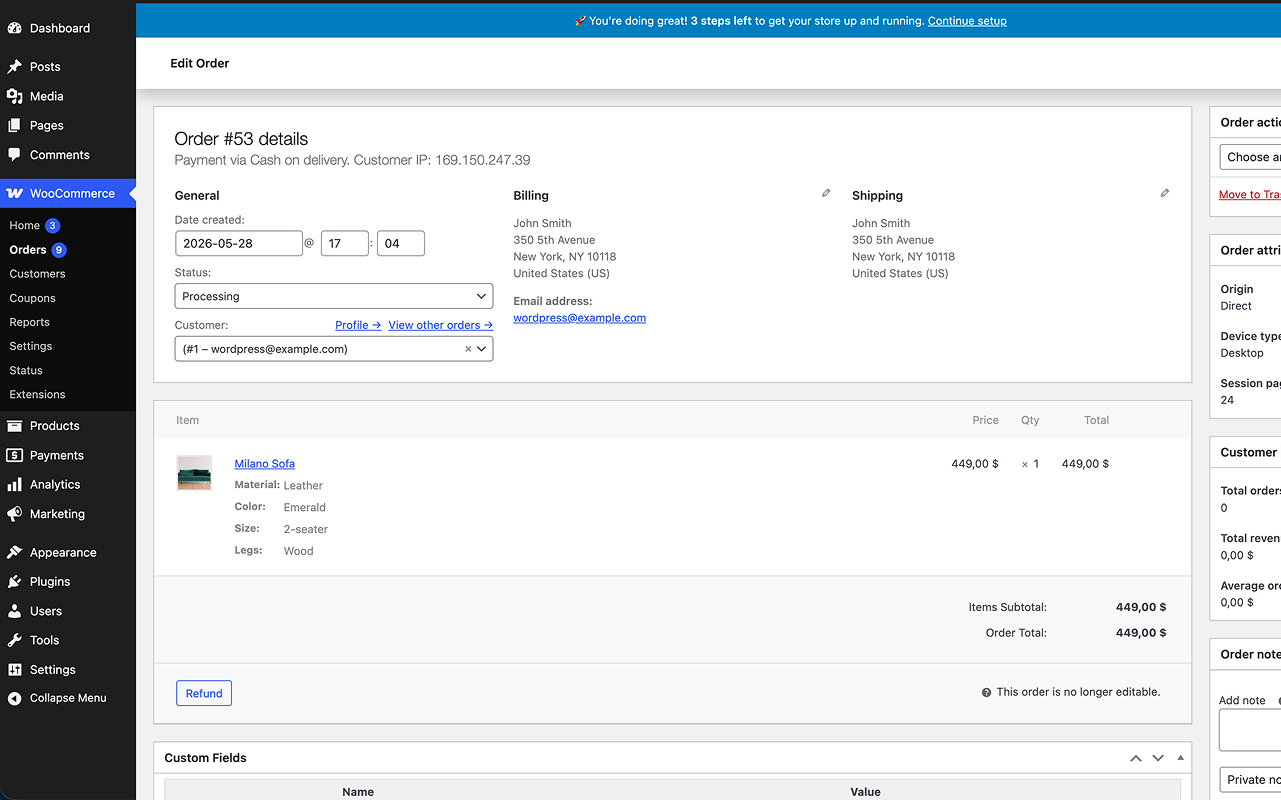
Attribute selections and final price visible in the order details.
ئورنىتىش
- Upload the
priceblueprint-for-woocommercefolder to/wp-content/plugins/ - Activate it through the Plugins menu
- Go to Products Price Blueprints Add New
- Add your rules (Size XL +$10, Material Oak +$25, etc.)
- Create a product, set the type to Configurable Product, and assign your blueprint on the PriceBlueprint tab
FAQ
-
How is this different from WooCommerce variations?
-
With variations, every combination of attributes needs its own record. Four sizes × three colors = 12 variations to create and maintain. PriceBlueprint skips all that. You write one rule per attribute value and the price is calculated from those rules at runtime. No combinations, no bloat.
-
Can I use the same blueprint on multiple products?
-
Yes, that is the whole point. One blueprint, as many products as you want. Update a rule and all of them update with it.
-
What if I change a blueprint while someone is shopping?
-
New sessions get the updated price right away. Anything already in the cart recalculates on the next page load.
-
Does it work with caching plugins?
-
Yes. Price updates happen via AJAX on the product page, so full-page caching does not interfere.
-
Can I set a rule that adds nothing to the price?
-
Yes, just set the add-on to
0.00. Handy for your base option that should not change the price.
باھالاشلار
بۇ قىستۇرمىغا تېخى باھا يېزىلمىدى.
تۆھپىكار ۋە ئىجادكار
«PriceBlueprint — Attribute-Based Pricing for WooCommerce» كودى ئوچۇق يۇمشاق دېتال. تۆۋەندىكى كىشىلەر بۇ قىستۇرمىغا تۆھپە قوشقان.
تۆھپىكار
«PriceBlueprint — Attribute-Based Pricing for WooCommerce» 1 تىلغا تەرجىمە قىلىنغان. تەرجىمانلارنىڭ تۆھپىسى ئۈچۈن رەھمەت.
«PriceBlueprint — Attribute-Based Pricing for WooCommerce» نى تىلىڭىزغا تەرجىمە قىلىڭ
ئىجادىيەتكە قىزىقامسىز؟
كودقا كۆز يۈگۈرتۈپ، SVN خەزىنە تەكشۈرۈپ ياكى RSSئارقىلىق ئىجادىيەت خاتىرىسىگە مۇشتەرى بولغىلى بولىدۇ.
ئۆزگىرىش خاتىرىسى
1.2.3
- New: Import Demo Data button on the Welcome screen — one click imports a sample blueprint and a linked configurable product so you can see the plugin in action right away.
- Fix: Dutch (nl_NL) translation used «Regelmatige prijs» for «Regular price»; replaced with the correct WooCommerce NL term «Normale prijs».
- Fix: Spanish (es_ES) translation had an incorrect capital letter in «¿Qué es una Regla?»; corrected to «¿Qué es una regla?».
- Fix: Dutch (nl_NL) translation was inconsistent — formal «u» used throughout but two strings used informal «je»; standardised to formal «u».
- Fix: Missing blank-line separator between two PO entries in all 10 translation files; this caused some gettext tools to misparse the file.
1.2.2
- Fix: Blueprint editor now shows a clear notice with a link when no WooCommerce global attributes exist, instead of silently displaying an empty attribute dropdown.
- Fix: Selecting an attribute with no terms now shows an inline message with a direct link to add terms, instead of leaving an empty value field with no explanation.
1.2.1
- Fix: Welcome screen CSS and HTML extracted into separate files; all welcome screen strings added to translation files.
1.2.0
- New: Welcome screen shown after plugin activation — walks new users through creating their first blueprint.
1.1.3
- Fix: Missing padding in select fields in Safari
1.1.2
- Fix: «Add to cart» button now inherits theme styles correctly, including block theme support via wp-element-button.
- Fix: Quantity field is now visible on the product page instead of being hidden.
- Fix: Displayed price now updates when the quantity is changed.
1.1.1
- Fix: WooCommerce HPOS Notification Compatibility Update
1.1.0
- New: Quick Setup wizard — get your first blueprint running in under a minute.
- New: Freemius integration for license management and updates.
- New: Attribute options can now be sorted alphabetically in the blueprint editor (default: original order).
1.0.1
- Fix: attribute configurator not rendering on product page after saving blueprint rules.
- Fix: configured price not applied correctly in cart and checkout in certain setups.
- Fix: order-received page displaying internal blueprint meta to customers.
- Fix: compatibility header corrected for WordPress 6.x.
1.0.0
- Initial release